Pipeline reliability
Why it matters
Unreliable CI/CD pipelines silently erode developer productivity. Every flaky test, intermittent build failure, or manual re-run costs time and breaks flow. Worse, teams learn to distrust their pipelines and work around them, skipping checks, batching changes, or delaying deployments. Tracking pipeline reliability exposes these hidden costs before they compound into delivery slowdowns.
What to track
- Workflow failure rate: Percentage of pipeline runs that fail per service or team.
- Re-run rate: How often pipelines are manually retried, indicating flakiness rather than genuine failures.
- Pipeline duration: End-to-end time from trigger to completion, broken down by stage (build, test, deploy).
- Failure concentration: Whether failures are spread evenly or concentrated in specific services, stages, or times of day.
- Deployment failure rate: How often deployments fail mid-pipeline, requiring reruns or rollbacks.
How Port helps
Port ingests CI/CD workflow data from GitHub Actions, GitLab CI, and Azure Pipelines and links every run to the service, team, and recent changes in your software catalog & context lake. Pipeline reliability scorecards grade services and teams on failure rates and trends using Bronze, Silver, and Gold maturity levels making reliability visible without manual investigation.
Example scenario
A platform team sets up pipeline reliability scorecards and discovers that 4 out of 30 services account for 60% of all workflow failures. Two of these services have re-run rates above 40%, pointing to flaky integration tests rather than real bugs. The team prioritizes stabilizing those test suites. Within a month, overall pipeline failure rate drops from 18% to 7%, and developers report noticeably fewer blocked PRs.
Example dashboard
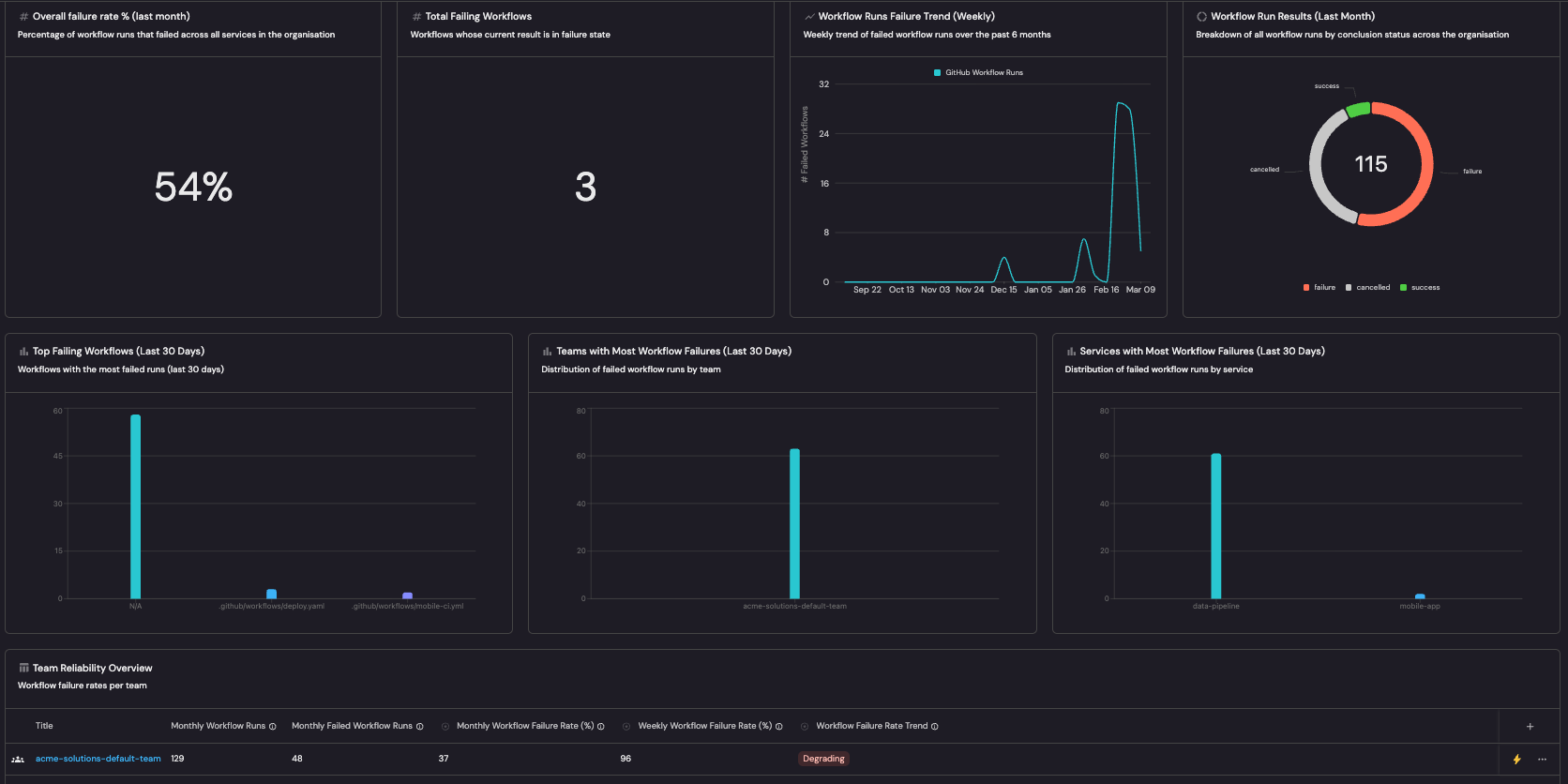
Example pipeline reliability dashboard based on Pipeline reliability guide.
Follow the recommended guides below to implement this use case.