Contain agents with a kill switch
Every production agent needs to be interruptible: a way for people to intervene and stop it. Not after a redeploy, not after someone finds the right credentials, but immediately, by the people responsible for it.
A kill switch in AgentOps is not a single button. It is a set of escalating responses, from notifying an owner to retiring the agent completely. Each one is a Port workflow, triggered automatically by a detected violation or manually by an authorized person.
Why every agent needs a kill switch
Today, when an agent misbehaves, stopping it means finding its credentials, its hosting platform and its owner under pressure, while it keeps running. Teams often end up with two options: do nothing or tear everything down.
With a kill switch in Port, containment levels are defined in advance, wired to each agent's identity and platform, and exposed as self-service actions. Some run automatically when a violation is detected, and others wait for a human.
| Pain point | Without Port | With Port |
|---|---|---|
| Slow containment | A misbehaving agent keeps spending money, changing systems or exposing data while people look for how to stop it and who is allowed to. | Containment actions are wired to each agent, and Port permissions define who can run them, so the right person can stop an agent in seconds. |
| All or nothing | Teams either overreact and stop useful work, or hesitate and let damage continue. | Escalating containment levels let you respond in proportion, from a flag to decommissioning. |
| No record | The organization can't learn from incidents, so the same failure happens again. | Every containment action is recorded on the agent and feeds its review. |
Containment levels
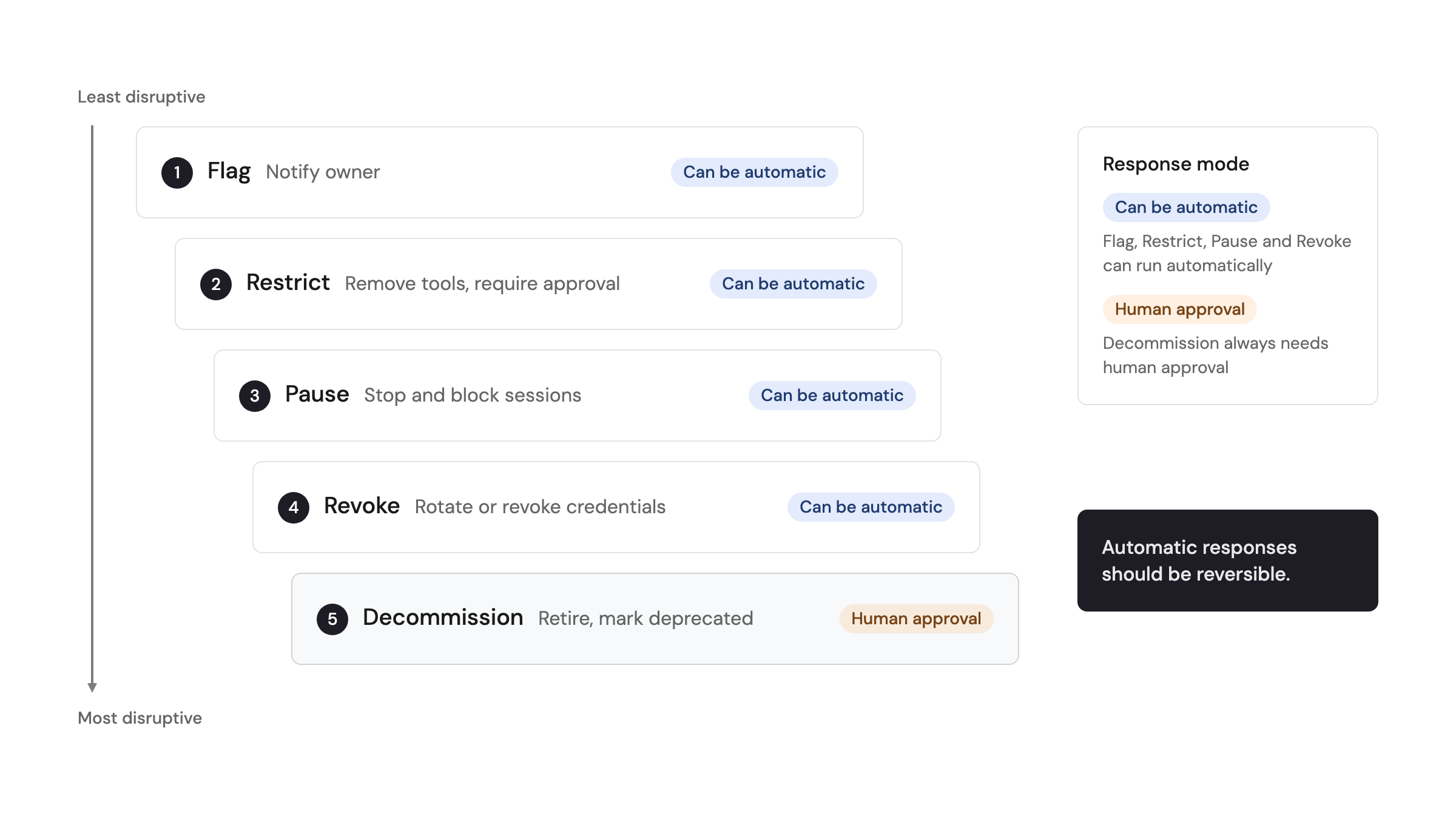
Containment levels escalate from least to most disruptive:
- Flag - mark the agent and notify its owner. The agent keeps running.
- Restrict - reduce what the agent can do. For example, remove a tool or an allowed workflow, or require approval for every action.
- Pause - stop the agent's running sessions and block new ones, for example by blocking its AI gateway key or removing who can trigger it. Its configuration and credentials stay intact, so it can be resumed.
- Revoke - rotate or revoke the agent's credentials, so it can no longer act on any system.
- Decommission - retire the agent. Remove its credentials and access, and mark it as deprecated in the registry.
Port doesn't stop agents itself. Each containment workflow calls the controls of the platforms the agent depends on. For example, it can stop a running session on Amazon Bedrock AgentCore or interrupt one on Claude managed agents, disable an action group on a Bedrock agent, block a key on your AI gateway, or rotate credentials in your vault. The levels stay the same wherever the agent runs, only the calls behind them change.
Automatic or human-approved
Decide in advance which triggers lead to which level, and whether a human needs to approve. A simple matrix might look like this:
| Trigger | Response | Approval |
|---|---|---|
| Agent has no owner | Flag | Automatic |
| Agent loads a skill that lost its certification | Restrict: require approval for every action | Automatic |
| Token cost per session spikes above a threshold | Restrict, then pause if it continues | Automatic, owner notified |
| Agent calls the AI gateway with a personal key instead of its own | Pause | Automatic, owner notified |
| A secret scanner finds the agent's credentials exposed | Revoke credentials | Automatic, on-call paged |
| Agent is unused or replaced | Decommission | Human approval |
A good rule of thumb is that automatic responses should be reversible. Anything permanent, such as decommissioning, should wait for a human.
Who can pull it
Manual containment is exposed as self-service actions on each agent's page in Port, and can also be triggered through Port's MCP server or the Port API. Use workflow permissions to decide who can run each level:
- The agent's owning team can flag, restrict and pause its own agents.
- On-call engineers can pause and revoke any production agent during an incident.
- The platform or security team can run every level, including decommissioning.
Recovery and follow-up
Containment is the start of a process, not the end:
- Restore through the gates - a restricted or paused agent returns to full access only after it passes its promotion gate again.
- Review what happened - record the trigger, the response and the root cause on the agent.
- Feed it back - use what you learned to adjust thresholds, gate criteria or the agent itself. See self-improvement routines.
Related docs
- Workflows overview - build containment workflows and approval steps.
- Workflow permissions - control who can run each containment action.
- External agents - connect agents running on external platforms so Port can act on them.