AI security and data controls
Port is committed to developing AI responsibly, maintaining high standards of data privacy and security across all our AI interfaces. This page addresses common questions about security, data handling, permissions, and controls for Port's AI capabilities.
Data access & permissions
Controlling access to Port AI
Access to Port AI is controlled through the _ai_invocation blueprint's permissions. Users need the Read, Register, and Update permissions on AI invocation entities to access and use Port AI interfaces. By configuring these, you can manage which users in your organization have access to Port AI features, including the Port AI Assistant, AI Chat Widgets, and API-based interactions.
To configure who can access Port AI:
- Navigate to the Data model page in Port.
- Search for the
_ai_invocationblueprint. - Go to the Permissions tab.
- Under the Entities section, configure the Read, Register, and Update permissions. Only users with all three permissions will have access to Port AI.
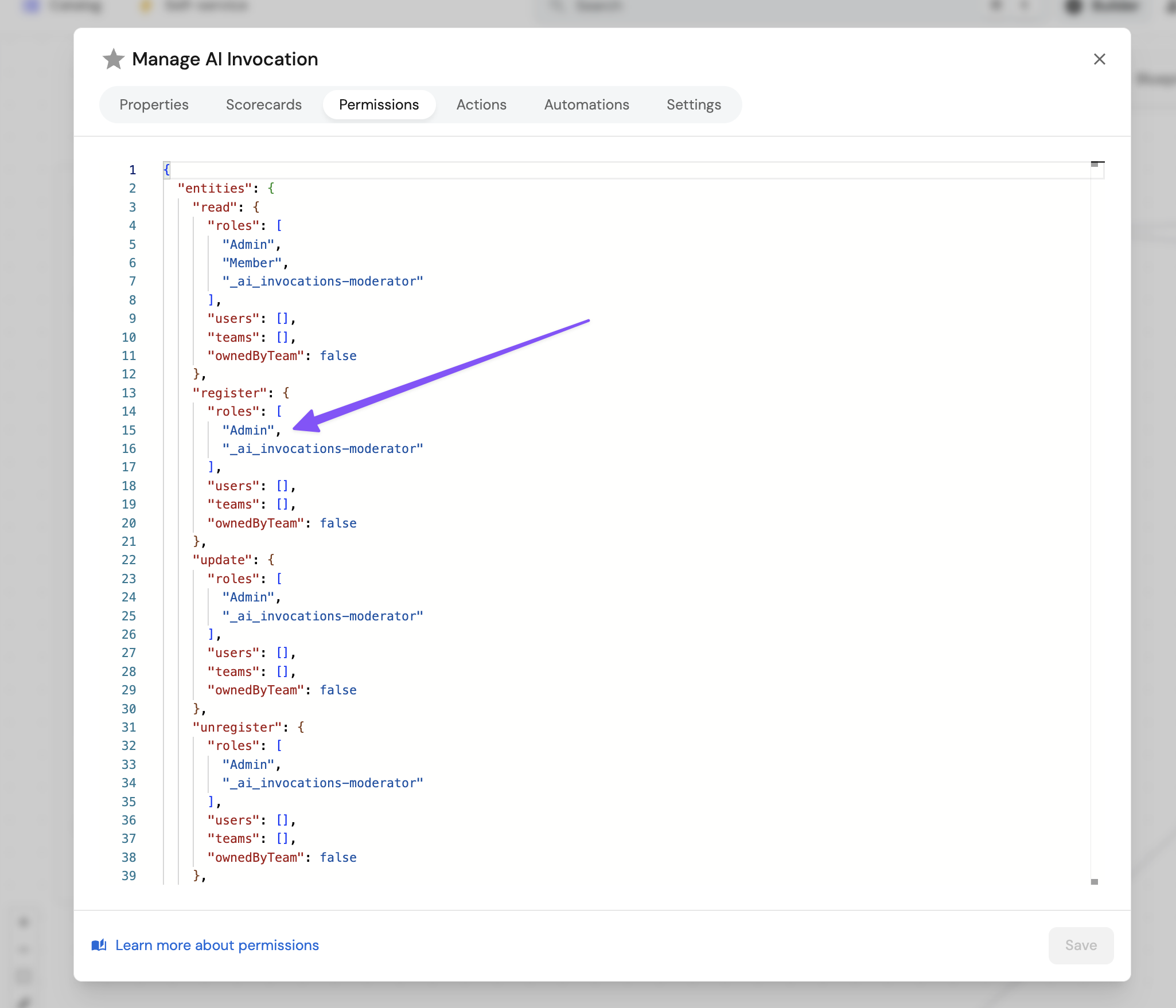
A common mistake is granting only the Register permission, or only Register and Read, to members. This will result in a "missing permissions to manage AI invocations" error during use. Make sure to grant Read, Register, and Update permissions so users can view invocations and Port AI can write back results to the invocation record.
Data privacy & retention
Human oversight & autonomy
Rate limits & usage controls
Port AI operates with specific rate limits and monthly quotas to ensure fair usage across all customers. For detailed information about current limits, quotas, monitoring your usage, and what happens when you reach a limit, see Limits and quotas and AI invocations.
These limits apply when using Port's managed AI infrastructure. Bring your own LLM provider to use your provider's limits instead.