Port AI plugin
Port publishes a curated library of Agent Skills and plugin, both maintained in the port-labs/port-skills repository. Installing them gives your coding agent the instructions and MCP tools it needs to build your agentic SDLC in Port for you, just by describing what you want in natural language.
The Port AI plugin runs inside your own coding agent. Your agent's LLM does the work, Port only supplies the skills and the Port MCP server tools. No Port AI terms or invocation quota apply.
What's included
| Skill | What it does |
|---|---|
port-blueprints | Model your context lake with Port blueprints, properties, and relations. |
port-context-lake | Design a Port context lake with connected blueprints and semantic relations. |
port-dashboard-plugins | Scaffold, implement, and audit custom Port dashboard plugin widgets. |
port-dashboards | Build Port dashboard pages with widgets, layout, and permissions. |
port-getting-started | Sign up for Port and connect its MCP server to your coding agent. |
port-integrations | Configure and troubleshoot Port integration mapping. |
port-permissions | Configure Port's RBAC across the context lake and pages. |
port-terraform | Manage Port resources as code with the Terraform provider. |
port-workflows | Build Port workflows with triggers, action nodes, and conditions. |
The Claude plugin also bundles the Port MCP server, with both the port-eu and port-us regional endpoints preconfigured, so your agent can query and update your catalog directly.
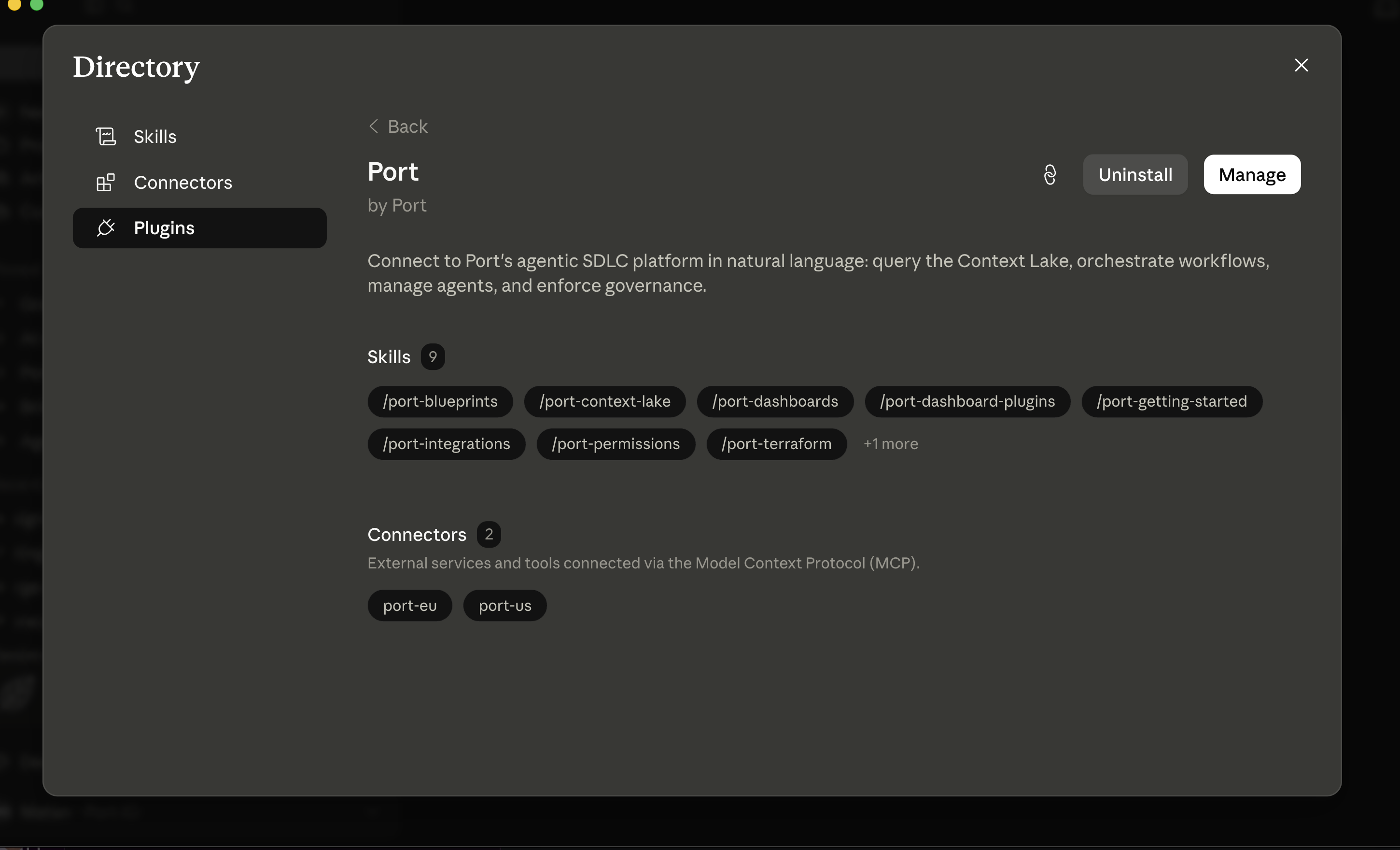
Once installed, a coding agent like Claude Code lists everything under one Port entry:
Install
Choose the option that fits your workflow: add skills directly with the skills CLI, or install the full Claude plugin from the marketplace.
- Skills CLI
- Claude plugin
Use the skills CLI to pull skills into your agent's skill directory.
Add all skills:
npx skills add port-labs/port-skills
Add a single skill:
npx skills add port-labs/port-skills --skill port-workflows
This works for Claude Code, Cursor, GitHub Copilot, and other agents that support the Agent Skills specification. If your agent doesn't support the skills CLI, clone the repository and copy the skills manually:
git clone https://github.com/port-labs/port-skills /tmp/port-skills
cp -r /tmp/port-skills/skills/* ~/.claude/skills/
rm -rf /tmp/port-skills
Replace ~/.claude/skills with ~/.cursor/skills for Cursor or ~/.copilot/skills for GitHub Copilot. Project-level paths (.claude/skills, .cursor/skills) work the same way.
The plugin bundles every skill in the repository plus the Port MCP server in a single install. It's available anywhere Claude supports plugins, Claude Code, Claude Desktop, and claude.ai.
From the command line (Claude Code):
/plugin marketplace add port-labs/port-skills
/plugin install port-skills
From the Customize menu (UI):
- Click Customize.
- Choose Plugins.
- Click Add, then choose Marketplace.
- Paste
port-labs/port-skillsas the marketplace source and confirm. - Select the Port plugin and click Install.
Once installed, the Port entry in the directory shows the bundled skills and MCP connectors (port-eu and port-us), as shown in the screenshot above.
Frequently asked questions
Does the plugin stay up to date with new versions? (Click to expand)
Yes. Skills installed with the skills CLI update when you run npx skills update. The Claude plugin is versioned, so Claude Code checks for new releases automatically, and you can also force a check by running /plugin update port-skills.
What is the Port AI plugin for? (Click to expand)
It gives your coding agent the context and tools to build and maintain your agentic SDLC in Port, for example blueprints, dashboards, or workflows, just by describing what you want.
Which coding agents can use it? (Click to expand)
Any agent that supports the Agent Skills specification, including Claude Code, Cursor, GitHub Copilot, and Codex CLI. The Claude plugin packaging, skills plus the Port MCP server in one install, is available anywhere Claude supports plugins: Claude Code, Claude Desktop, and claude.ai.
Next steps
- Port MCP server: the tools the plugin connects your agent to.
port-labs/port-skills: skill source, README, and contribution guide.- Skills overview: Port AI's own runtime skills, a different concept from the coding-agent skills on this page.