AI invocations
Every interaction with Port AI creates a detailed AI invocation record in Port, providing tracking and analysis capabilities. AI invocations act as execution logs that capture the complete lifecycle of each interaction.
This applies to the Port AI Assistant, custom agents, API calls, and other Port AI interfaces.
What AI invocations track
Each AI invocation record includes:
- Who asked: User identity and context for the interaction.
- What they asked: The original prompt or question submitted.
- AI response: The complete response provided by Port AI.
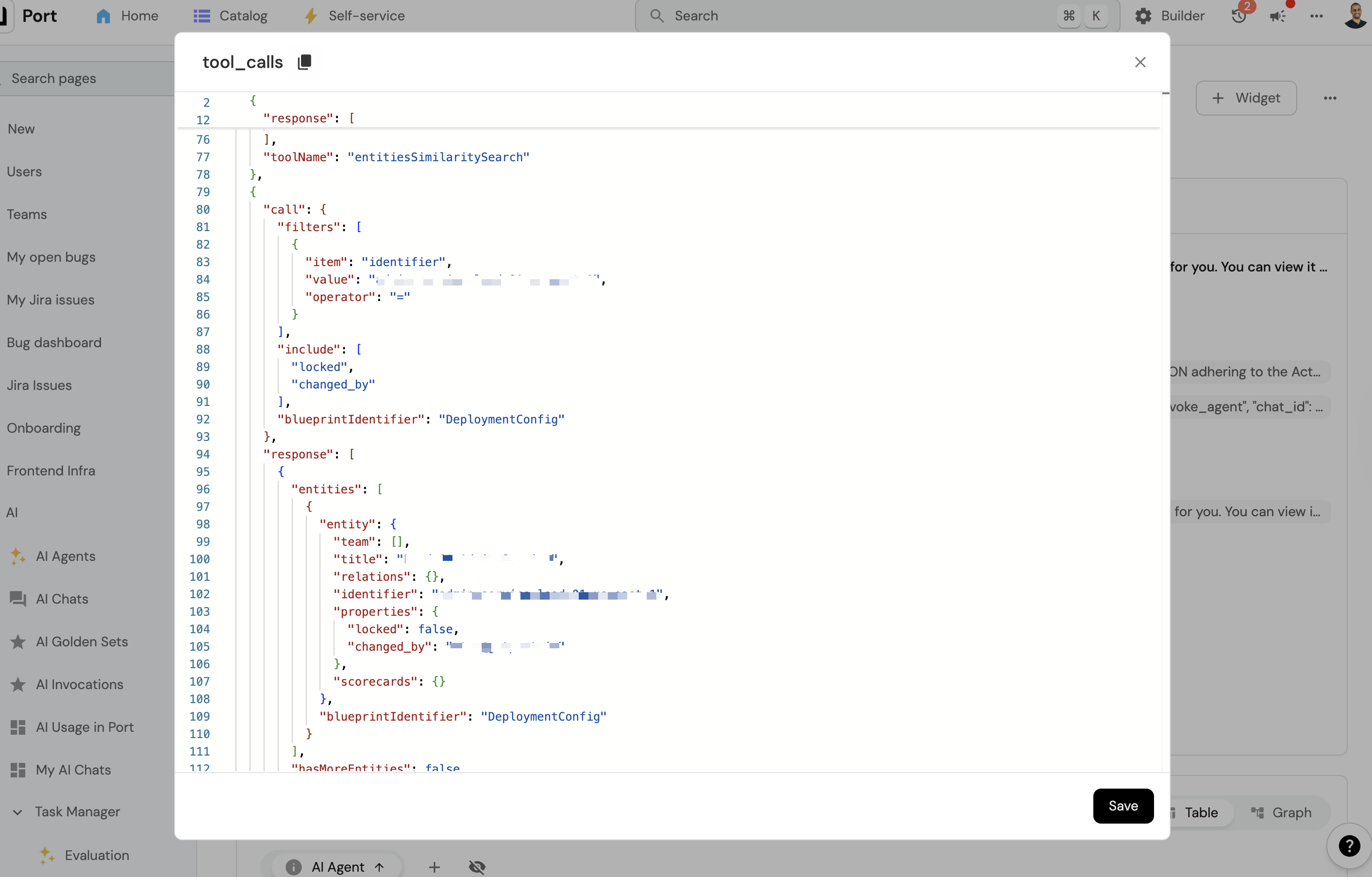
- Tools used: Detailed log of which tools were executed and their results.
- Execution logs: Step-by-step record of tool calls and results.
- User feedback (optional): Users can rate assistant replies with thumbs up or down and optionally leave a short comment.
Accessing AI invocations
AI invocations are stored as entities in your Port catalog using the _ai_invocations blueprint. You can view them in the AI Invocations catalog page, or query them programmatically via the API.
Feedback on AI invocations
Users can leave thumbs up or thumbs down on an assistant message, and optionally add a short comment after choosing a rating. Feedback is stored per assistant message inside the invocation's execution_logs JSON (not as a single rating on the invocation entity).
| Field | Description |
|---|---|
messageId | Stable identifier for each message in execution_logs. Required when submitting feedback via API. |
feedbackRating | positive or negative. Cleared when the user removes their vote. Present on assistant messages. |
feedbackComment | Optional text; submitted together with the rating when the user sends a comment. |
The _ai_invocations blueprint may still include feedback_rating and feedback_comment properties from earlier releases. New feedback is written to individual messages in execution_logs; those entity properties are no longer updated.
Behavior:
- Choosing a rating saves it immediately; the user can then open Add a comment to attach text.
- Clicking the same thumb again clears the rating and any stored comment (equivalent to removing feedback).
- Updates are best-effort from the client: a failed request does not block the chat, but feedback may not be persisted.
Programmatic access: Integrations can update or clear feedback via the submit feedback and delete feedback API endpoints (with appropriate auth), which update the invocation entity in the catalog.
AI invocation details
Each AI invocation provides detailed information about how Port AI processed your request:
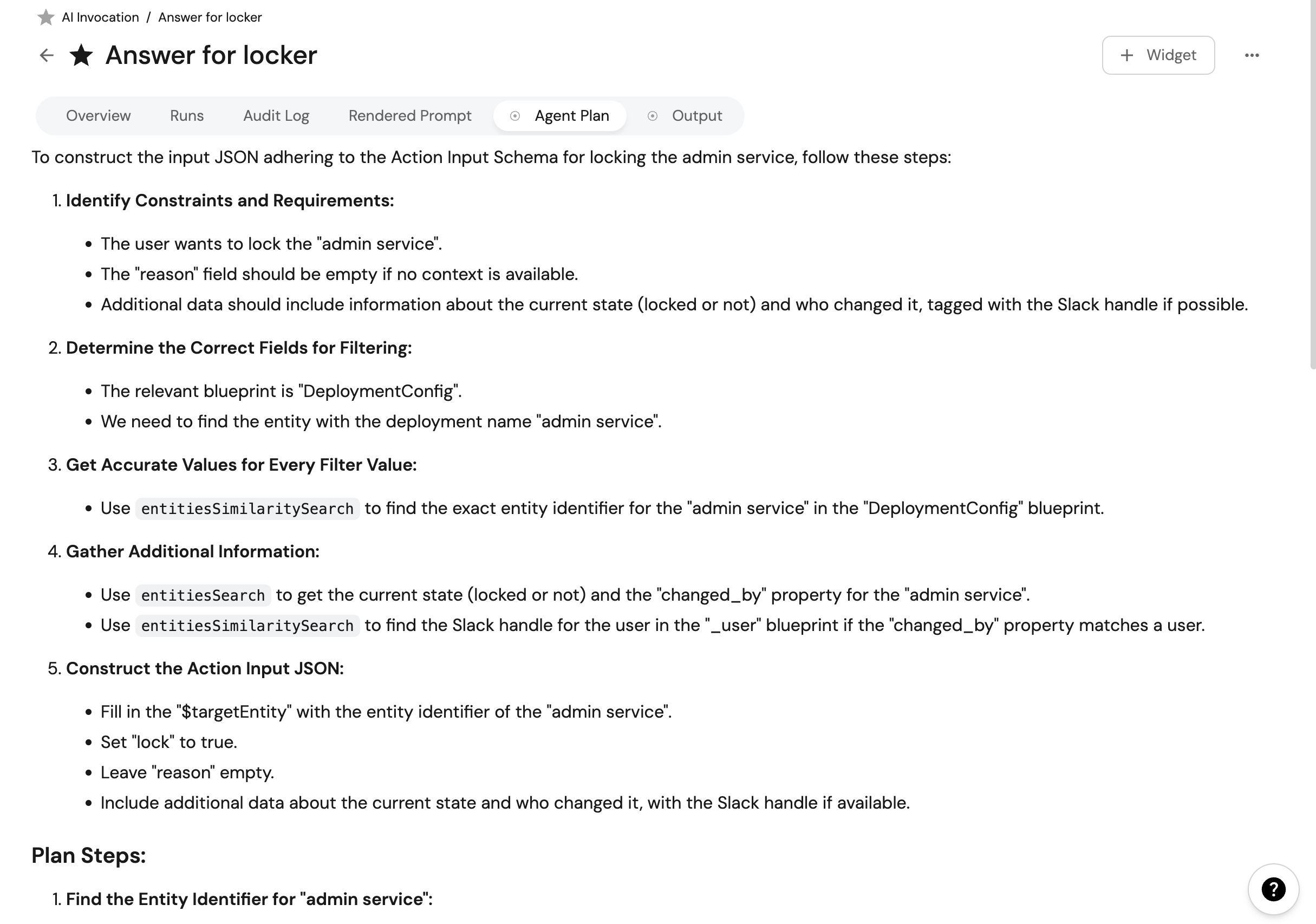
Reasoning plan
The reasoning plan shows how Port AI decided to tackle your request and the steps it intended to take. This is an execution log entry, not the same as chat plan mode. Chat plan mode controls which tools are available during a conversation. See chat modes.
Tools used
This section displays the actual steps Port AI took and the tools it used to complete your request. This information can be particularly helpful for debugging when answers don't meet expectations.
Execution details
Each invocation record also includes:
- Request timestamp: When the interaction was initiated.
- User context: Who made the request and from what interface.