Overview
Port supports various visualizations in the form of widgets, allowing you to display data from your software catalog using graphic elements, making it easier to make sense of large datasets.
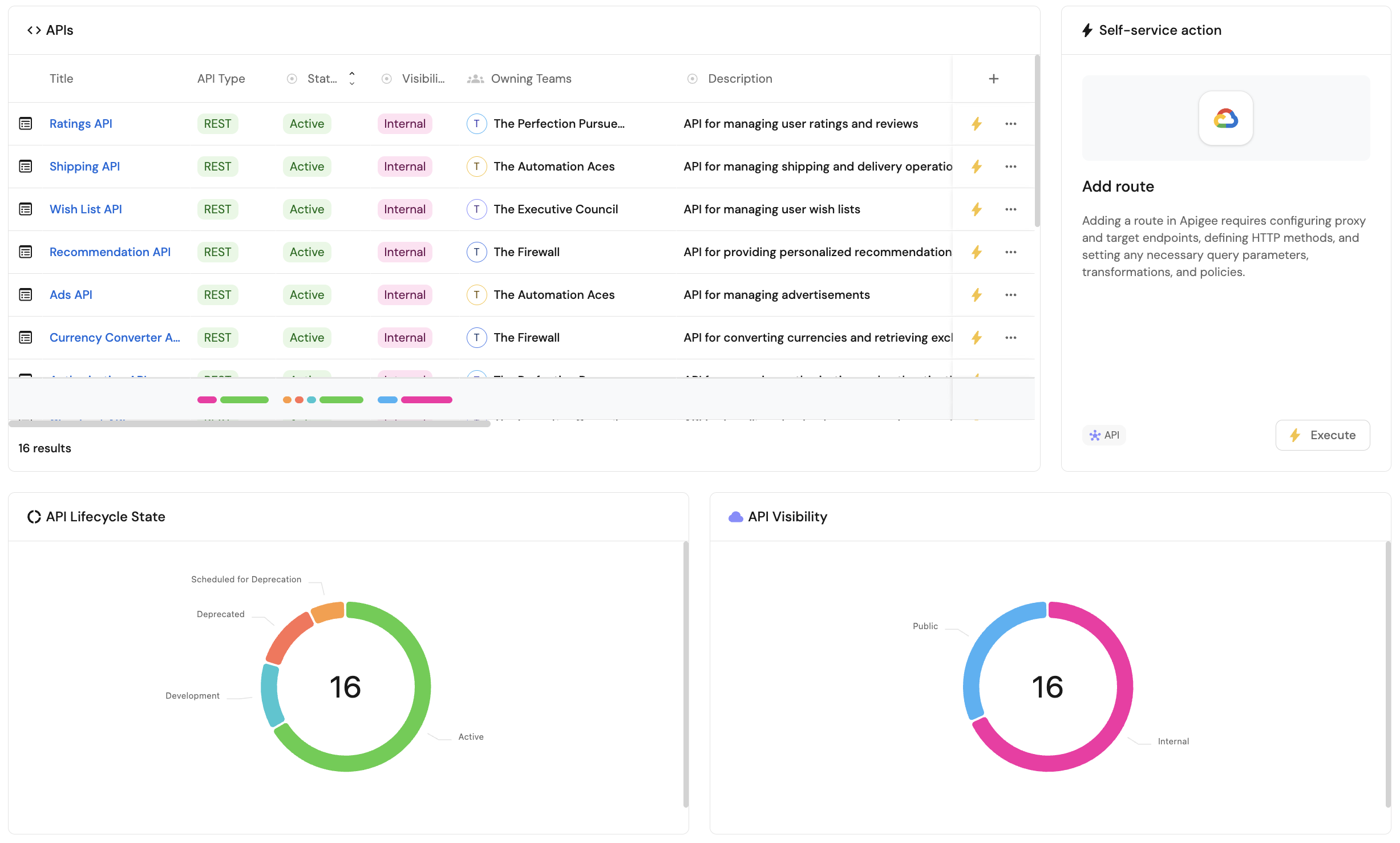
Supported widgets
Port offers three types of widgets:
Data widgets
Data widgets are visualization widgets that display data from your software catalog, including charts, tables, and entity information.
These include:
-
Number chart - displays a number value related to an entity and its properties, such as a single property, an entity count, or an aggregation.
-
Pie chart - illustrates data from entities divided by categories and entity properties.
-
Bar chart - illustrates data from entities divided by categories and entity properties, displayed as vertical bars.
-
Line chart - visualizes trends over time by tracking entity properties or the entities themselves.
-
Table - displays all entities of a selected blueprint in a searchable, filterable table.
-
Entity card - displays information about a specific entity, including its properties and scorecard compliance.
Custom widgets
Custom widgets are specialized widgets that provide additional functionality beyond data visualization, such as executing actions, displaying external content, or showing formatted markdown content.
These include:
-
Iframe visualization - embeds an external URL in the dashboard, such as an external dashboard or other content.
-
Action card - executes one or more self-service actions directly from the dashboard.
-
Action history - displays a table of past runs of a self-service action.
-
Markdown - displays formatted markdown content, either custom-written or pulled from an entity property.
-
AI Agent - provides an interactive chat interface for working with Port.
-
Links - displays a list of internal and external links for quick access to useful pages.
-
Custom widget - runs your own plugin's UI directly inside Port dashboards and entity pages.
Personal widgets
Personal widgets are user-specific widgets that display information tailored to the logged-in user, such as their entities, recently viewed items, and recently used actions. These widgets are only available in the home page of your portal.
These include:
-
My entities - displays entities assigned to or owned by the logged-in user.
-
Recently viewed - displays entities the logged-in user has recently viewed in Port.
-
Recently used actions - displays self-service actions the logged-in user has recently executed.
Where to use widgets
Dashboards are available in the following locations, where you can add and customize any of the widgets described on this page:
-
The Home page of your Port platform - the home page itself is a dashboard, allowing you to add and customize any of the widgets described on this page.
-
Every entity page can have a
dashboardtab with its own widgets. -
The software catalog allows you to create customizable dashboard pages.