Ingest prompts and skills from GitHub using GitOps
Teams that manage AI prompts and skills as code need a reliable way to sync those assets into Port. This guide shows you how to structure prompt and skill files in your GitHub repositories and map them to Port blueprints using the GitHub app integration. This gives you a GitOps workflow where GitHub is the source of truth and Port stays in sync automatically.
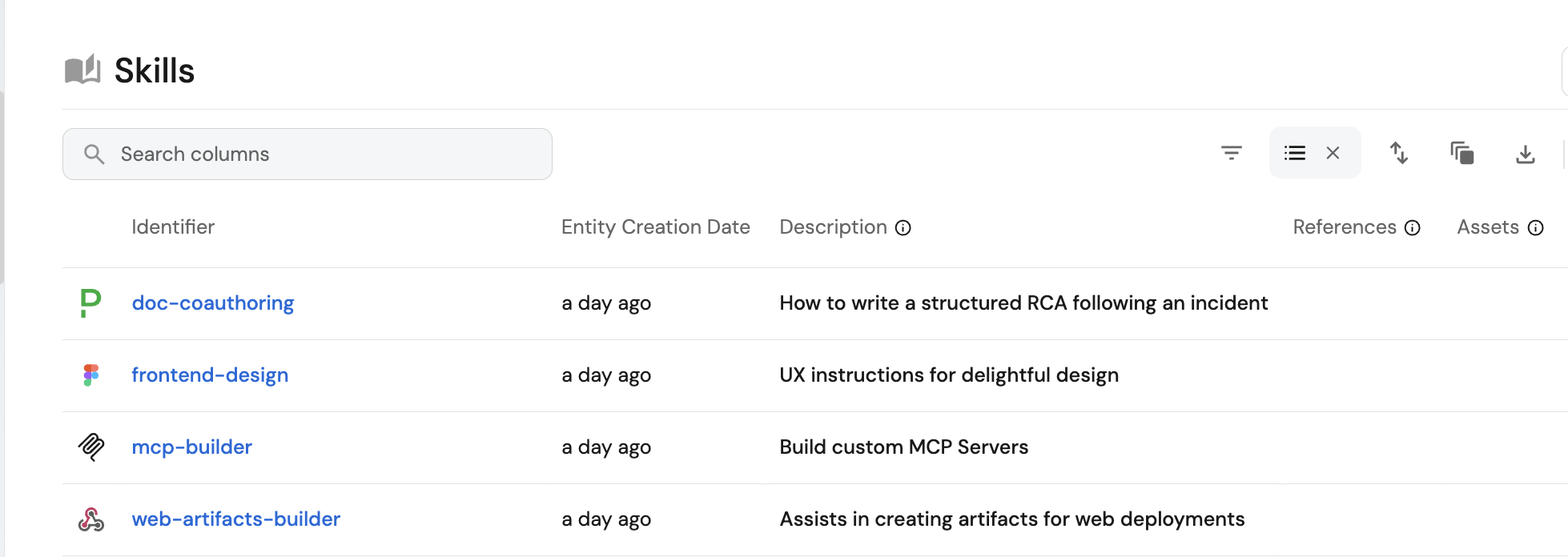
Common use cases
- Keep AI prompts and skills version-controlled with clear audit trails.
- Avoid manual entity creation and drift across systems.
Prerequisites
This guide assumes the following:
-
You have a Port account and have completed the onboarding process.
-
GitHub Ocean integration is installed in your account.
Set up data model
Let's create two blueprints to manage AI prompts and skills.
Create the prompt blueprint
Follow the steps in the Set up the data model section of the prompts documentation to create the prompt blueprint.
Create the skill blueprint
Follow the steps in the Step 1: Create the skill blueprint section of the skills documentation to create the skill blueprint.
Recommended file structure
You can map GitHub files and folders to Port entities. The structure below keeps prompts and skills consistent and predictable.
Prompt files
Store prompts as YAML files under .github/prompts using the .prompt.yaml suffix. This is consistent with GitHub's prompt storage standard.
Example file: .github/prompts/code-review.prompt.yaml.
Example prompt file (click to expand)
name: code-review
description: Review code changes for correctness, security, performance, and test coverage following repo conventions.
arguments:
  - name: change_scope
    description: Summary of the changes or files to review.
    required: false
  - name: focus_areas
    description: Specific concerns to prioritize (e.g., security, performance).
    required: false
message: |-
  # Code review

  Review code changes for this repository.

  Inputs:
  - change_scope: {{change_scope}}
  - focus_areas: {{focus_areas}}

  ## Instructions

  Focus on:
  - correctness and edge cases.
  - security risks and input validation.
  - performance regressions.
  - missing tests or insufficient coverage.
  - adherence to repo conventions in `AGENTS.md`.

  Output format:
  1. Findings (ordered by severity).
  2. Questions and assumptions.
  3. Suggested fixes.

  ## Examples
  - Review changes in {{change_scope}} with focus on {{focus_areas}}.
  - If {{change_scope}} is empty, review the full diff and infer key risks.

  ## Guidelines
  - Be specific and cite affected areas.
  - Prioritize actionable feedback.
Skill folders
Store each Anthropics skill in its own folder under skills/. Each folder should include a SKILL.md file with YAML frontmatter and instructions.
Choose one mapping kind. Do not combine them:
- Use the
skillkind to ingestSKILL.mdinstructions. SetincludeSkillFolder: trueto also bundle the text files in each skill folder intoproperties.references. - Use the
filekind when you also need binary files underassets/on the skill entity asproperties.assets.
Do not model extra files as related entities, and do not reconstruct references with mirror or calculation properties.
Example file: skills/my-skill/SKILL.md.
Example skill file (click to expand)
---
name: my-skill-name
description: A clear description of what this skill does and when to use it
---

# My skill name

Add your instructions here that the AI should follow when this skill is active.

## Examples
- Example usage 1.
- Example usage 2.

## Guidelines
- Guideline 1.
- Guideline 2.
Make sure your prompt and skill files contain only the fields you intend to expose in Port, and avoid including secrets or credentials in any file content that will be ingested.
Update integration mapping
Now you will configure the GitHub integration to ingest prompts and skills from your repositories.
-
Go to the connectors page in Port.
-
Find your GitHub integration and click Manage.
-
Go to the
Mappingtab. -
Update the mapping configuration. Choose skill kind or file kind for skills. Do not combine them:
- Skill kind
- File kind
Use this mapping when you only need
SKILL.mdinstructions. Extra files in the skill folder are not ingested.GitHub Ocean mapping (skill kind) (click to expand)
deleteDependentEntities: falsecreateMissingRelatedEntities: trueenableMergeEntity: trueresources:- kind: repositoryselector:query: 'true'teams: trueincludedFiles:- README.mdport:entity:mappings:identifier: .nametitle: .nameblueprint: '"githubRepo"'properties:readme: .__includedFiles["README.md"]url: .html_urldefaultBranch: .default_branchrelations:githubTeams: '[.teams[].id | tostring]'- kind: skillselector:query: 'true'paths:- path: 'skills/**/SKILL.md'organization: my-org # Optional if githubOrganization is set (required if not set)repos:- name: my-repobranch: mainport:entity:mappings:identifier: .__repository.full_name + "/" + .skill.skillMdPathtitle: .skill.name // .skill.skillMdPathblueprint: '"skill"'properties:instructions: .skill.instructionsdescription: .skill.descriptionlocation: '"global"'- kind: fileselector:query: 'true'files:- path: .github/prompts/*.prompt.yamlskipParsing: falseorganization: my-org # Optional if githubOrganization is set (required if not set)repos:- name: my-repobranch: mainport:entity:mappings:identifier: .__repository.name + "/" + .nametitle: .name | split(".") | .[0]blueprint: '"prompt"'properties:description: .content.descriptionarguments: .content.argumentstemplate: .content.messagerelations:repository: .__repositoryUse this mapping when
references/andassets/must land on the skill entity. Map every file in the skill folder to the same identifier, and setenableMergeEntity: trueso extra files merge onto the entity instead of replacing the instructions.Each extra-file event replaces the whole
referencesorassetsarray. If a skill has more than one file in the same directory, use the upload skills from a folder script so the full array is written in one request.GitHub Ocean mapping (file kind) (click to expand)
deleteDependentEntities: falsecreateMissingRelatedEntities: trueenableMergeEntity: trueresources:- kind: repositoryselector:query: 'true'teams: trueincludedFiles:- README.mdport:entity:mappings:identifier: .nametitle: .nameblueprint: '"githubRepo"'properties:readme: .__includedFiles["README.md"]url: .html_urldefaultBranch: .default_branchrelations:githubTeams: '[.teams[].id | tostring]'- kind: fileselector:query: 'true'files:- path: skills/**/SKILL.mdorganization: my-org # Optional if githubOrganization is set (required if not set)repos:- name: my-repobranch: mainport:entity:mappings:identifier: .repository.name + "/" + (.path | split("/")[1])title: .path | split("/")[1]blueprint: '"skill"'properties:instructions: .contentdescription: .content | capture("description:\\s*(?<d>.+)").dlocation: '"global"'relations: {}- kind: fileselector:query: 'true'files:- path: skills/**/references/**skipParsing: trueorganization: my-org # Optional if githubOrganization is set (required if not set)repos:- name: my-repobranch: mainport:entity:mappings:identifier: .repository.name + "/" + (.path | split("/")[1])blueprint: '"skill"'properties:references:- path: .path | split("/") | .[2:] | join("/")content: .content- kind: fileselector:query: 'true'files:- path: skills/**/assets/**skipParsing: trueorganization: my-org # Optional if githubOrganization is set (required if not set)repos:- name: my-repobranch: mainport:entity:mappings:identifier: .repository.name + "/" + (.path | split("/")[1])blueprint: '"skill"'properties:assets:- path: .path | split("/") | .[2:] | join("/")content: .content- kind: fileselector:query: 'true'files:- path: .github/prompts/*.prompt.yamlskipParsing: falseorganization: my-org # Optional if githubOrganization is set (required if not set)repos:- name: my-repobranch: mainport:entity:mappings:identifier: .__repository.name + "/" + .nametitle: .name | split(".") | .[0]blueprint: '"prompt"'properties:description: .content.descriptionarguments: .content.argumentstemplate: .content.messagerelations:repository: .__repository
GitHub (Ocean) uses files with organization and repos structure to scope which repositories are scanned. Use .content instead of .file.content for file content. For folders, use includedFiles and .__includedFiles["filename"] instead of the file:// prefix. Use .__repository or .repository for the repository relation.
- Click Save & Resync to update the integration configuration.
Test the configuration
Now you can validate the full workflow and confirm that changes in GitHub appear in the Port catalog.
- Update a
.prompt.yamlorSKILL.mdfile in your repository and merge the change. - Go to your context lake page.
- Find the corresponding
PromptorSkillentity and confirm the content is updated.