Create a Jira issue using GitLab CI
Implement with AI
Send this guide to your coding agent.
Prerequisite: Install Port MCP
Open plan mode. Implement this Port guide in my org via MCP:

https://docs.port.io/guides/all/create-jira-issue-gitlab

Goal: get the guide's core flow working end-to-end in my org; adapting it to fit my existing setup takes priority over matching the guide 1:1.

Plan:
1. Confirm MCP is connected, in the right org, with sufficient permissions.
2. Diff the guide's data model (blueprints, properties, relations, actions, agents, automations, integrations, secrets) against mine.
3. Propose adaptations for gaps, reusing existing blueprints/relations over guide-named duplicates.
4. Flag what needs a UI click, credential, or secret from me, testing MCP capability empirically before ruling anything out.
5. Stop on any blocker and give me options. Approving this plan authorizes the writes it lists; pause only for writes beyond what's listed.

Build:
- Extend blueprint schema additively when upserting; don't remove or overwrite existing properties, and treat type conflicts as a blocker, not an auto-fix.
- List any mock data in the plan, minimal and labeled mock; once approved, seed it without re-asking, and tell me what you seeded.
- For anything the guide writes downstream (e.g. a webhook target), use a real entity, not a mock.
- For pages/widgets, use the real page identifier from the app URL, not a guessed slug.
- When you hit a UI step confirmed (not assumed) unsupported via MCP, pause, give exact clicks, then resume via MCP.
- Validate and give links after each meaningful step (only a tool-returned URL, no guessed paths); don't proceed if the last run wasn't a success.

Done:
- Confirm the guide's expected output exists and runs in Port.
- Summarize adaptations, seeded data, what was mocked or skipped, remaining UI steps, and how to verify.
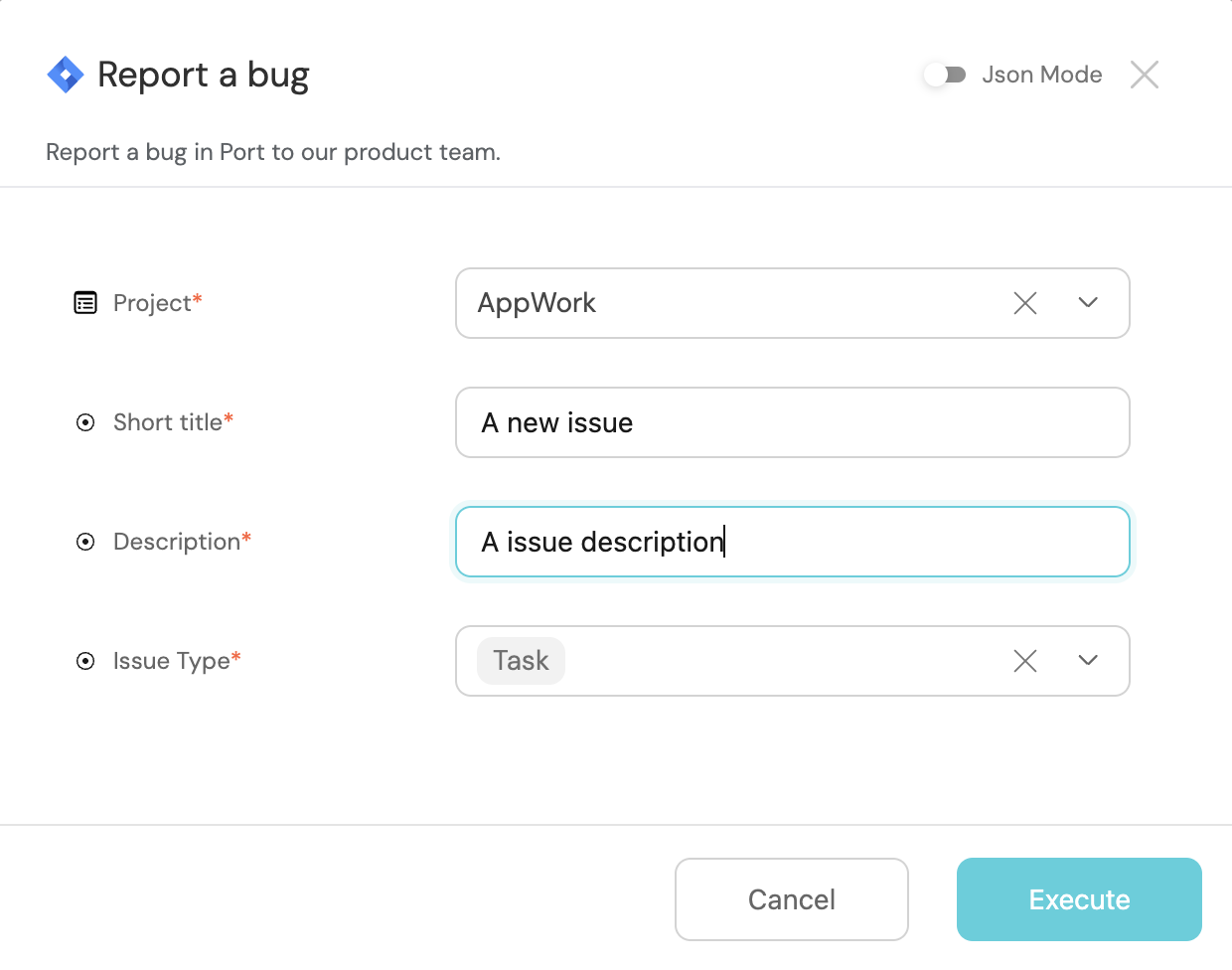
This guide demonstrates how to create a Jira issue from Port using a self-service action and a GitLab CI pipeline.
Prerequisites
- Jira API token with permissions to create new issues.
- Install the GitLab integration.
Create Jira Blueprints
Install Port's Jira Integration for:
- Instant Blueprints: Port creates blueprints for your Jira projects and issues, giving you a structured foundation.
- Data Import: Existing Jira Software data is smoothly ingested into Port, eliminating manual imports.
Steps
-
Create the following GitLab CI/CD variables:
- JIRA_API_TOKEN - Jira API token generated by the user.
- JIRA_USERNAME - The email of the Jira user that owns the Jira API token.
- JIRA_HOST - The URL of your Jira organization e.g.
https://{YOUR_ORG_NAME}.atlassian.net - PORT_CLIENT_ID - Your port client id. Get the credentials.
- PORT_CLIENT_SECRET - Your port client secret. Get the credentials.
-
Creating the action in Port
Report a bug (Click to expand)
{
  "identifier": "jiraIssue_report_a_bug",
  "title": "Report a bug",
  "icon": "Jira",
  "description": "Report a bug in Port to our product team.",
  "trigger": {
    "type": "self-service",
    "operation": "CREATE",
    "userInputs": {
      "properties": {
        "description": {
          "icon": "DefaultProperty",
          "title": "Description",
          "type": "string"
        },
        "short_title": {
          "icon": "DefaultProperty",
          "title": "Short title",
          "type": "string"
        },
        "issue_type": {
          "icon": "DefaultProperty",
          "title": "Issue Type",
          "type": "string",
          "default": "Task",
          "enum": [
            "Task",
            "Bug",
            "Story"
          ],
          "enumColors": {
            "Task": "lightGray",
            "Bug": "lightGray",
            "Story": "lightGray"
          }
        },
        "project": {
          "type": "string",
          "title": "Project",
          "blueprint": "jiraProject",
          "format": "entity"
        }
      },
      "required": [
        "short_title",
        "description",
        "issue_type",
        "project"
      ],
      "order": [
        "project",
        "short_title",
        "description",
        "issue_type"
      ]
    },
    "blueprintIdentifier": "jiraIssue"
  },
  "invocationMethod": {
    "type": "WEBHOOK",
    "url": "https://gitlab.com/api/v4/projects/<PROJECT_ID>/ref/main/trigger/pipeline?token=<PIPELINE_TRIGGER_TOKEN>",
    "agent": false,
    "synchronized": false,
    "method": "POST",
    "body": {
      "action": "{{ .action.identifier[(\"jiraIssue_\" | length):] }}",
      "resourceType": "run",
      "status": "TRIGGERED",
      "trigger": "{{ .trigger | {by, origin, at} }}",
      "context": {
        "entity": "{{.entity.identifier}}",
        "blueprint": "{{.action.blueprint}}",
        "runId": "{{.run.id}}"
      },
      "payload": {
        "entity": "{{ (if .entity == {} then null else .entity end) }}",
        "action": {
          "invocationMethod": {
            "type": "WEBHOOK",
            "url": "https://gitlab.com/api/v4/projects/<PROJECT_ID>/ref/main/trigger/pipeline?token=<PIPELINE_TRIGGER_TOKEN>",
            "agent": false,
            "synchronized": false,
            "method": "POST"
          },
          "trigger": "{{.trigger.operation}}"
        },
        "properties": {
          "{{if (.inputs | has(\"description\")) then \"description\" else null end}}": "{{.inputs.\"description\"}}",
          "{{if (.inputs | has(\"short_title\")) then \"short_title\" else null end}}": "{{.inputs.\"short_title\"}}",
          "{{if (.inputs | has(\"issue_type\")) then \"issue_type\" else null end}}": "{{.inputs.\"issue_type\"}}",
          "{{if (.inputs | has(\"project\")) then \"project\" else null end}}": "{{.inputs.\"project\" | if type == \"array\" then map(.identifier) else .identifier end}}"
        },
        "censoredProperties": "{{.action.encryptedProperties}}"
      }
    }
  },
  "requiredApproval": false
}
- Create the
.gitlab-ci.yamlfile in your gitlab project:
Report a bug pipeline (Click to expand)
stages:
- prerequisites
- deploy
- port-update
image: alpine:latest
variables:
JIRA_USERNAME: ${JIRA_USERNAME}
JIRA_API_TOKEN : ${JIRA_API_TOKEN}
JIRA_HOST: ${JIRA_HOST}
PORT_CLIENT_ID: ${PORT_CLIENT_ID}
PORT_CLIENT_SECRET: ${PORT_CLIENT_SECRET}
fetch-port-access-token:
stage: prerequisites
except:
- pushes
before_script:
- apk update
- apk add --upgrade curl jq -q
script:
- |
echo "Getting access token from Port API"
accessToken=$(curl -X POST \
-H 'Content-Type: application/json' \
-d '{"clientId": "'"$PORT_CLIENT_ID"'", "clientSecret": "'"$PORT_CLIENT_SECRET"'"}' \
-s 'https://api.port.io/v1/auth/access_token' | jq -r '.accessToken')
echo "ACCESS_TOKEN=$accessToken" >> data.env
runId=$(cat $TRIGGER_PAYLOAD | jq -r '.context.runId')
curl -X POST \
-H 'Content-Type: application/json' \
-H "Authorization: Bearer $accessToken" \
-d '{"message":"🏃♂️ Starting action to create a jira issue"}' \
"https://api.port.io/v1/actions/runs/$runId/logs"
curl -X PATCH \
-H 'Content-Type: application/json' \
-H "Authorization: Bearer $accessToken" \
-d '{"link":"'"$CI_PIPELINE_URL"'"}' \
"https://api.port.io/v1/actions/runs/$runId"
artifacts:
reports:
dotenv: data.env
create-jira-issue:
stage: deploy
needs:
- job: fetch-port-access-token
artifacts: true
except:
- pushes
before_script:
- apk update
- apk add --upgrade curl jq -q
script:
- |
echo "Creating Jira Issue"
ISSUE_SUMMARY=$(cat $TRIGGER_PAYLOAD | jq -r '.payload.properties.short_title')
ISSUE_DESCRIPTION=$(cat $TRIGGER_PAYLOAD | jq -r '.payload.properties.description')
ISSUE_TYPE=$(cat $TRIGGER_PAYLOAD | jq -r '.payload.properties.issue_type')
JIRA_PROJECT_KEY=$(cat $TRIGGER_PAYLOAD | jq -r '.payload.properties.project')
issueJson='{
"fields": {
"project": {
"key": "'"$JIRA_PROJECT_KEY"'"
},
"summary": "'"$ISSUE_SUMMARY"'",
"description": "'"$ISSUE_DESCRIPTION"'",
"issuetype": {
"name": "'"$ISSUE_TYPE"'"
}
}
}'
echo "$issueJson"
response=$(curl -u $JIRA_USERNAME:$JIRA_API_TOKEN -X POST -H "Content-Type: application/json" \
--data "$issueJson" \
"$JIRA_HOST/rest/api/2/issue/")
echo "$response"
id=$(echo "$response" | jq -r '.id')
key=$(echo "$response" | jq -r '.key')
self=$(echo "$response" | jq -r '.self')
echo "ISSUE_ID=$id" >> data.env
echo "ISSUE_KEY=$key" >> data.env
echo "ISSUE_URL=$self" >> data.env
echo "Created issue with ID: $id, Key: $key, Self: $self"
artifacts:
reports:
dotenv: data.env
create-port-entity:
stage: port-update
needs:
- job: create-jira-issue
artifacts: true
except:
- pushes
before_script:
- apk update
- apk add --upgrade curl jq -q
script:
- |
echo "Creating Port entity to match new Jira ticket"
accessToken=$(curl -X POST \
-H 'Content-Type: application/json' \
-d '{"clientId": "'"$PORT_CLIENT_ID"'", "clientSecret": "'"$PORT_CLIENT_SECRET"'"}' \
-s 'https://api.port.io/v1/auth/access_token' | jq -r '.accessToken')
INSTANCE_ID=$(cat $TRIGGER_PAYLOAD | jq -r '.context.entity')
BLUEPRINT=$(cat $TRIGGER_PAYLOAD | jq -r '.context.blueprint')
runId=$(cat $TRIGGER_PAYLOAD | jq -r '.context.runId')
ISSUE_SUMMARY=$(cat $TRIGGER_PAYLOAD | jq -r '.payload.properties.short_title')
ISSUE_DESCRIPTION=$(cat $TRIGGER_PAYLOAD | jq -r '.payload.properties.description')
ISSUE_TYPE=$(cat $TRIGGER_PAYLOAD | jq -r '.payload.properties.issue_type')
JIRA_PROJECT_KEY=$(cat $TRIGGER_PAYLOAD | jq -r '.payload.properties.project')
curl -X POST \
-H 'Content-Type: application/json' \
-H "Authorization: Bearer $accessToken" \
-d '{"statusLabel": "Creating Entity", "message":"🚀 Creating the Jira ticket entity in Port!"}' \
"https://api.port.io/v1/actions/runs/$runId/logs"
log='{
"identifier": "'"$ISSUE_KEY"'",
"title": "'"$ISSUE_SUMMARY"'",
"blueprint": "'"$BLUEPRINT"'",
"properties": {
"description": "'"$ISSUE_DESCRIPTION"'",
"issueType": "'"$ISSUE_TYPE"'",
"url": "'"$ISSUE_URL"'"
},
"relations": {
"project": "'"$JIRA_PROJECT_KEY"'"
}
}'
echo "$log"
curl --location --request POST "https://api.port.io/v1/blueprints/$BLUEPRINT/entities?create_missing_related_entities=false&run_id=$runId" \
-H "Authorization: Bearer $accessToken" \
-H "Content-Type: application/json" \
-d "$log"
update-run-status:
stage: port-update
needs:
- job: create-port-entity
artifacts: true
except:
- pushes
before_script:
- apk update
- apk add --upgrade curl jq -q
script:
- |
echo "Updating Port action run status and final logs"
accessToken=$(curl -X POST \
-H 'Content-Type: application/json' \
-d '{"clientId": "'"$PORT_CLIENT_ID"'", "clientSecret": "'"$PORT_CLIENT_SECRET"'"}' \
-s 'https://api.port.io/v1/auth/access_token' | jq -r '.accessToken')
runId=$(cat $TRIGGER_PAYLOAD | jq -r '.context.runId')
curl -X POST \
-H 'Content-Type: application/json' \
-H "Authorization: Bearer $accessToken" \
-d '{"terminationStatus":"SUCCESS", "message":"✅ Created new Jira 🔗 Issue!"}' \
"https://api.port.io/v1/actions/runs/$runId/logs"
Let's test it!
Trigger the action from Port's self-service hub