Connect GitHub Pull Request with Jira Issue
Send this guide to your coding agent.
Prerequisite: Install Port MCP
Open plan mode if your tool supports it; otherwise present the plan below filled in and wait for my approval. Implement this Port guide in my org via MCP:

https://docs.port.io/guides/all/connect-github-pr-with-jira-issue

Read the raw markdown version at https://docs.port.io/guides/all/connect-github-pr-with-jira-issue.md - it contains every tab and code block without page markup.

Goal: get the guide's core flow working end-to-end in my org; adapting it to fit my existing setup takes priority over matching the guide 1:1.

Plan:
1. Confirm MCP is connected, in the right org, with sufficient permissions.
2. If the guide offers alternative implementation paths (tabs), pick the one matching my installed integrations and tools, confirm it with me, and implement only that path.
3. Diff the guide's data model (blueprints, properties, relations, workflows, actions, agents, automations, integrations, webhook data sources, secrets) against mine.
4. Propose adaptations for gaps, reusing existing blueprints/relations over guide-named duplicates.
5. Flag what needs a UI click, credential, or secret from me, testing MCP capability empirically before ruling anything out. If the guide has a "Set up via API" section, use it for anything MCP can't do before treating a step as UI-only.
6. Stop on any blocker and give me options. Approving this plan authorizes the writes it lists; pause only for writes beyond what's listed.

Build:
- Extend blueprint schema additively when upserting; don't remove or overwrite existing properties, and treat type conflicts as a blocker, not an auto-fix.
- Never print secret values into the chat or logs; ask me to set them in Port, or write them via the secrets API without echoing them back.
- List any mock data in the plan, minimal and labeled mock; once approved, seed it without re-asking, and tell me what you seeded.
- For anything the guide writes downstream (e.g. a webhook target), use a real entity, not a mock.
- For pages/widgets, use the real page identifier from the app URL, not a guessed slug.
- When you hit a UI step confirmed (not assumed) unsupported via MCP and not covered by the guide's API sections, pause, give exact clicks, then resume via MCP.
- Validate and give links after each meaningful step (only a tool-returned URL, no guessed paths); don't proceed if the last run wasn't a success.

Done:
- Run the guide's "Let's test it" steps where possible (e.g. execute a workflow test run) and confirm the expected output exists in Port.
- Summarize adaptations, seeded data, what was mocked or skipped, remaining UI steps, and how to verify.
This guide demonstrates how to connect a GitHub pull request with a Jira issue in Port, enhancing traceability and improving project workflows.
Prerequisites
-
This guide assumes you have a Port account and that you have finished the onboarding process.
-
Install Port's Jira integration.
-
Install GitHub ocean.
Set up data model
We highly recommend you install both GitHub ocean and Jira integration to have pull requests and issues automatically ingested into Port in real-time. However, if you haven't installed GitHub ocean and Jira integration, you'll need to create blueprints for GitHub pull requests and Jira issues in Port. Skip this section if you have already installed GitHub ocean and Jira integration.
Add the pull request blueprint
-
Go to your Builder page.
-
Click on
+ Blueprint. -
Click on the
{...}button in the top right corner, and choose "Edit JSON". -
Add this JSON schema:
GitHub Pull Request Blueprint (Click to expand)
{"identifier": "githubPullRequest","title": "Pull Request","icon": "Github","schema": {"properties": {"creator": {"title": "Creator","type": "string"},"assignees": {"title": "Assignees","type": "array"},"reviewers": {"title": "Reviewers","type": "array"},"status": {"title": "Status","type": "string","enum": ["merged","open","closed"],"enumColors": {"merged": "purple","open": "green","closed": "red"}},"closedAt": {"title": "Closed At","type": "string","format": "date-time"},"updatedAt": {"title": "Updated At","type": "string","format": "date-time"},"mergedAt": {"title": "Merged At","type": "string","format": "date-time"},"link": {"type": "string","format": "url"}},"required": []},"mirrorProperties": {},"calculationProperties": {},"aggregationProperties": {},"relations": {}} -
Click
Saveto create the blueprint.
Add pull request mapping config
-
Go to your data sources page, and click on your GitHub ocean integration.
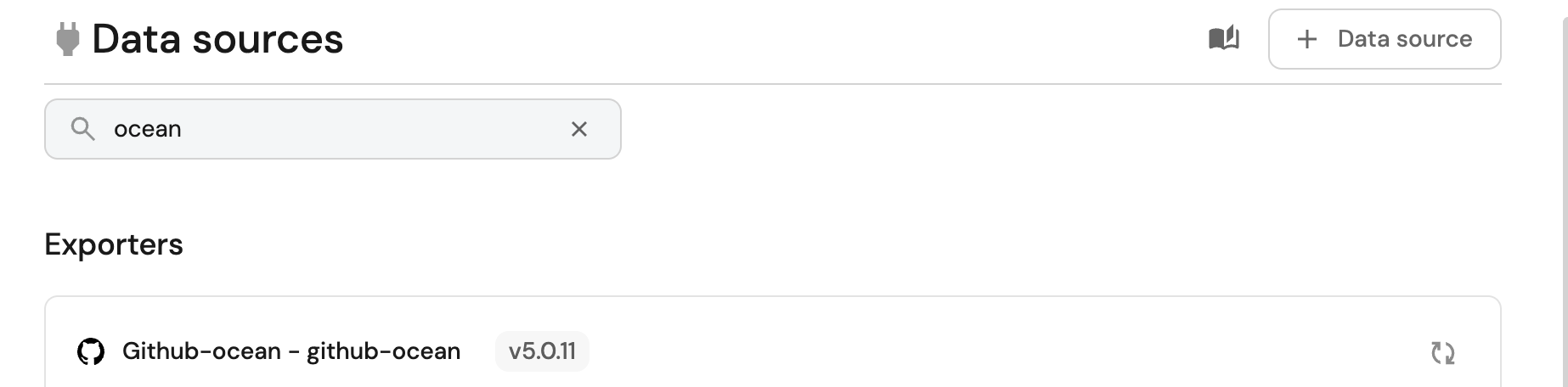
-
Add the following YAML block into the editor to map the pull request data:
Relation mapping (Click to expand)
resources:- kind: pull-requestselector:query: "true"states: ["open"]port:entity:mappings:identifier: .__repository + "-" + (.number|tostring)title: .titleblueprint: '"githubPullRequest"'properties:creator: .user.loginassignees: "[.assignees[].login]"reviewers: "[.requested_reviewers[].login]"status: .stateclosedAt: .closed_atupdatedAt: .updated_atmergedAt: .merged_atprNumber: .numberlink: .html_urlrelations:repository: .__repository -
Click
Save & Resyncto apply the mapping.
Great! Now that the mapping is configured, you will need to manually ingest your pull requests data into Port
Add Jira issue blueprint
-
Go to your Builder page.
-
Click on
+ Blueprint. -
Click on the
{...}button in the top right corner, and choose "Edit JSON". -
Add this JSON schema:
Jira Issue Blueprint (Click to expand)
{"identifier": "jiraIssue","title": "Jira Issue","icon": "Jira","schema": {"properties": {"url": {"title": "Issue URL","type": "string","format": "url","description": "URL to the issue in Jira"},"status": {"title": "Status","type": "string","description": "The status of the issue"},"issueType": {"title": "Type","type": "string","description": "The type of the issue"},"components": {"title": "Components","type": "array","description": "The components related to this issue"},"assignee": {"title": "Assignee","type": "string","format": "user","description": "The user assigned to the issue"},"reporter": {"title": "Reporter","type": "string","description": "The user that reported to the issue","format": "user"},"creator": {"title": "Creator","type": "string","description": "The user that created to the issue","format": "user"},"priority": {"title": "Priority","type": "string","description": "The priority of the issue"},"created": {"title": "Created At","type": "string","description": "The created datetime of the issue","format": "date-time"},"updated": {"title": "Updated At","type": "string","description": "The updated datetime of the issue","format": "date-time"}}},"calculationProperties": {},"mirrorProperties": {},"aggregationProperties": {},"relations": {}} -
Click
Saveto create the blueprint.
Add Jira mapping config
-
Go to your data sources page, and click on your Jira integration.
-
Under the
resourceskey, add the following YAML block to map Jira issues:Jira Issue mapping (Click to expand)
resources:- kind: issueselector:query: "true"port:entity:mappings:identifier: .keytitle: .fields.summaryblueprint: '"jiraIssue"'properties:url: .selfstatus: .fields.status.nameissueType: .fields.issuetype.namecomponents: "[.fields.components[].name]"assignee: .fields.assignee.emailAddressreporter: .fields.reporter.emailAddresscreator: .fields.creator.emailAddresspriority: .fields.priority.namecreated: .fields.createdupdated: .fields.updated -
Click
Save & Resyncto apply the mapping.
Great! Now that the mapping is configured, you will need to manually ingest your Jira issues data into Port
Relate pull requests to Jira issues
Now that Port is synced with our Jira resources, let's map the Jira issues to the Github pull requests.
First, we will need to create a relation between our githubPullRequest and the corresponding jiraIssue.
-
Head back to the Builder, choose the
Pull Requestblueprint, and click onNew relation: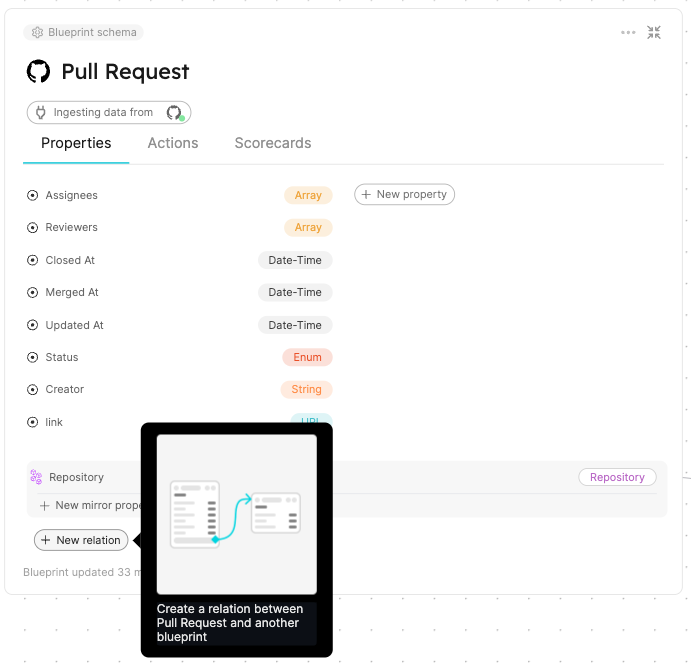
-
Fill out the form like this, then click
Create: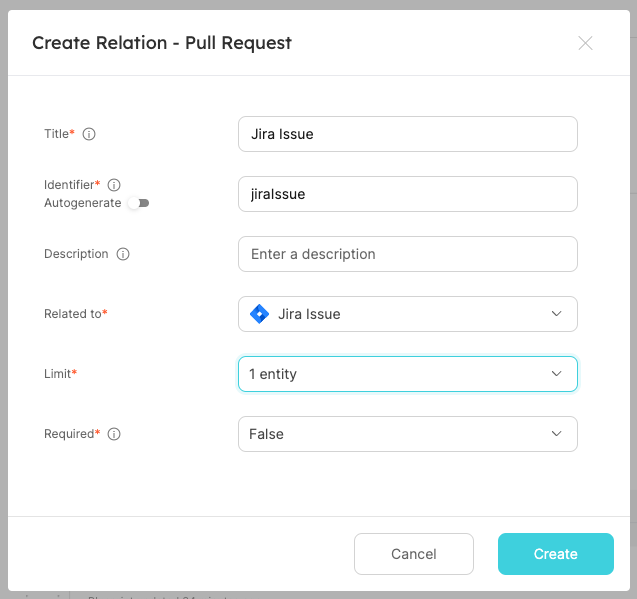
Now that the blueprints are related, we need to assign the relevant Jira Issue to each of our pull requests.
This can be done by adding some mapping logic, using one of the following methods:
- Direct identifier mapping
- Search query
The most straightforward way to set a relation's value is to explicitly specify the related entity's identifier. Follow the steps below to map pull request entities with Jira issues using direct identifier mapping:
-
Go to your data sources page
-
Click on your GitHub integration:
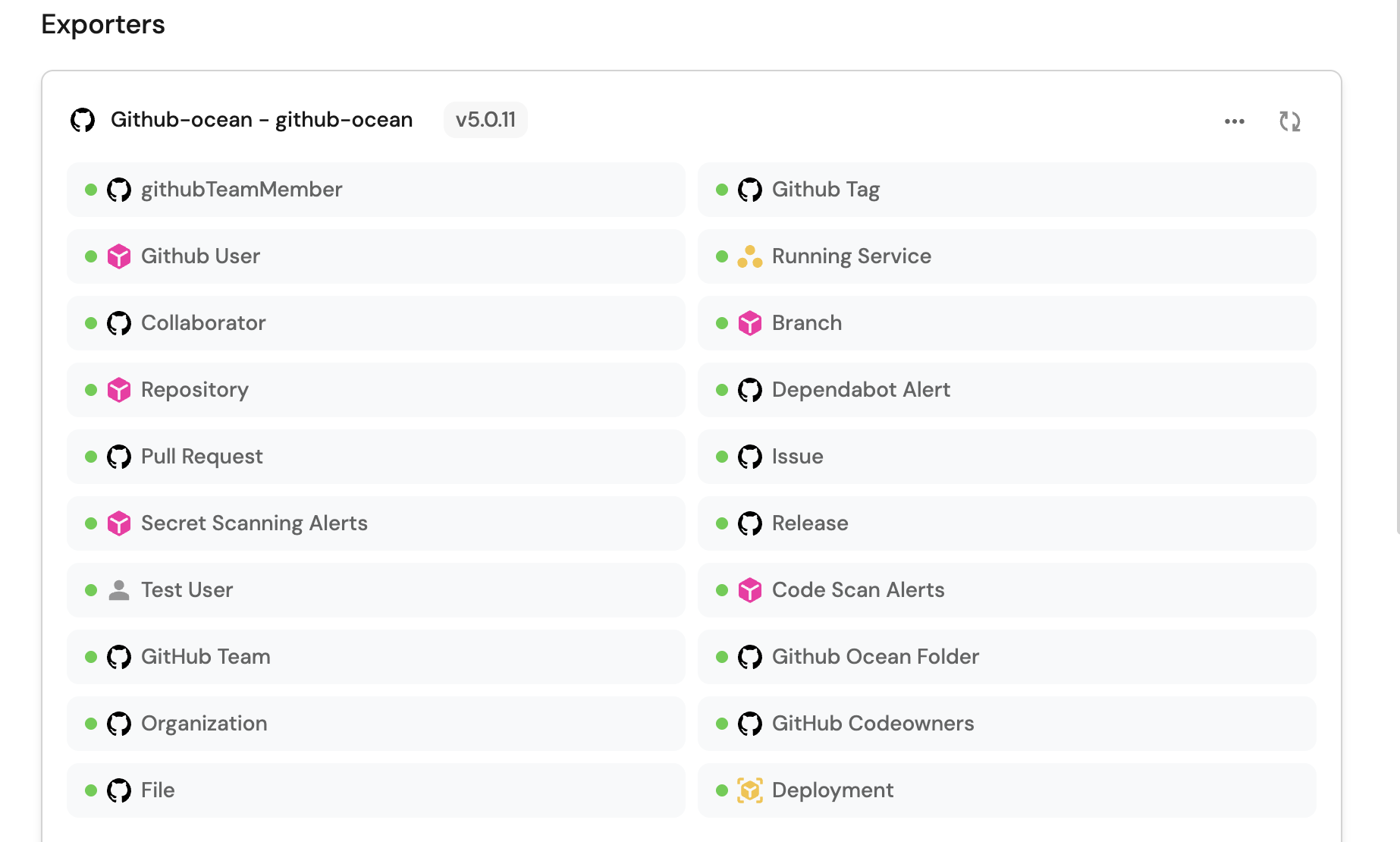
-
Under the
resourceskey, find the Pull Request block -
Replace it with the following YAML configuration to map pull request entities with Jira issues:
Relation mapping (click to expand)
- kind: pull-requestselector:query: "true"states: ["open"]port:entity:mappings:identifier: .__repository + "-" + (.number|tostring)title: .titleblueprint: '"githubPullRequest"'properties:creator: .user.loginassignees: "[.assignees[].login]"reviewers: "[.requested_reviewers[].login]"status: .stateclosedAt: .closed_atupdatedAt: .updated_atmergedAt: .merged_atprNumber: .numberlink: .html_urlrelations:repository: .__repositoryjiraIssue: .title | match("^[A-Za-z]+-[0-9]+") .string -
Click
Save & Resyncto apply the changes
The configuration mapping above ingests all pull requests from Github. It then goes ahead to establish a relation between the githubPullRequest entities and the jiraIssue entities 🎉.
Please note that the .head.repo.name property refers to the name of the repository while the .id property refers to the ID of the pull request itself. In our GitHub integration mapping, we have defined these two pieces of information as the identifiers for the githubPullRequest entities.
For the jiraIssue relation, we extract the Jira Issue key from the title of the pull request. Therefore, only pull requests containing the key of the Jira issue will be mapped to their respective Jira issues. Below are few examples and corresponding output:
| Pull request title | Jira issue |
|---|---|
| PORT-4837 | This is the evening of the day | PORT-4837 |
| GET-14 - This is the evening of the day | GET-14 |
| This is the evening of the day | (no output) |
You can also use a search query to match PRs with Jira issues based on multiple criteria.
This approach is particularly useful when you don't know the entity's identifier, but you do know the value of one of its properties.
Follow the steps below to match PRs with Jira issues based on multiple criteria (title, description, branch name). You can customize these matching rules based on your team's conventions and requirements.
-
Go to your data sources page
-
Click on your Github integration

-
Under the
resourceskey, locate the Pull Request block -
Replace it with the following YAML block to map the pull request entities with Jira issues using search queries:
Search query mapping (click to expand)
- kind: pull-requestselector:query: "true"states: ["open"]port:entity:mappings:identifier: .__repository + "-" + (.number|tostring)title: .titleblueprint: '"githubPullRequest"'properties:creator: .user.loginassignees: "[.assignees[].login]"reviewers: "[.requested_reviewers[].login]"status: .stateclosedAt: .closed_atupdatedAt: .updated_atmergedAt: .merged_atprNumber: .numberlink: .html_urlrelations:repository: .__repositoryjiraIssue:combinator: '"or"'rules:# Match Jira issue key in PR title- property: '"$identifier"'operator: '"="'value: (.title // "") | match("^[A-Za-z]+-[0-9]+") .string# Match Jira issue key in PR description- property: '"$identifier"'operator: '"="'value: (.body // "") | match("[A-Za-z]+-[0-9]+") .string# Match Jira issue key in PR branch name- property: '"$identifier"'operator: '"="'value: (.head.ref // "") | match("[A-Za-z]+-[0-9]+") .string -
Click
Save & Resyncto apply the changes
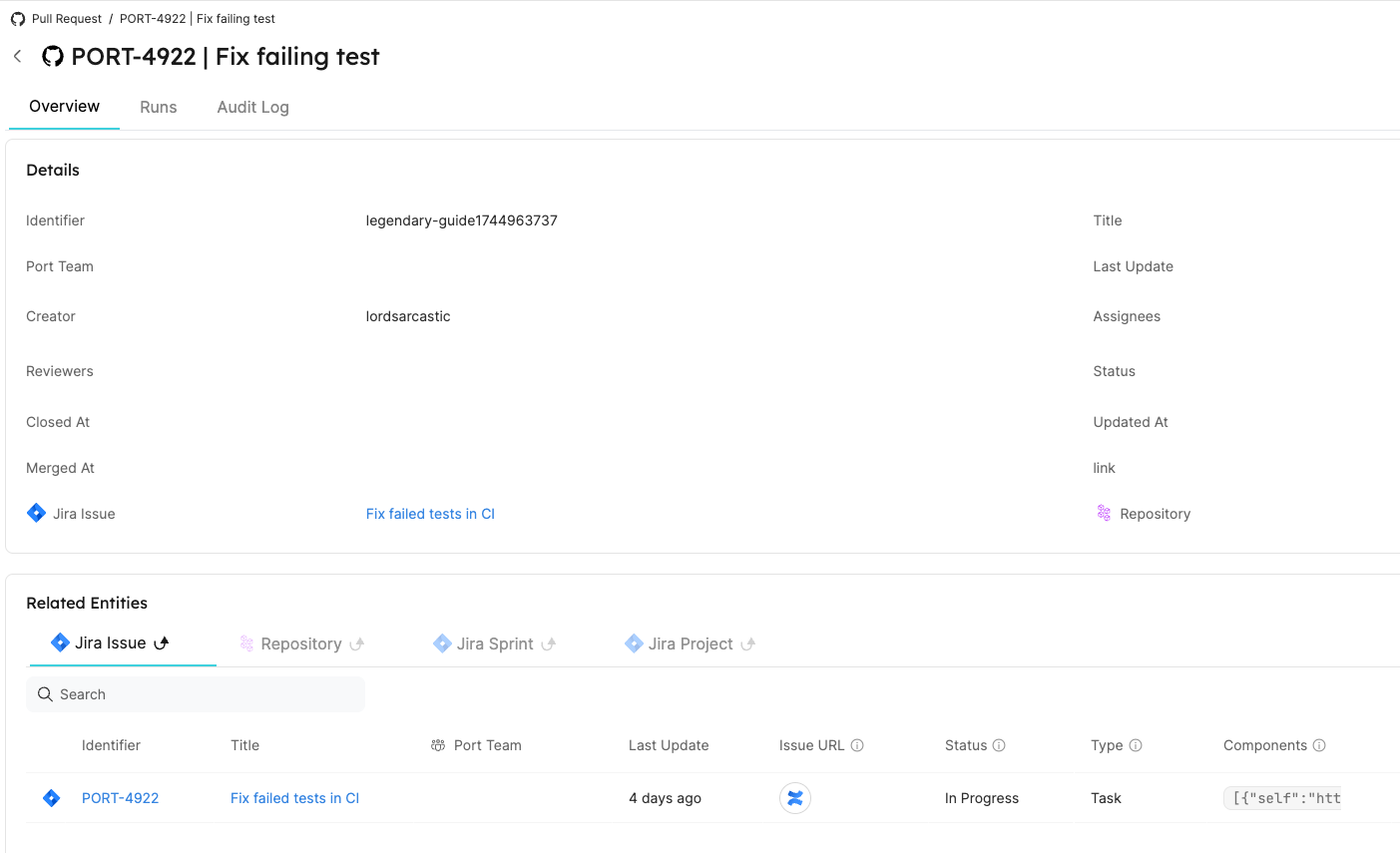
Conclusion
By following these steps, you can seamlessly connect a GitHub pull request with a Jira Issue using either:
- Direct identifier mapping (extracting Jira issue keys from PR titles)
- Search relations (matching based on multiple criteria like title, description, and branch name)
Choose the approach that best fits your team's workflow and requirements. Search relations offer more flexibility but may require more configuration, while direct identifier mapping is simpler but less flexible.
Related guides
- Automatically resolve tickets with Port - the full ticket-to-PR workflow that relies on this PR-to-Jira link for end-to-end traceability.
- Enrich pull requests using AI - automatically comment on new PRs with AI-generated context once the PR-Jira link is established.
- Smart PR reviewer assignment using AI - use AI to assign the right reviewers based on CODEOWNERS and ownership data.
- Manage GitHub pull requests - close, merge, or approve PRs directly from Port.
- Port's Jira integration - sync Jira projects and issues into your catalog.