Connect GitHub CODEOWNERS with Repository, Team & User
This guide demonstrates how to map CODEOWNERS files in GitHub to their respective repositories, teams and users in Port using the built-in User and Team blueprints.
Prerequisites
-
A Port account.
-
Install GitHub Ocean.
Once you install GitHub Ocean, the following blueprints will be automatically created in your data model: Repository, Pull Request, Github User, Github Team.
Set up data model
First, let's create the necessary blueprint to store the Codeowners data, then we will set up the mapping configuration.
Create the Codeowners blueprint
To add the CODEOWNERS blueprint:
-
Navigate to your data model page in Port.
-
Click on the
+ Blueprintbutton. -
Click on the
Edit JSONbutton. -
Copy the following definition and paste it in the editor, then click
Save:CODEOWNERS blueprint (click to expand)
{"identifier": "githubCodeowners","description": "This blueprint represents a CODEOWNERS file in a service","title": "Github Codeowners","icon": "Github","schema": {"properties": {"location": {"type": "string","title": "File location","description": "File path to CODEOWNERS file"},"scope": {"icon": "DefaultProperty","type": "string","title": "Scope","description": "The scope which the user/team owns."}},"required": []},"mirrorProperties": {},"calculationProperties": {},"aggregationProperties": {},"relations": {"users": {"title": "Users","target": "_user","required": false,"many": true},"teams": {"title": "Teams","target": "_team","required": false,"many": true},"repository": {"title": "Repository","description": "The repository which the CODEOWNERS file resides in","target": "githubRepository","required": true,"many": false}}}
Set up mapping configuration
-
Go to the data sources page in Port.
-
Under
Exporters, click on your installed GitHub ocean integration. -
A window will open containing the default YAML configuration of your GitHub ocean integration.
-
In the bottom-left corner you can modify the configuration to suit your needs, by adding/removing entries.
-
Copy the following configuration and paste it in the editor, then click
Save & Resync:CODEOWNERS mapping configuration (click to expand)
resources:- kind: fileselector:query: .repository.archived == falsefiles:- path: '**/.github/CODEOWNERS'organization: my-org # Optional if githubOrganization is set (required if not set)# repos: # Optional: omit to scan all repos# - name: my-repo# branch: mainport:itemsToParse: >-(. as $root | .content | split("\n") | map(trim) |map(select((test("^[[:space:]]*#") | not) and (length > 0))) | map((split(" ") | map(select(length > 0))) as $tokens| {scope: ($tokens[0]),# Replacing ** and * characters since the identifier can't contain special charactersidentifier: ($tokens[0]| gsub("\\*\\*"; "doublestar")| gsub("\\*"; "star")),# Extracting users and teams to their respective arraysusers: ($tokens[1:]| map(select(contains("/") | not)| gsub("@" ; ""))),teams: ($tokens[1:]| map(select(test("^@[^ ]+/[^ ]+$"))| split("/")| .[-1]))}))entity:mappings:identifier: .repository.full_name + "_" +.item.identifier + "_codeowners"title: .item.scope + " codeowners"blueprint: '"githubCodeowners"'properties:scope: .item.scopelocation: .pathrelations:repository: .repository.full_nameteams:combinator: '''and'''rules:- property: '"$title"'value: .item.teamsoperator: '"in"'users:combinator: '''and'''rules:- property: '"git_hub_username"'value: .item.usersoperator: '"in"'
GitHub (Ocean) uses .content instead of .file.content for file content, and .path instead of .file.path. The repository relation uses .repository.full_name. Add organization and repos to the file selector to scope which repositories are scanned.
Example
For the following CODEOWNERS file example:
CODEOWNERS file example (click to expand)
# Default owner for all files in the repo
*                @sivanelk97 @sivan27

# Backend ownership
/backend/         @sivanelk97 @sivan-org/backend-team @sivan-org/docs-team

# Frontend ownership (multiple owners)
/frontend/        @sivanelk97

# Specific file
/README.md        @sivanelk97

# JavaScript files in any folder
**/*.js           @sivanelk97

# Terraform files anywhere
**/*.tf          @sivanelk97

# CI/CD workflows
.github/workflows/  @sivanelk97

# Config files named 'config.yaml' in any folder
**/config.yaml    @sivanelk97

# Markdown documentation files
*.md              @sivanelk97 @sivan27 @sivan-org/docs-team
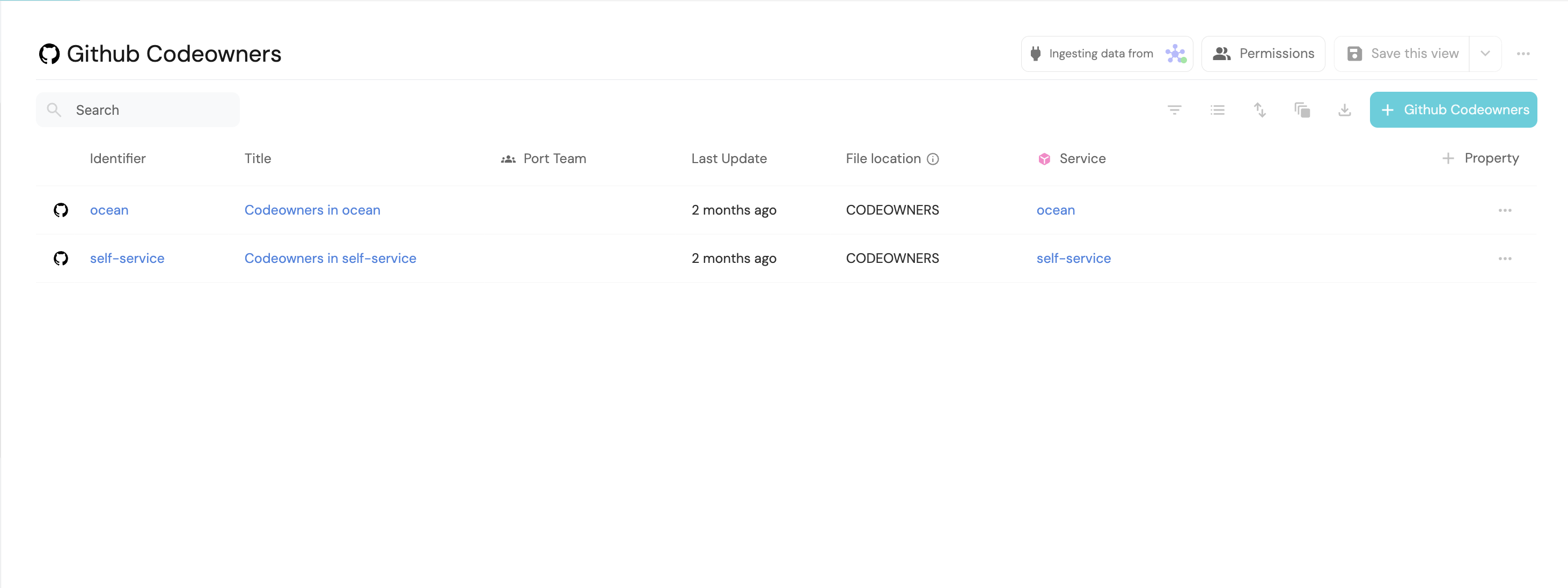
The context lake Codeowners page should display the corresponding Codeowners entities: