Build your Port catalog with AI (MCP)
Send this guide to your coding agent.
Prerequisite: Install Port MCP
Open plan mode. Implement this Port guide in my org via MCP:

https://docs.port.io/guides/all/build-your-port-catalog-with-ai-mcp

Goal: get the guide's core flow working end-to-end in my org; adapting it to fit my existing setup takes priority over matching the guide 1:1.

Plan:
1. Confirm MCP is connected, in the right org, with sufficient permissions.
2. Diff the guide's data model (blueprints, properties, relations, actions, agents, automations, integrations, secrets) against mine.
3. Propose adaptations for gaps, reusing existing blueprints/relations over guide-named duplicates.
4. Flag what needs a UI click, credential, or secret from me, testing MCP capability empirically before ruling anything out.
5. Stop on any blocker and give me options. Approving this plan authorizes the writes it lists; pause only for writes beyond what's listed.

Build:
- Extend blueprint schema additively when upserting; don't remove or overwrite existing properties, and treat type conflicts as a blocker, not an auto-fix.
- List any mock data in the plan, minimal and labeled mock; once approved, seed it without re-asking, and tell me what you seeded.
- For anything the guide writes downstream (e.g. a webhook target), use a real entity, not a mock.
- For pages/widgets, use the real page identifier from the app URL, not a guessed slug.
- When you hit a UI step confirmed (not assumed) unsupported via MCP, pause, give exact clicks, then resume via MCP.
- Validate and give links after each meaningful step (only a tool-returned URL, no guessed paths); don't proceed if the last run wasn't a success.

Done:
- Confirm the guide's expected output exists and runs in Port.
- Summarize adaptations, seeded data, what was mocked or skipped, remaining UI steps, and how to verify.
This guide demonstrates how to build your Port catalog, actions, automations, and scorecards with AI using Port's MCP (Model Context Protocol) server.
Use Port's MCP server to describe what you need in natural language. Your AI assistant can then create blueprints, populate entities, define relations, create self-service actions, configure automations, and build scorecards without manually writing every JSON schema or clicking through every UI form.
Common use cases
- Bootstrap new catalogs: Describe your architecture and let AI create the initial blueprint structure.
- Populate entities: Ask AI to create services, teams, or environments based on your requirements.
- Define relations: Explain how components connect and let AI configure the relationships.
- Create workflows: Describe deployment, incident, approval, or remediation workflows and let AI create the actions.
- Configure automations: Describe event-driven workflows and let AI set them up.
- Create scorecards: Explain quality standards and let AI build evaluation rules.
Prerequisites
This guide assumes you have:
- A basic understanding of blueprints, relations, self-service actions, automations, and scorecards.
- Port's MCP server configured in your IDE.
MCP operations use the permissions of the authenticated user. Only users with appropriate access, typically admins, can create or modify blueprints, entities, actions, automations, scorecards, and other catalog components.
Build the data model with AI
Port's MCP server provides tools like list_blueprints and upsert_blueprint that enable AI agents to build your catalog through natural language conversations. Describe what you need, and the AI will generate the appropriate JSON schema and create it in Port.
Start with a simple description
Describe the blueprint you want to create in natural language. The AI will interpret your requirements and generate the appropriate schema.
Example conversation:
"Create a microservice blueprint with properties for programming language, repository URL, and deployment status."
The AI will use the MCP upsert_blueprint tool to generate and create the blueprint:
Blueprint creation example (Click to expand)
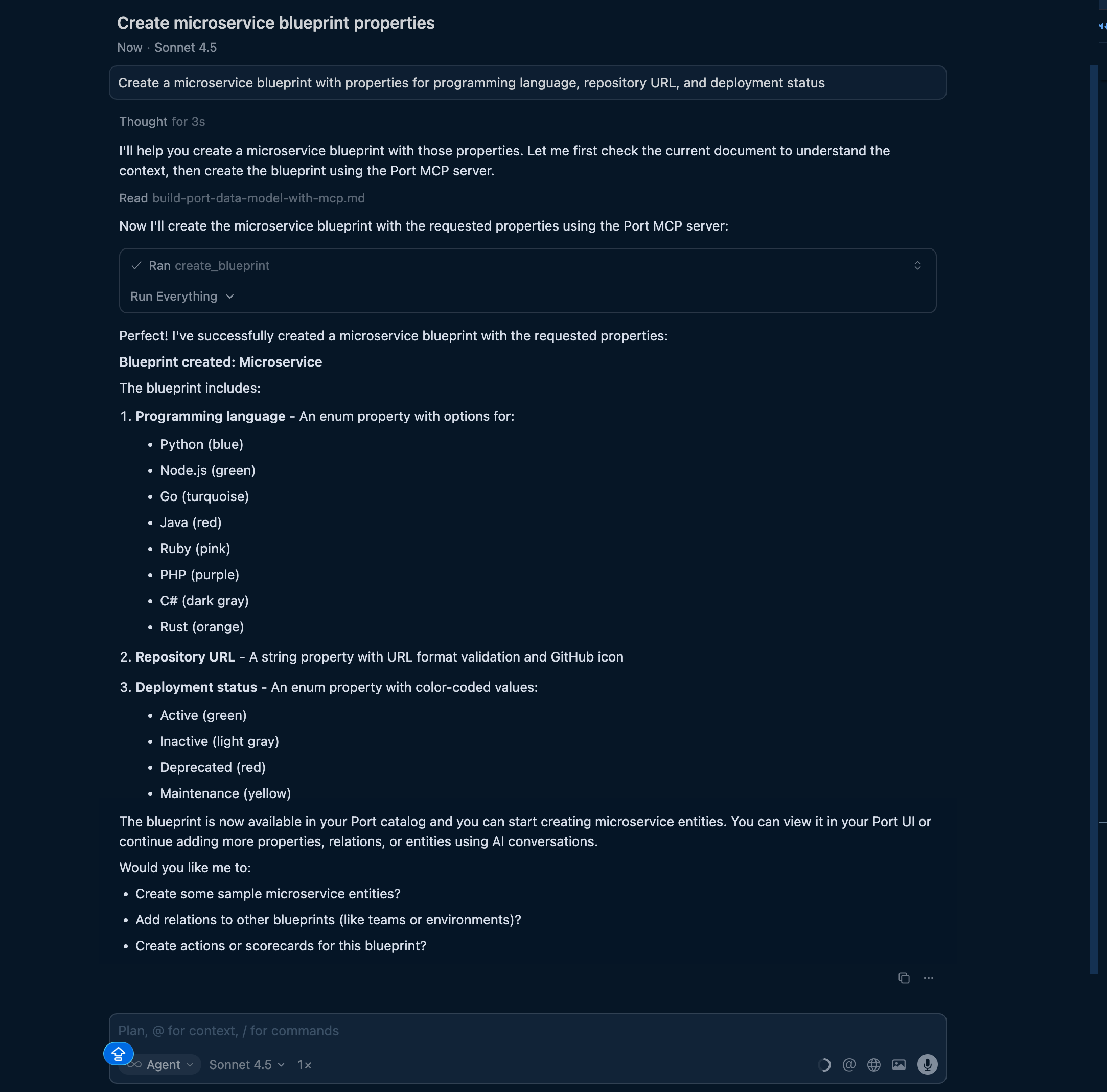
After creating a blueprint, you can refine it by asking follow-up questions like "Add a team property" or "Change the status enum to include 'maintenance'".
Create multiple related blueprints
Describe an entire architecture and let AI create multiple blueprints at once.
Example conversation:
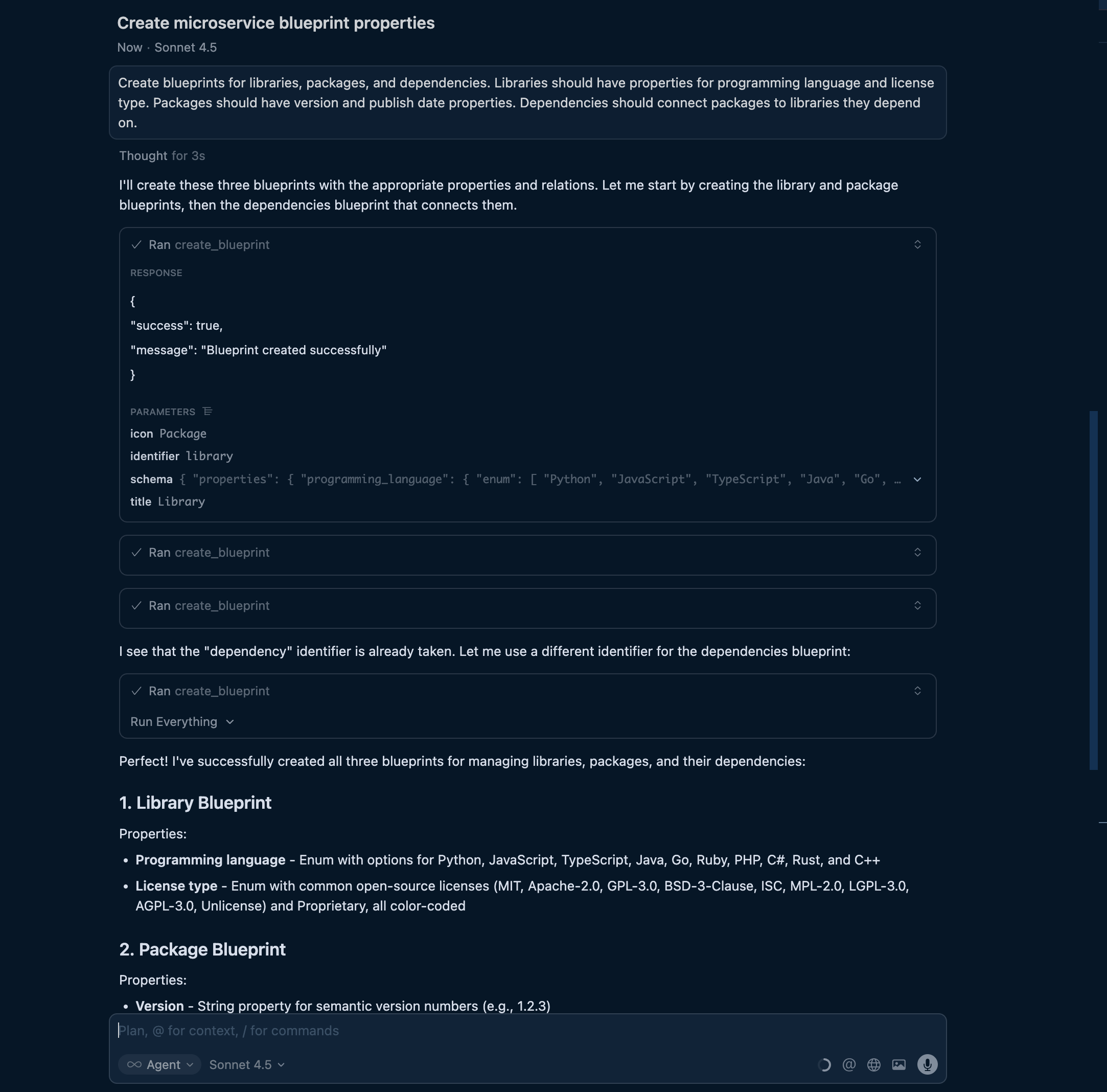
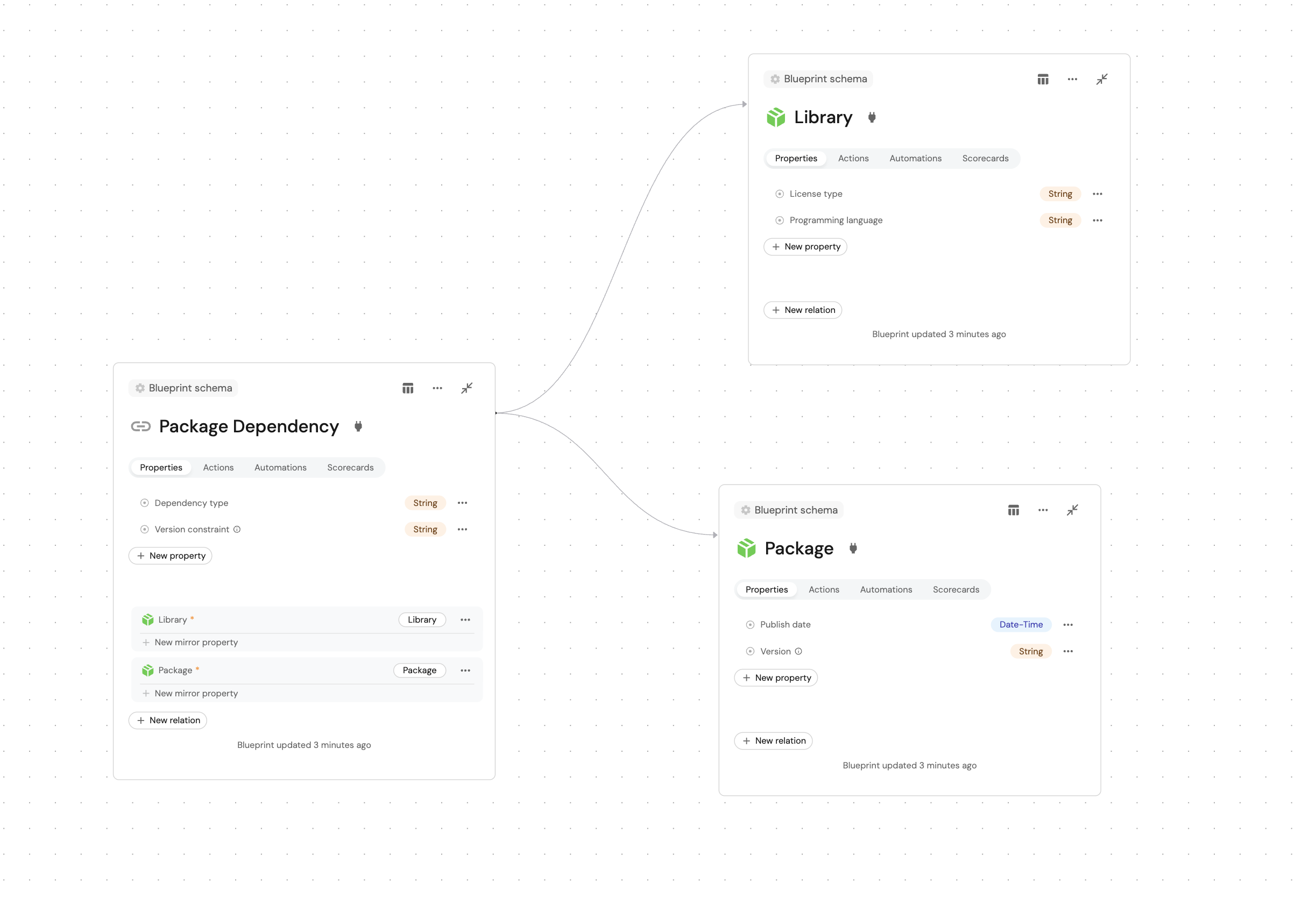
"Create blueprints for libraries, packages, and dependencies. Libraries should have properties for programming language and license type. Packages should have version and publish date properties. Dependencies should connect packages to libraries they depend on."
The AI will:
-
Create the library blueprint with appropriate properties.
-
Create the package blueprint.
-
Create the dependency blueprint with relations to both package and library.
-
Configure the relationships between them.
- MCP server input
- Port output
Add computed properties
Describe the aggregations and calculations you need, and AI will configure them.
Example conversation:
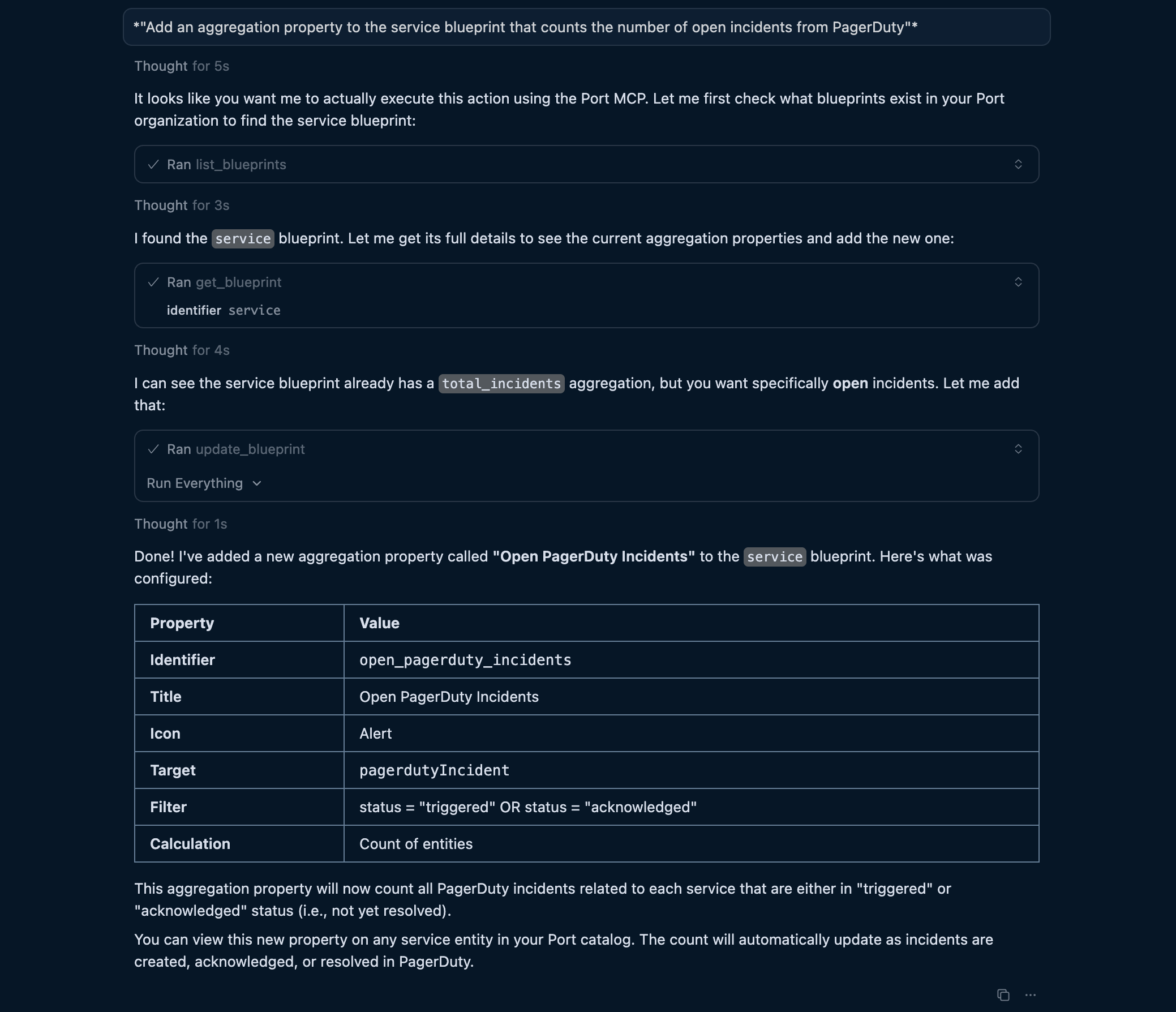
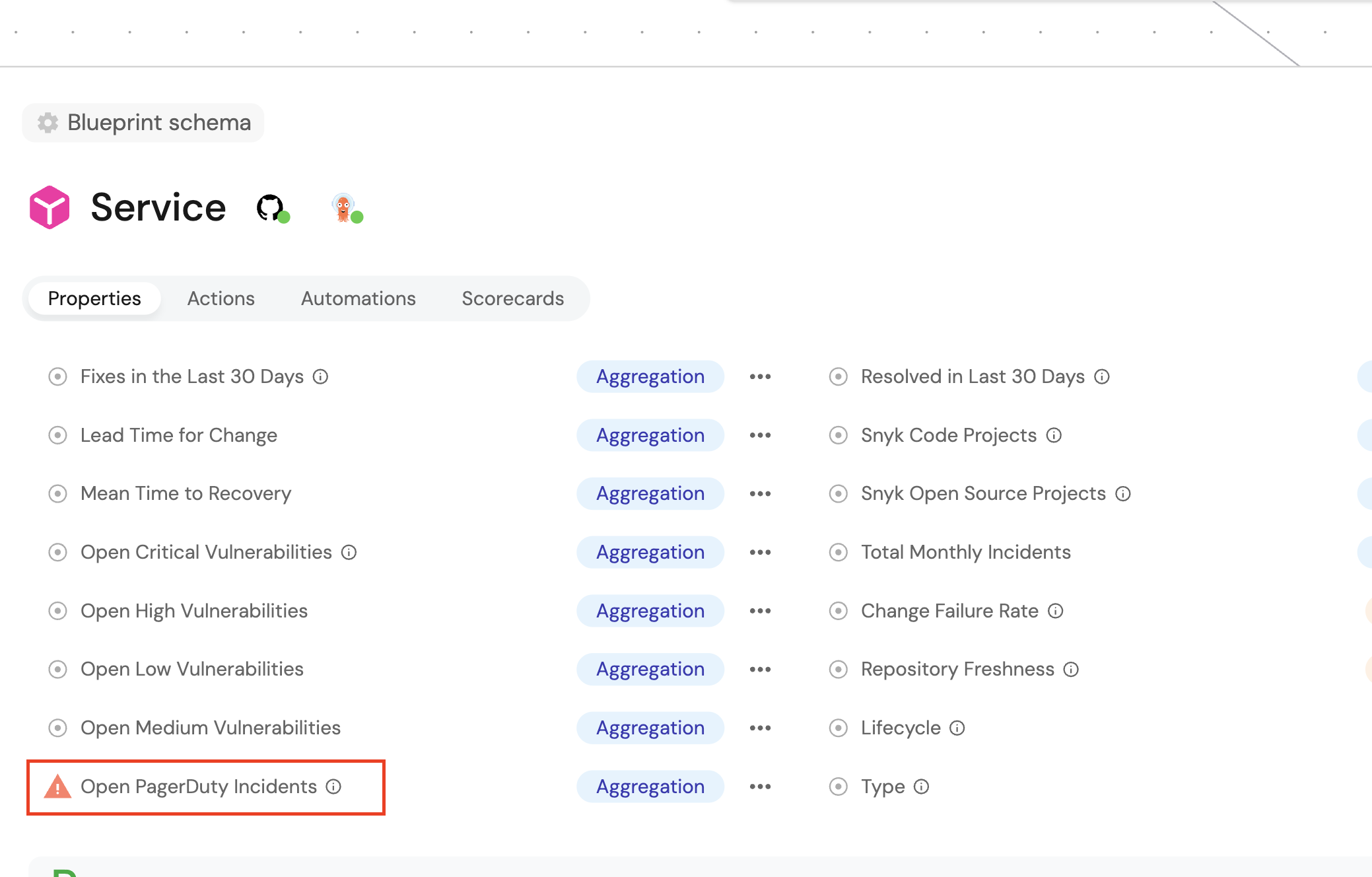
"Add an aggregation property to the service blueprint that counts the number of open incidents from PagerDuty."
- MCP server input
- Port output
Example conversation:
"Add a calculation property that combines the service name and version into a display title."
- MCP server input
- Port output
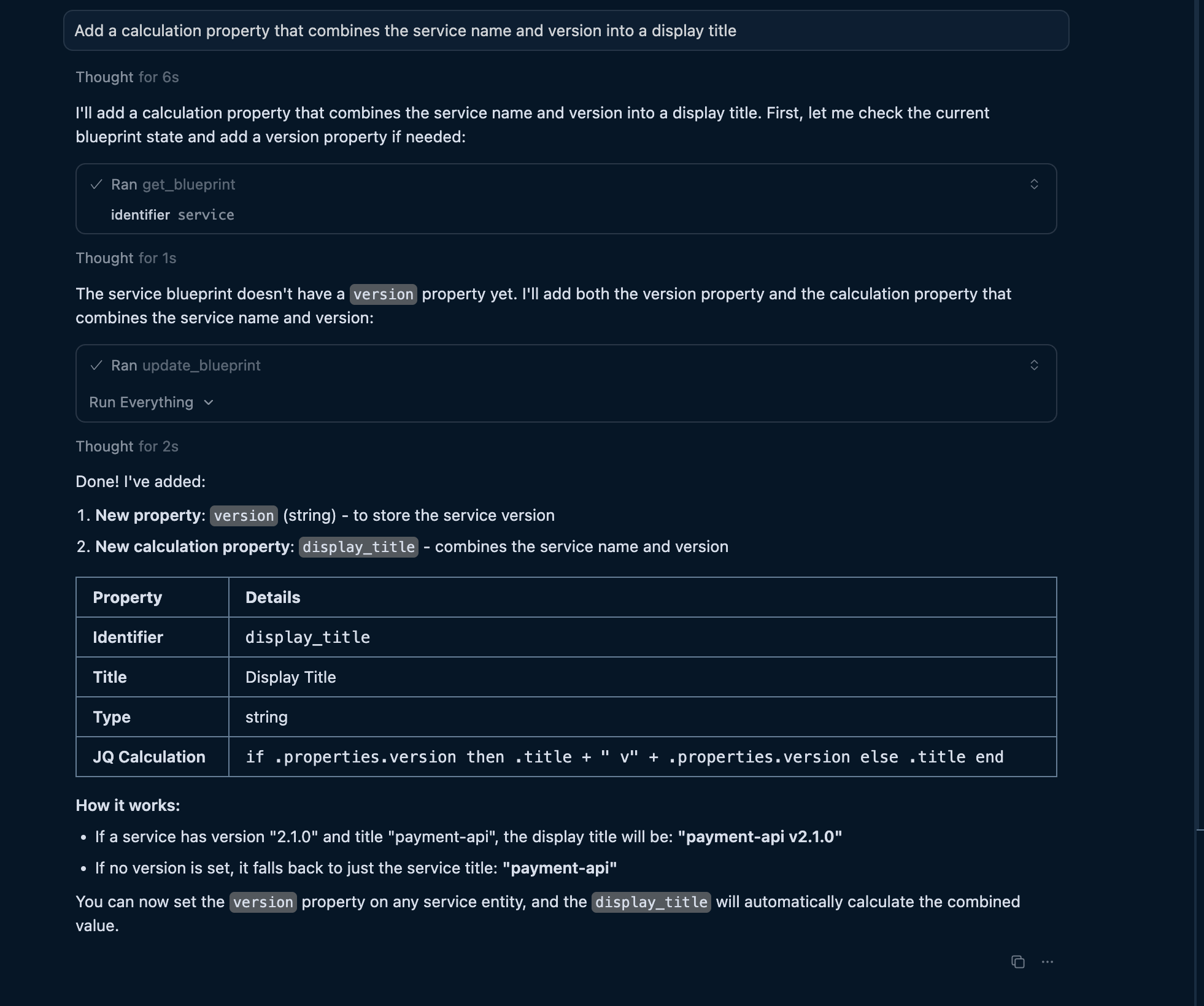
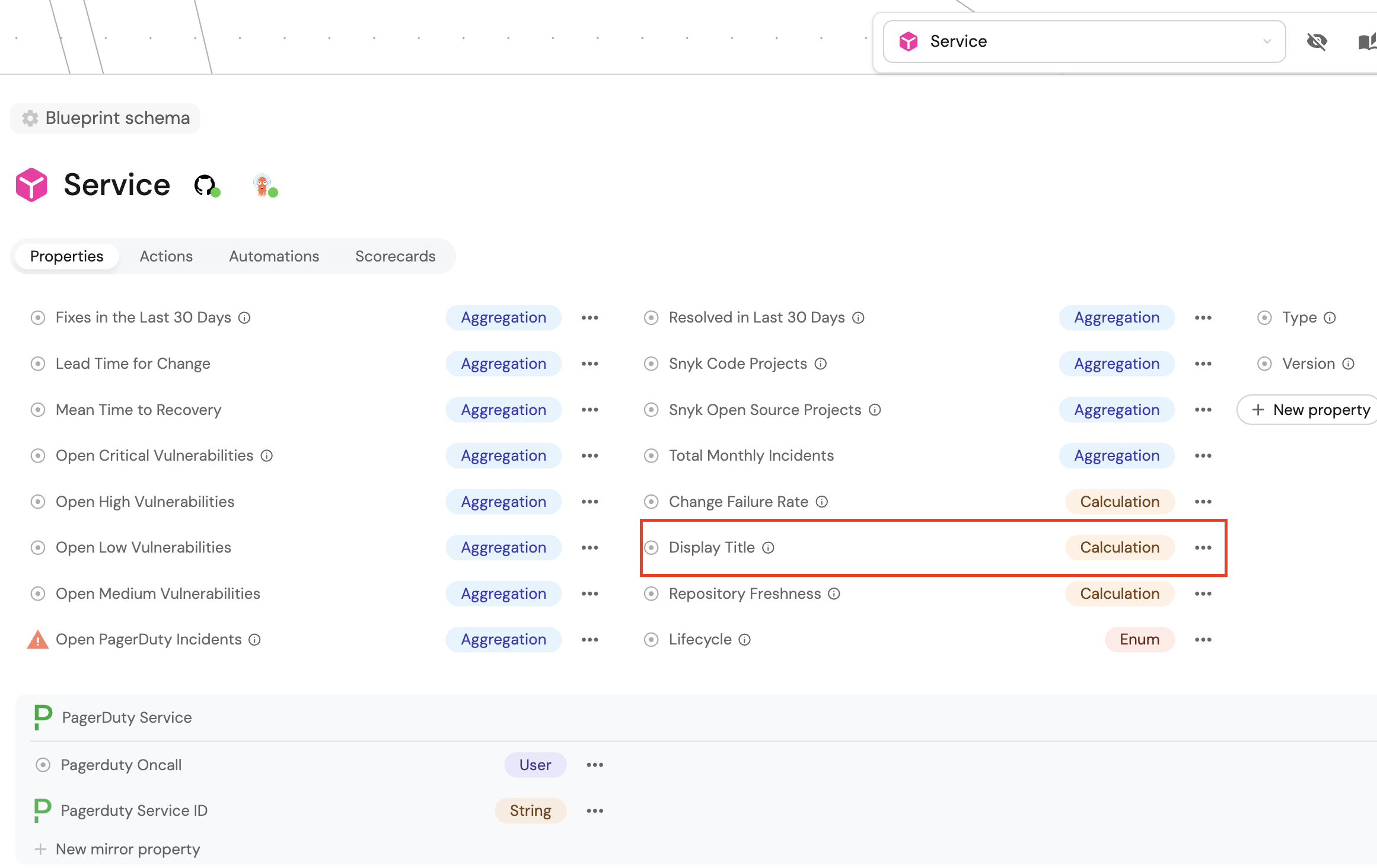
The AI will add the appropriate aggregationProperties or calculationProperties section with the correct structure.
Populate entities with AI
Once you have blueprints, use AI to create entities. The MCP server provides the upsert_entity tool that works through natural language to create or update entities.
Create individual entities
Describe the entity you want to create.
Example conversation:
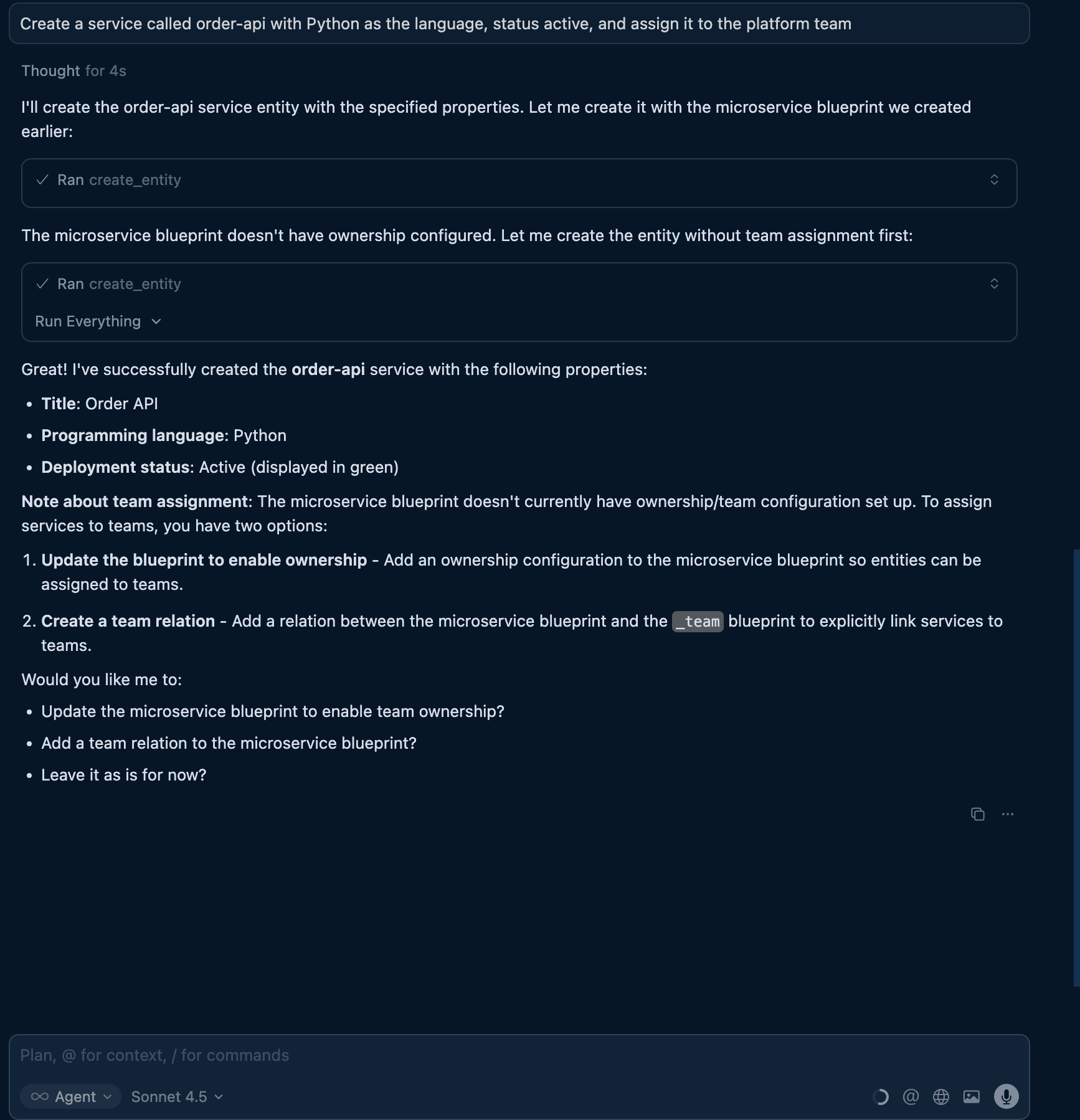
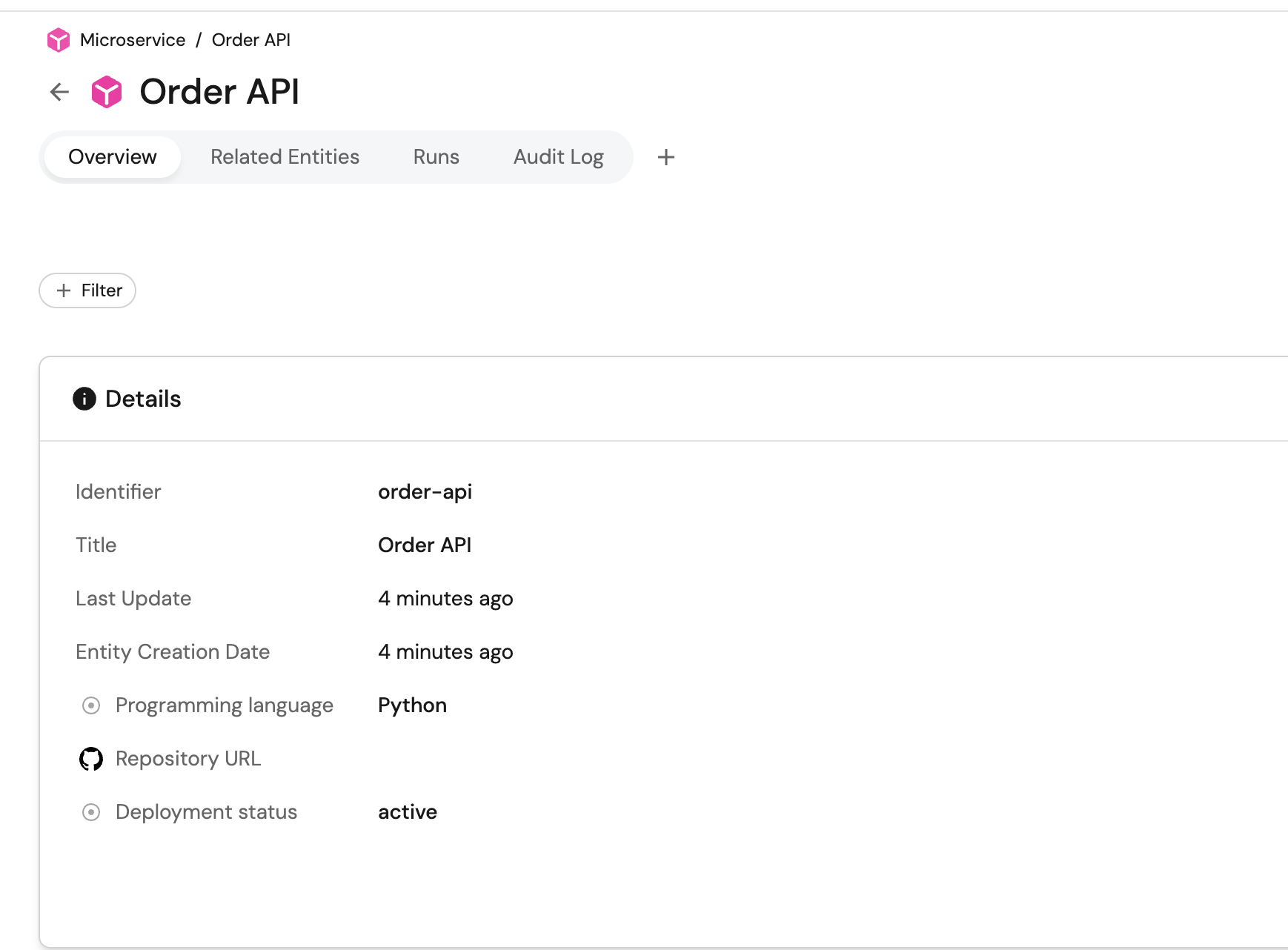
"Create a service called order-api with Python as the language, status active, and assign it to the platform team."
- MCP server input
- Port output
Create entities in bulk
Describe multiple entities and let AI create them all.
Example conversation:
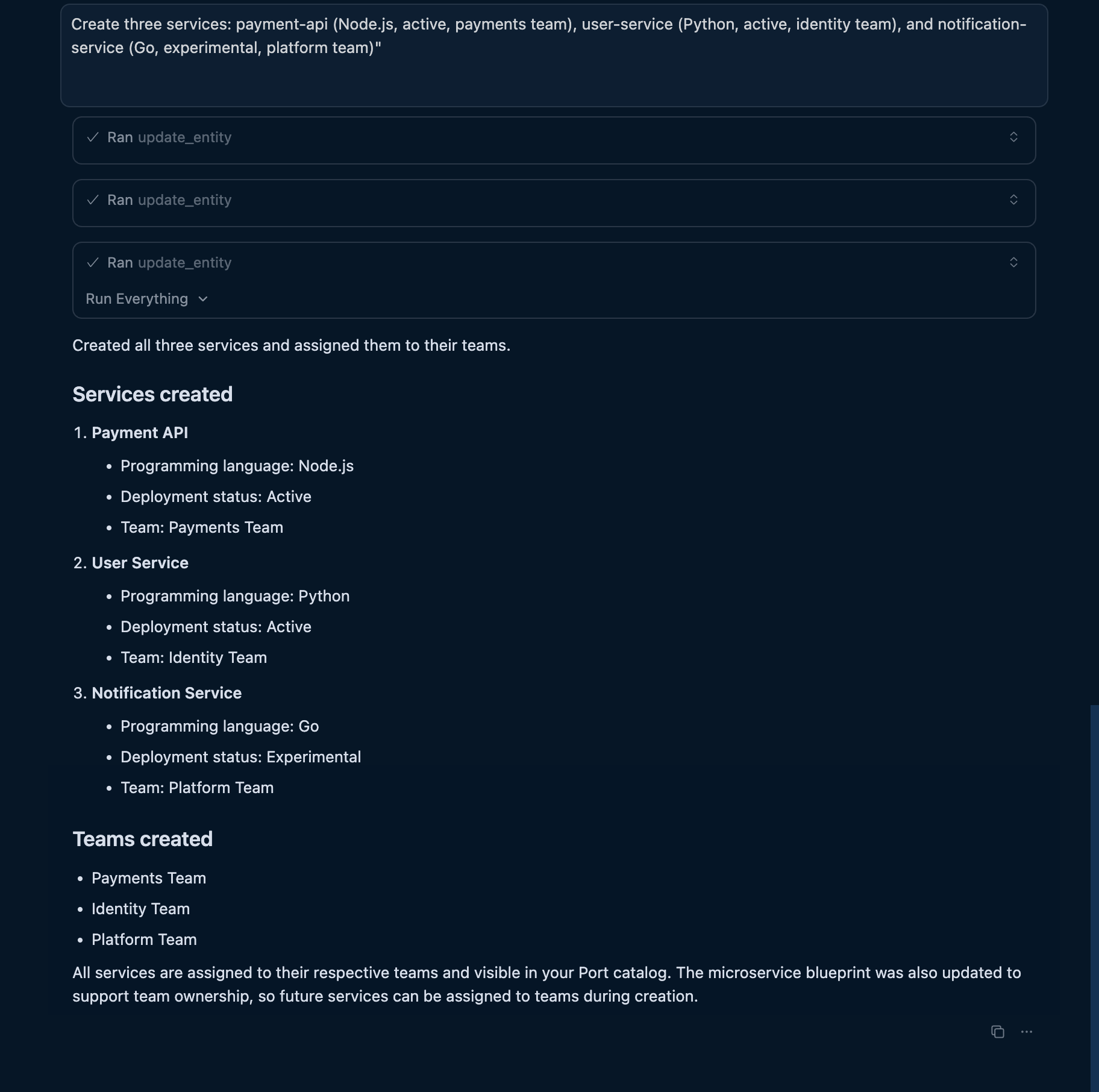
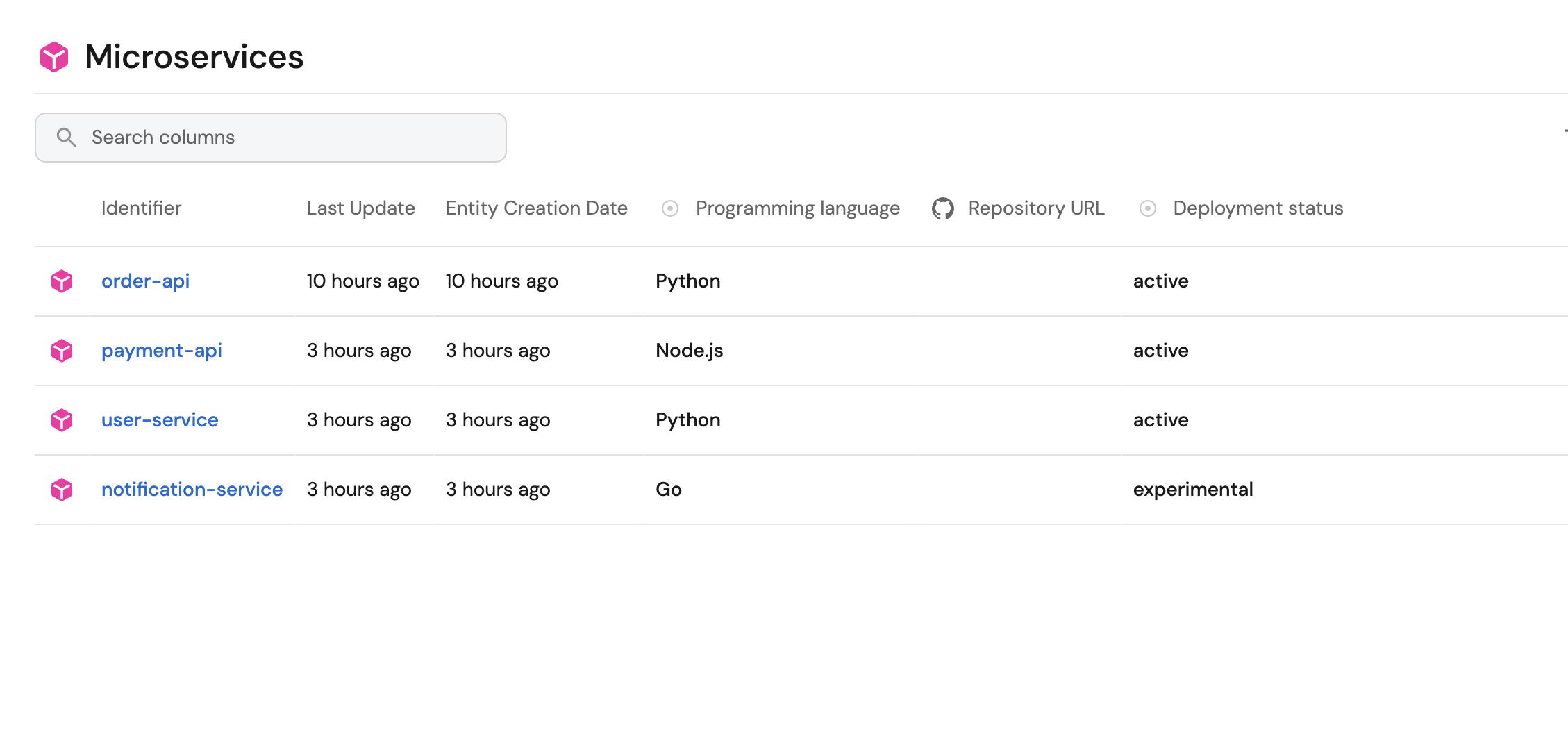
"Create three services: payment-api (Node.js, active, payments team), user-service (Python, active, identity team), and notification-service (Go, experimental, platform team)."
The AI will create all three entities with the correct properties and team assignments.
- MCP server input
- Port output
Update existing entities
Modify entities by describing the changes.
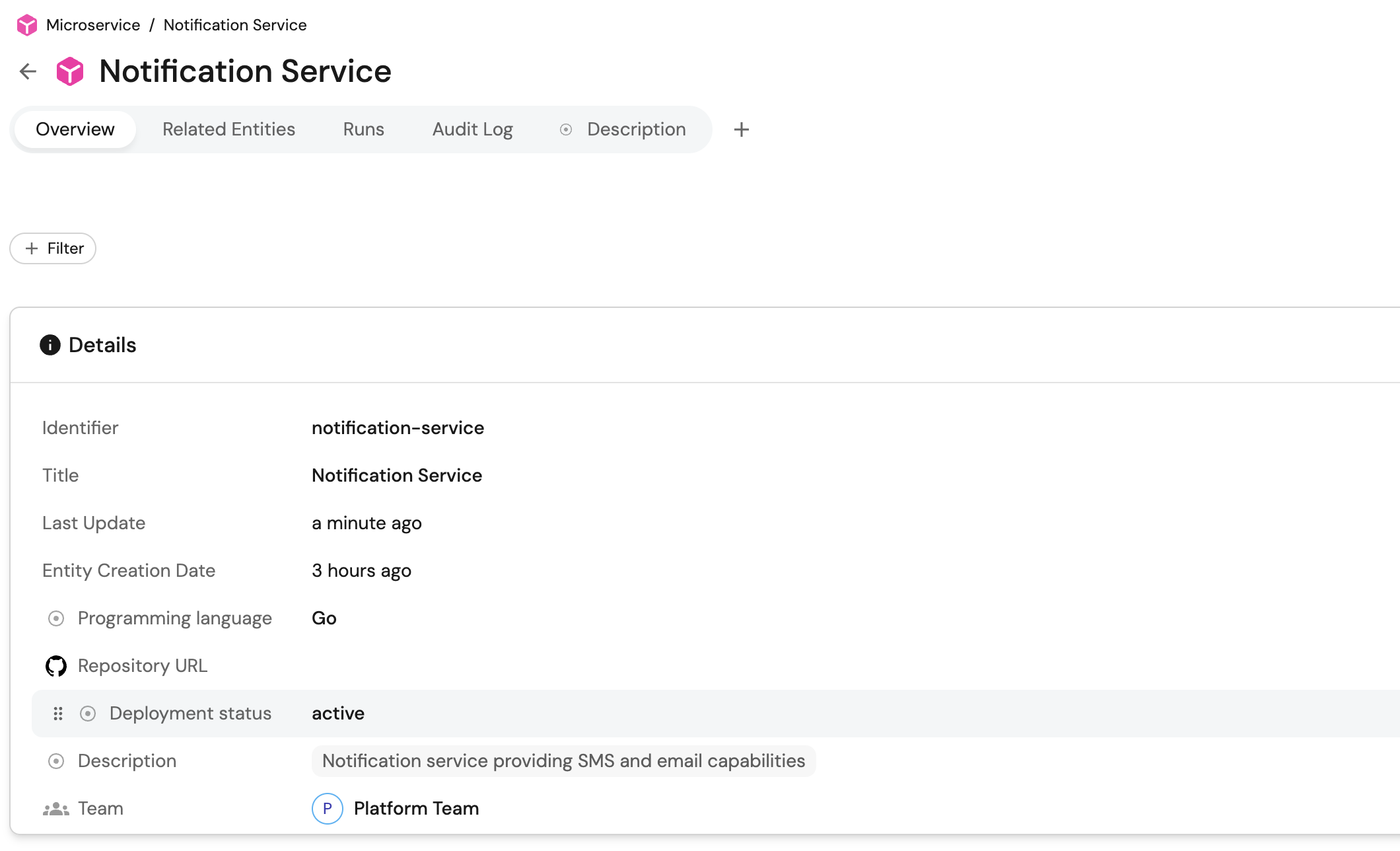
Example conversation:
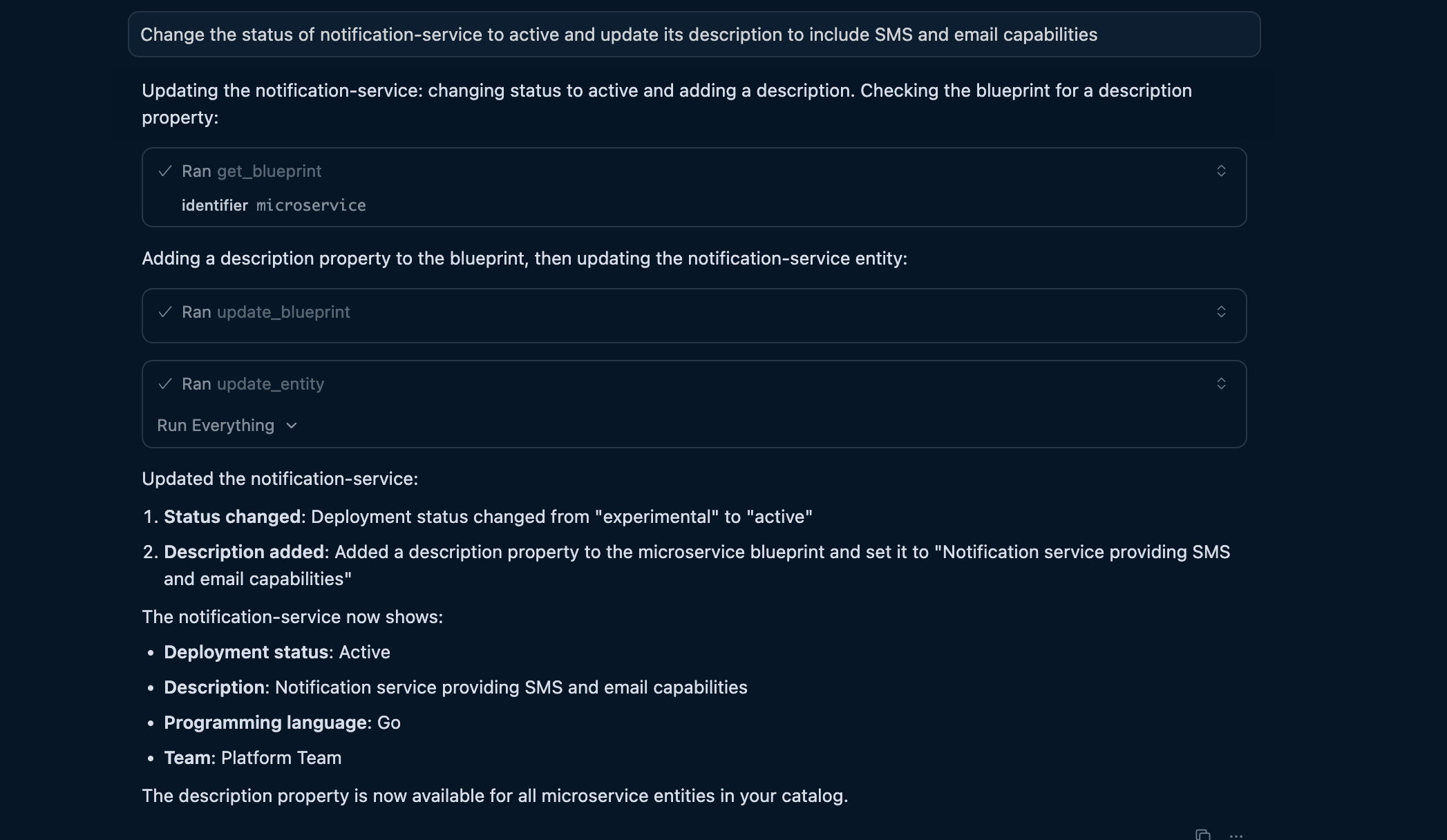
"Change the status of notification-service to active and update its description to include SMS and email capabilities."
- MCP server input
- Port output
Define relations with AI
Relations connect entities in your catalog. AI can help you understand existing relations and create new ones based on your architecture.
Query existing relations
Ask AI about how entities are connected.
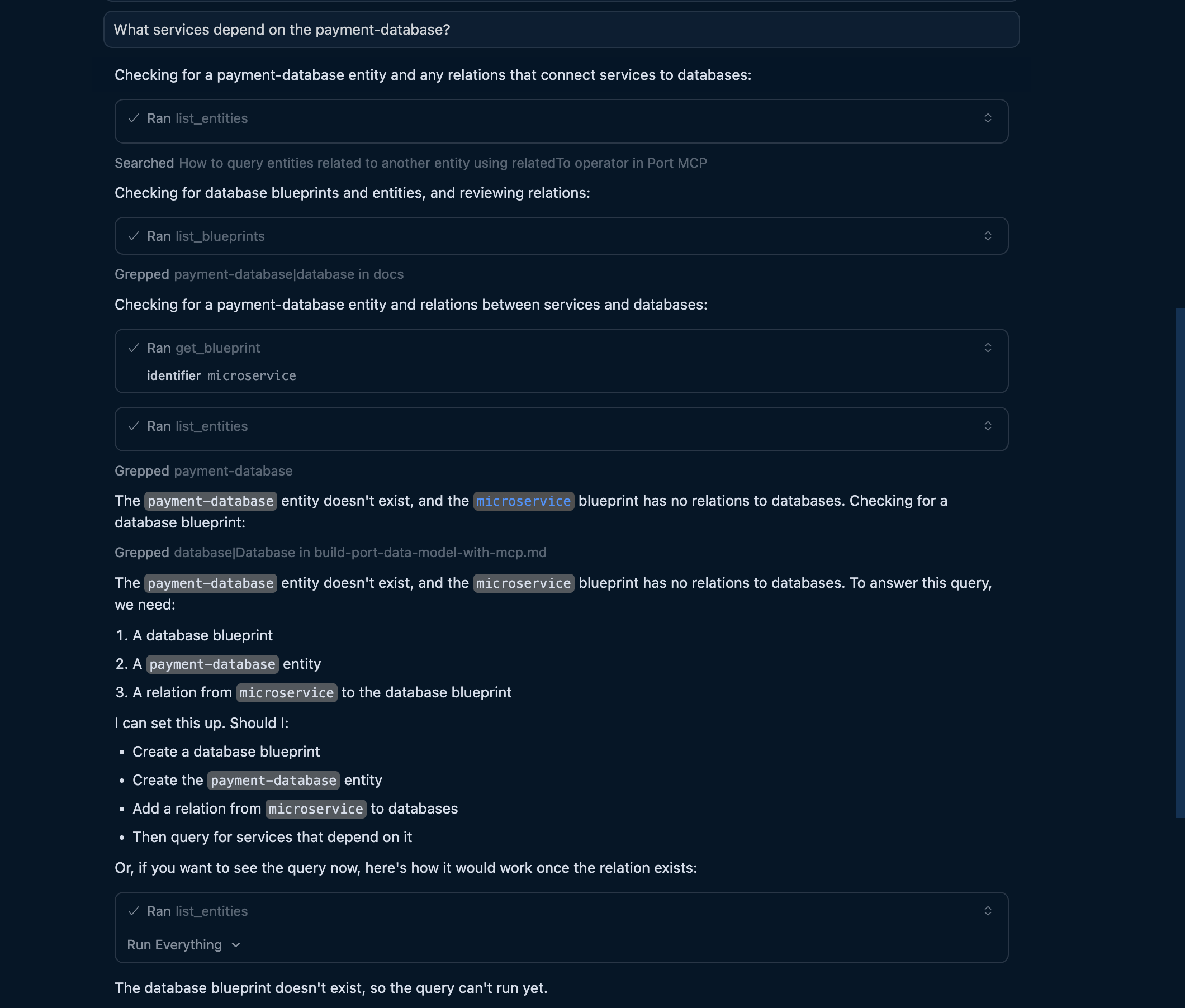
Example conversation:
"What services depend on the payment-database?"
The AI uses list_entities with the relatedTo operator to traverse relationships and answer your question.
Update blueprint relations
Add new relations by describing them.
Example conversation:
"Update the service blueprint to include a relation to databases. Services should be able to connect to multiple databases."
The AI will use upsert_blueprint to add the relation configuration.

Create actions and automations with AI
The Port MCP server provides tools like list_actions and upsert_action that enable AI agents to build your actions through natural language conversations. Describe what you need, and the AI will generate the appropriate configuration and create it in Port.
Start with a simple action
Describe the action you want to create in natural language. The AI will interpret your requirements and generate the appropriate schema.
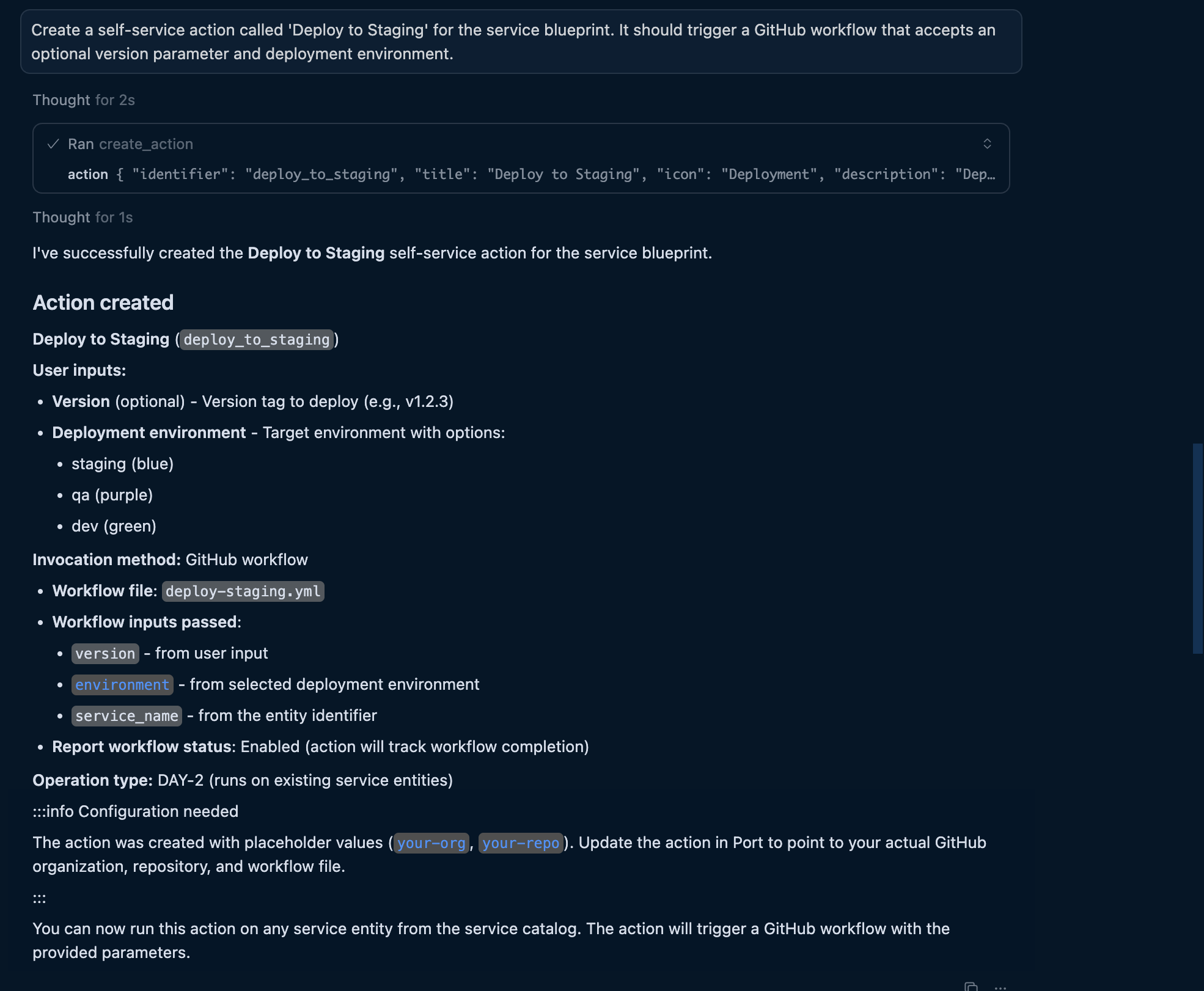
Example conversation:
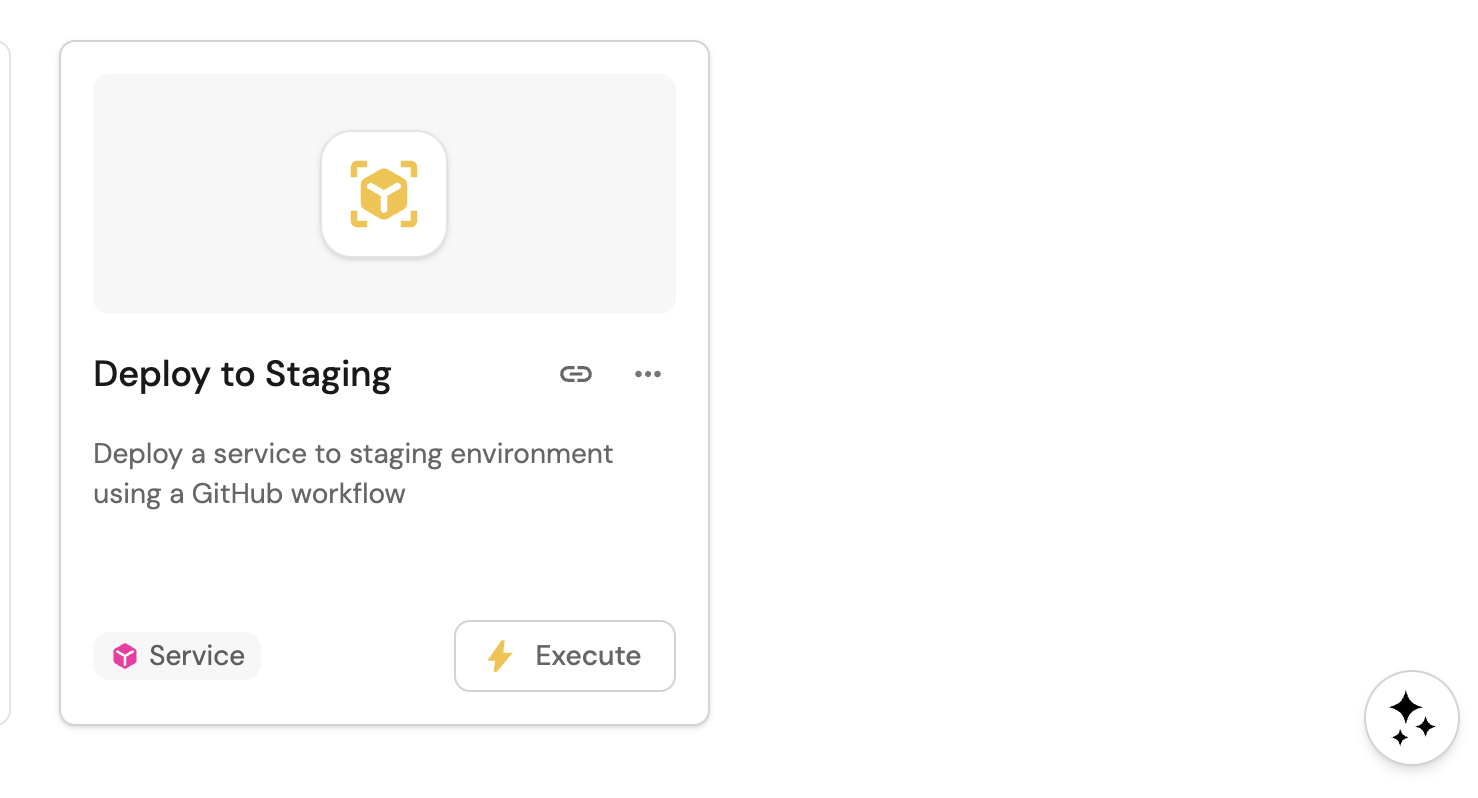
"Create a self-service action called 'Deploy to Staging' for the service blueprint. It should trigger a GitHub workflow that accepts an optional version parameter and deployment environment."
The AI will use the MCP upsert_action tool to generate and create the action:
- MCP server input
- Port output
After creating an action, you can refine it by asking follow-up questions like "Add a required approval step" or "Change the backend to use a webhook instead of GitHub".
Add complex user inputs
Describe dynamic forms and the AI will configure them.
Example conversation:
"Add a multi-select input for deployment regions with options for us-east-1, us-west-2, and eu-west-1."
The AI will update the action's userInputs schema with the appropriate configuration.
Configure different backends
Port actions support multiple backend types. Describe your preferred backend and AI will configure it.
Example conversations:
- "Create a restart service action that triggers a GitHub workflow in the ops-automation repo."
- "Create an action that calls our internal API at https://api.internal.com/deploy."
- "Create an action that triggers a GitLab pipeline in the infrastructure project."
The AI will configure the appropriate invocationMethod, such as GitHub, GitLab, or webhook.
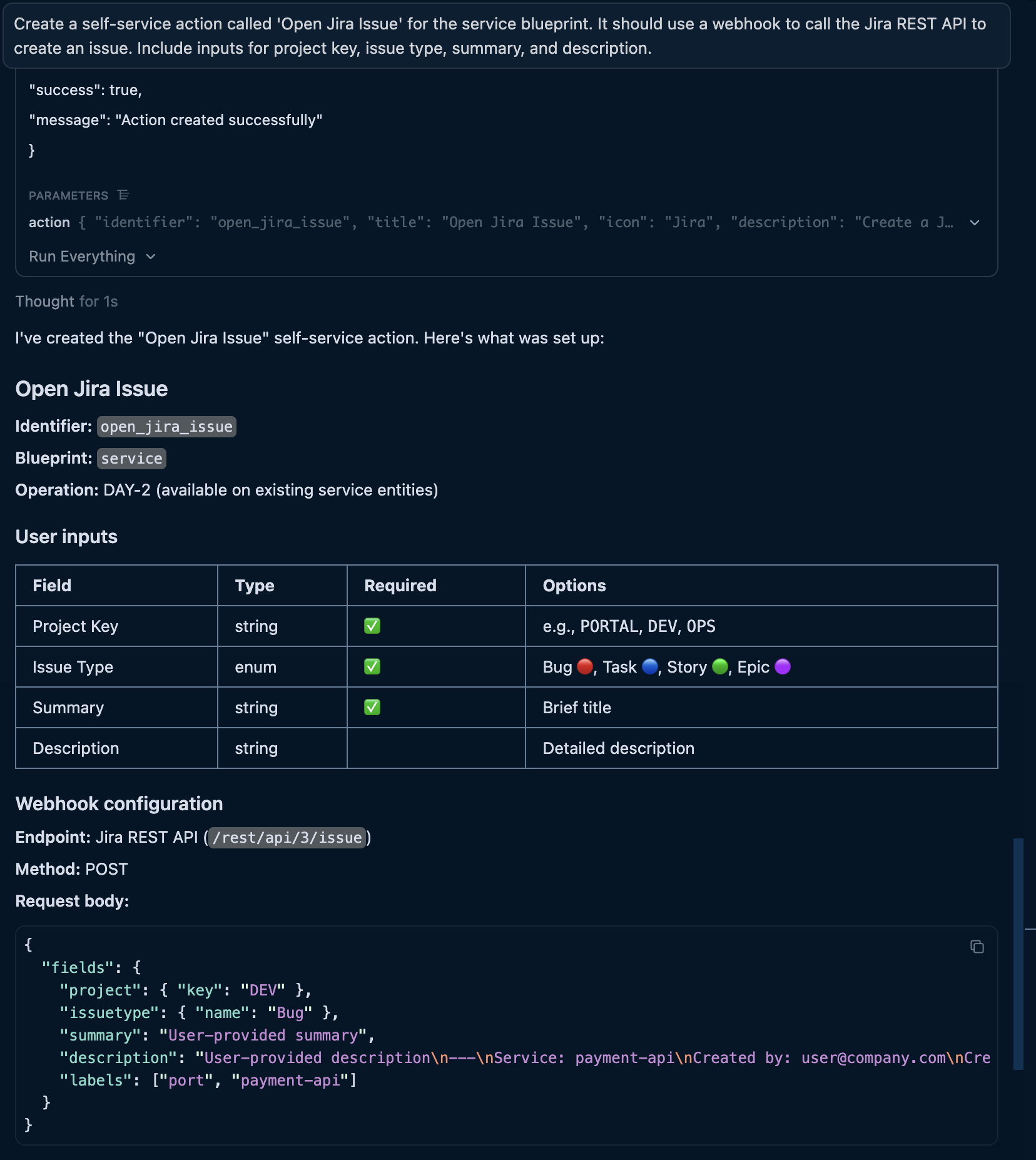
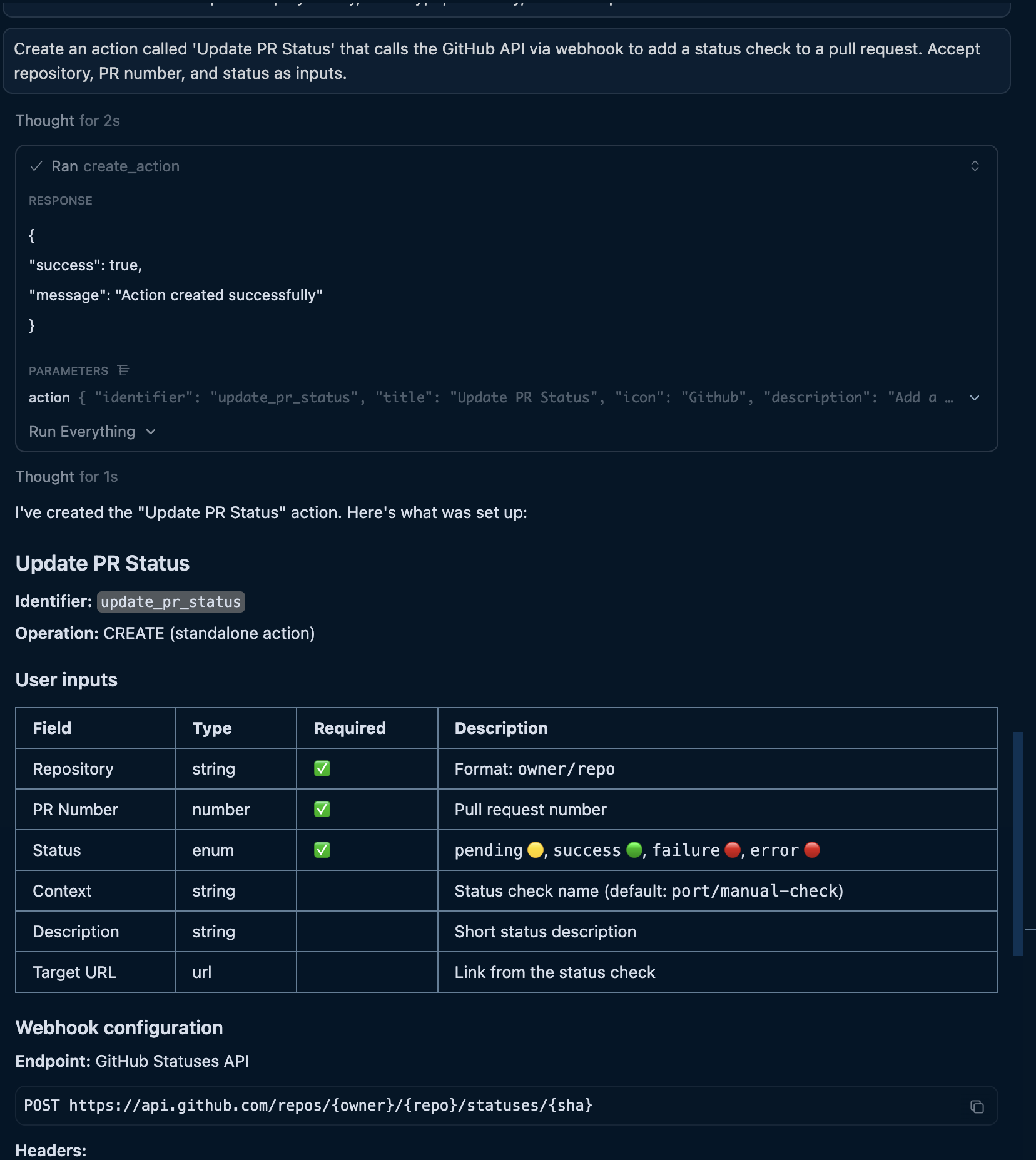
Create webhook-backed actions
When you have web search access enabled, AI can research API documentation to build complete webhook-backed actions.
- Create Jira ticket
- Update PR status
- Trigger incident
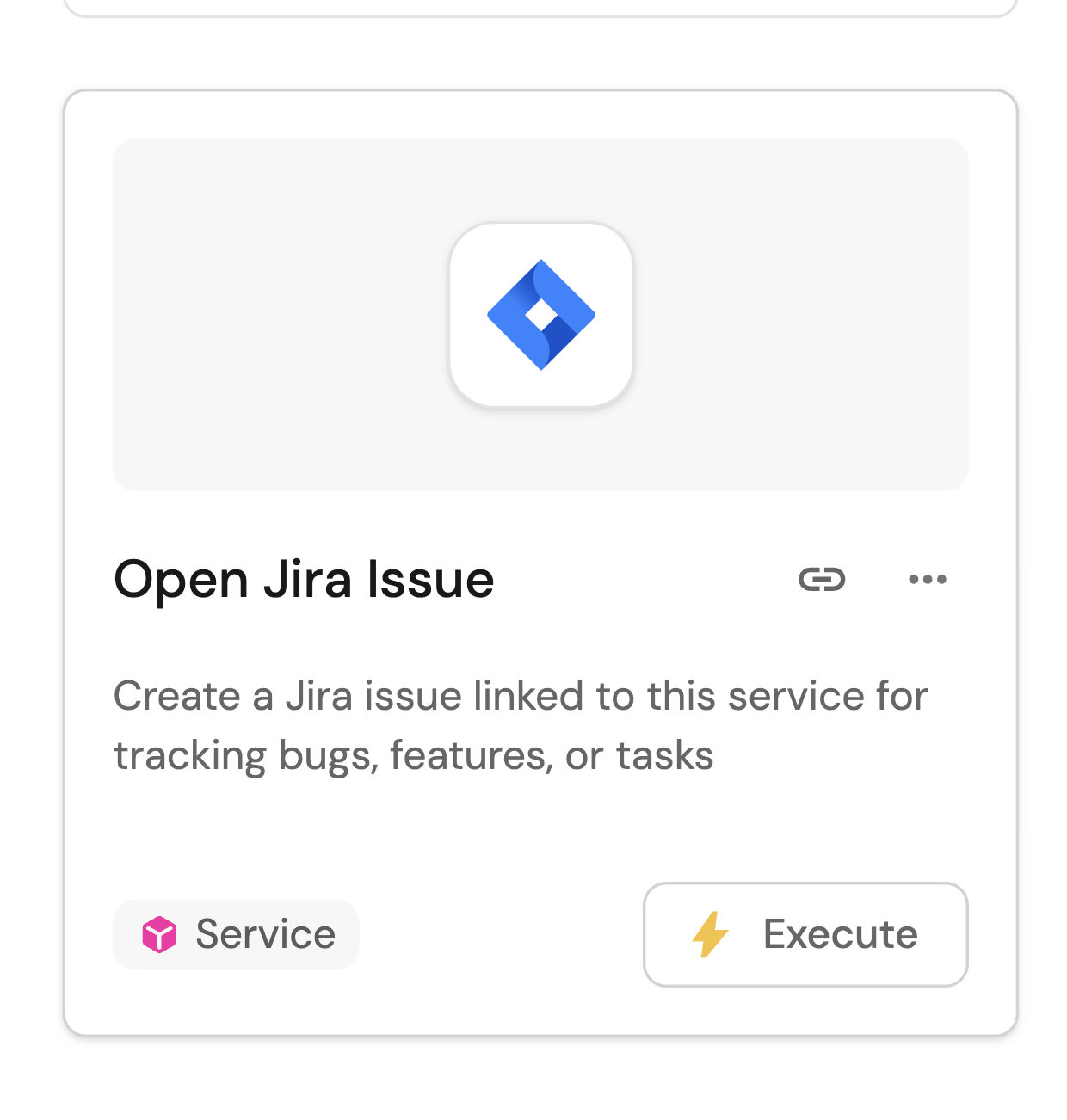
"Create a self-service action called 'Open Jira Issue' for the service blueprint. It should use a webhook to call the Jira REST API to create an issue. Include inputs for project key, issue type, summary, and description."
- MCP server input
- Port output
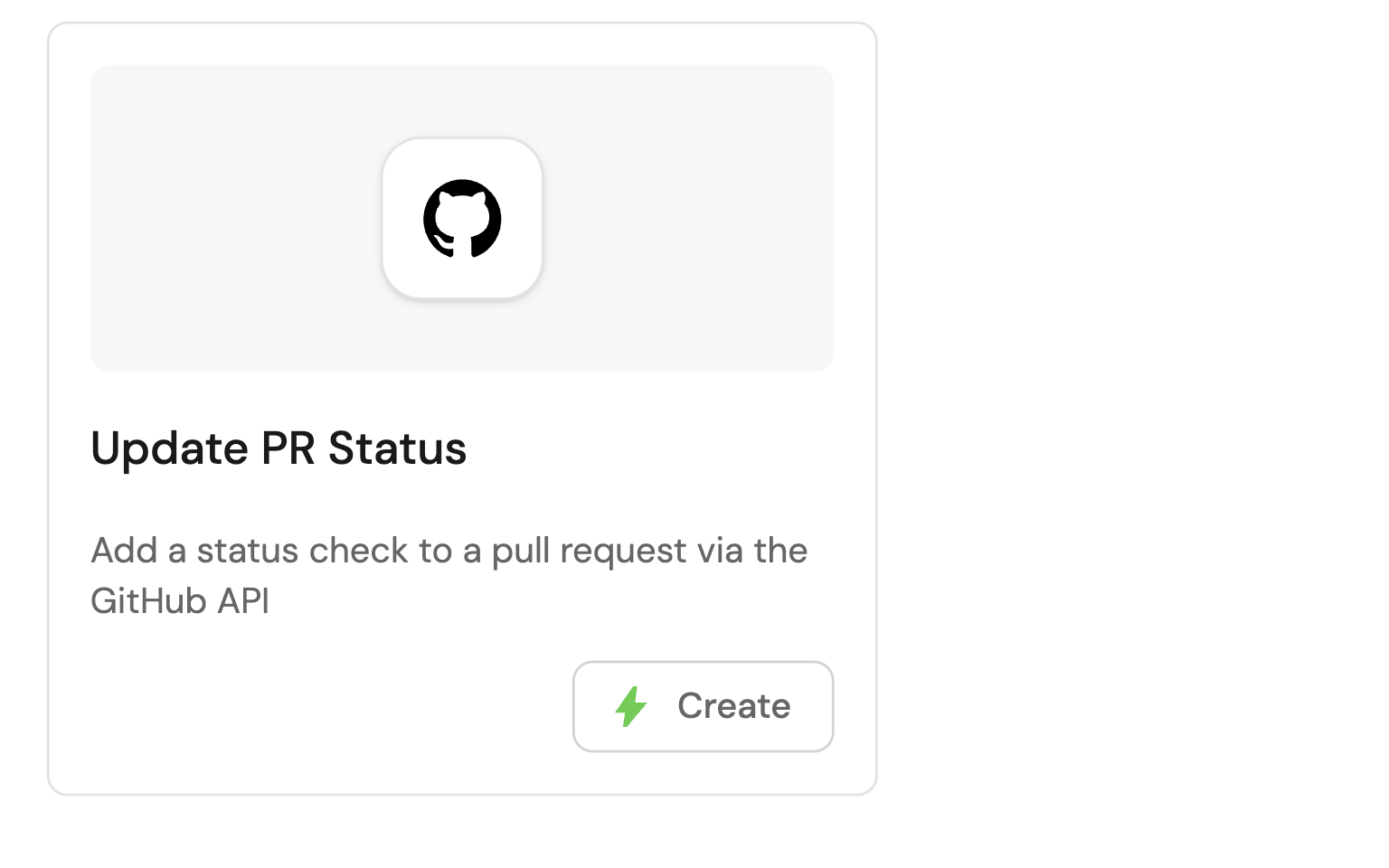
"Create an action called 'Update PR Status' that calls the GitHub API via webhook to add a status check to a pull request. Accept repository, PR number, and status as inputs."
- MCP server input
- Port output
"Create a 'Trigger PagerDuty Incident' action using a webhook to call the PagerDuty Events API. Include inputs for summary, severity, and routing key."
- MCP server input
- Port output
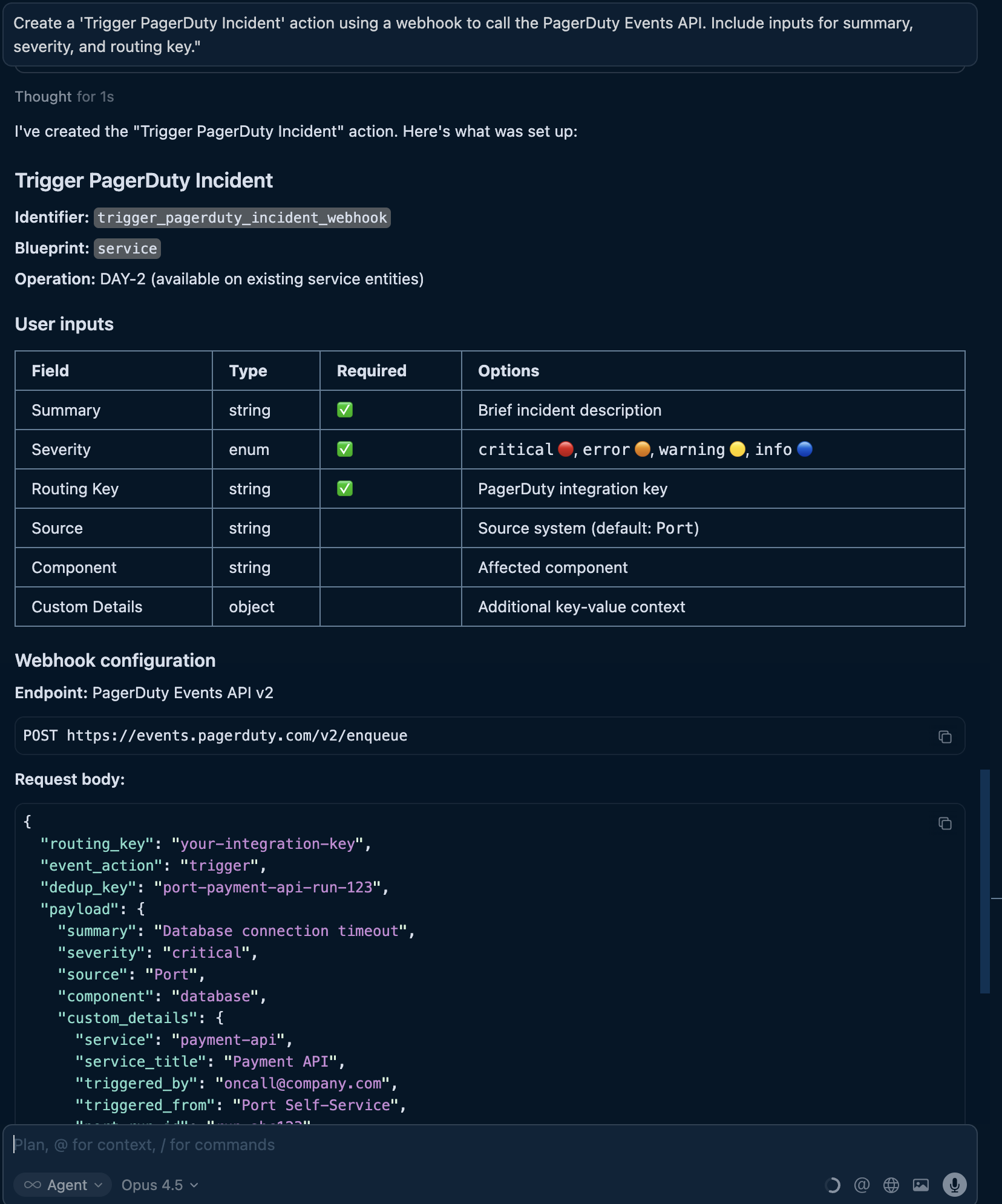
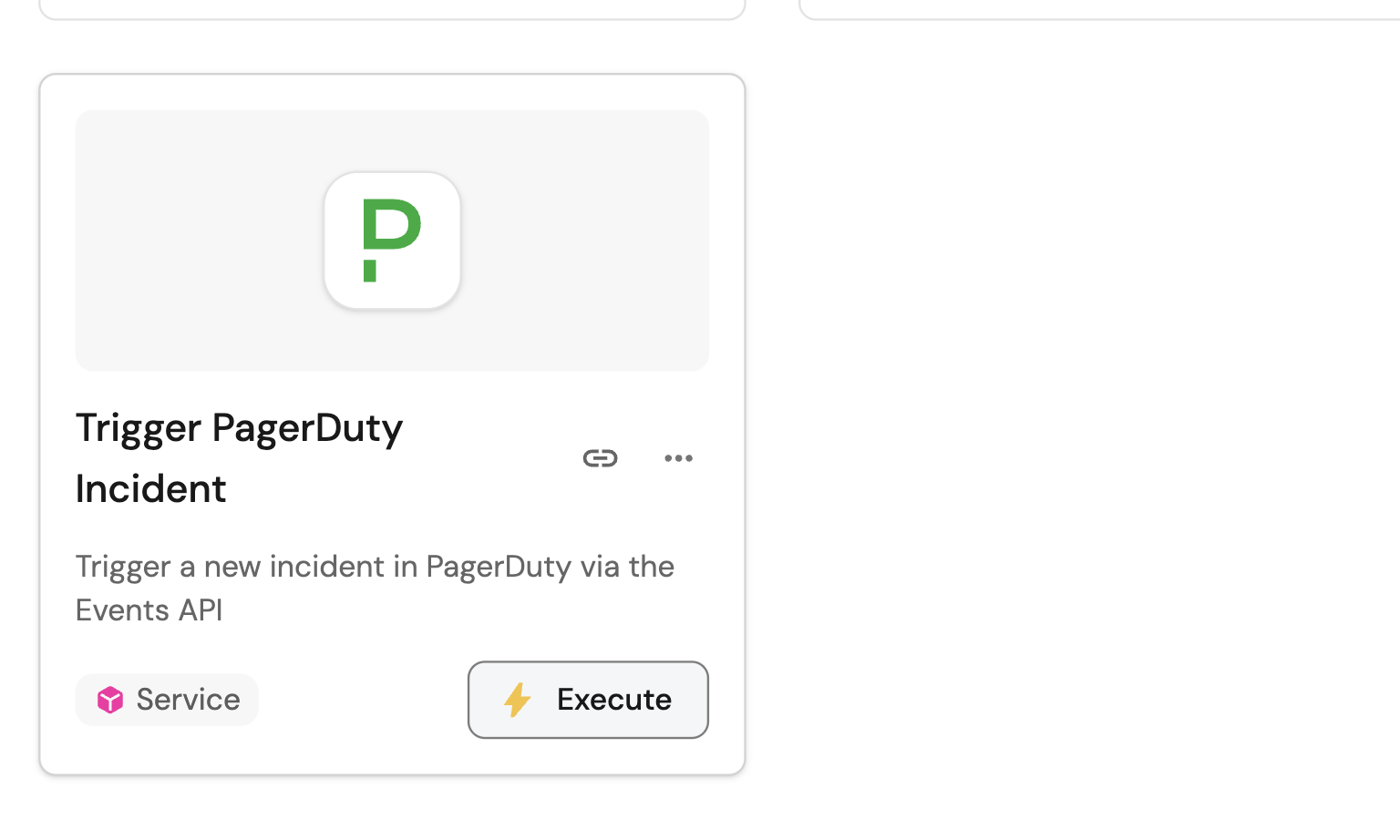
Once you create an action, you can run it through your AI assistant. Ask: "Run the 'Open Jira Issue' action for the checkout-service." The AI will discover the action, understand its inputs, and execute it.
To help AI run your actions later, include detailed descriptions and tooltips when creating them. These provide context when developers run actions from their IDE.
Set up automation triggers
Automations respond to events in your software catalog. AI can help you create event-driven workflows that react to changes automatically.
Example conversation:
"Create an automation that triggers a Slack notification when a service's health score drops below 50."
- MCP server input
- Port output
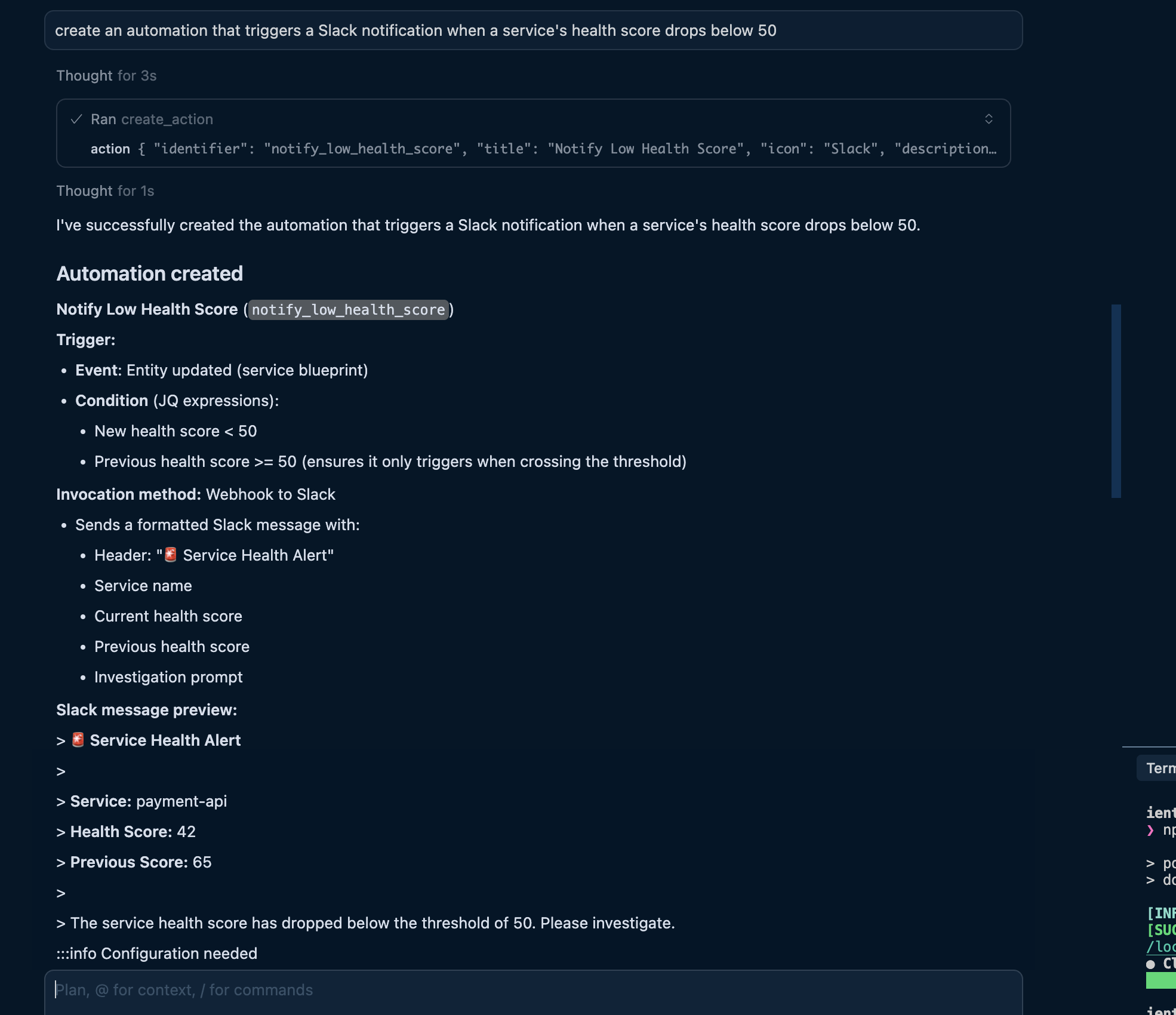
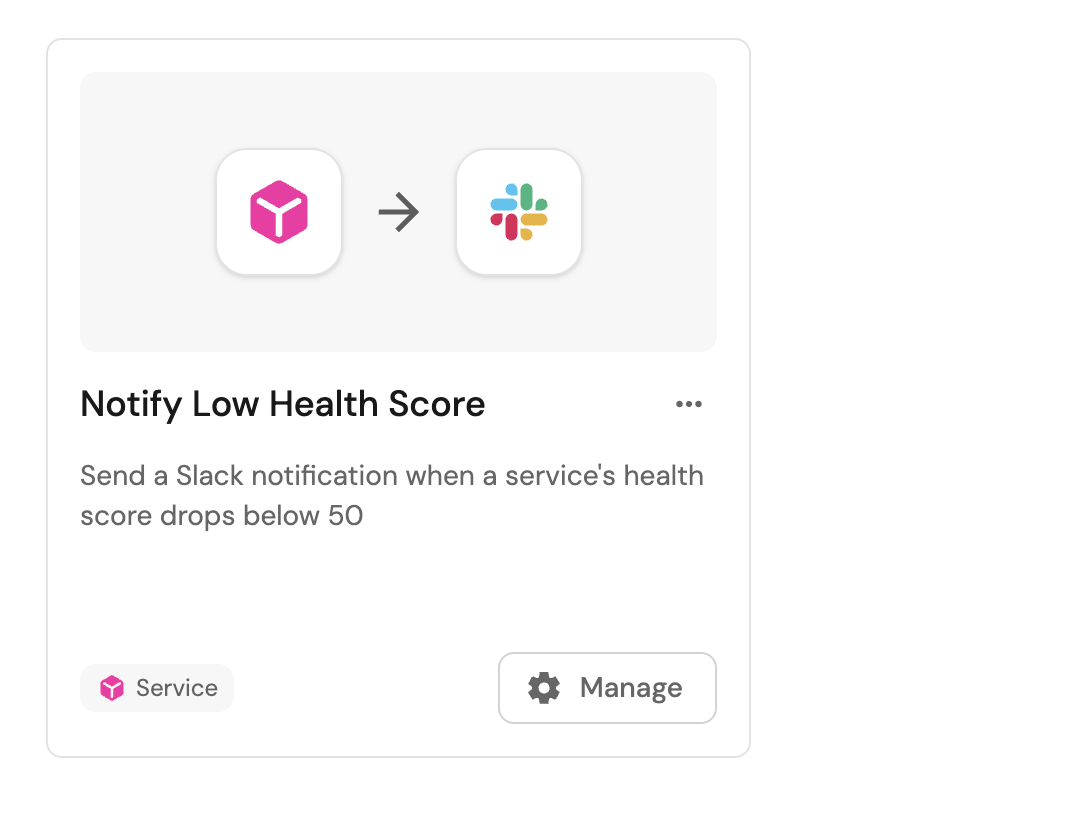
Here are common automation patterns you can describe to AI:
- Entity lifecycle events: "When a new service is created, send a welcome message to the owning team's Slack channel."
- Property change events: "When a service's status changes to deprecated, notify the platform team."
- Incident events: "When an incident severity is upgraded to critical, page the on-call engineer."
- Timer-based events: "When a service's compliance certificate expires, create a renewal ticket."
Chain actions for complex workflows
Port can chain multiple actions together. Design your workflows by asking AI to create a holistic chain of actions to achieve your goal.
Example conversation:
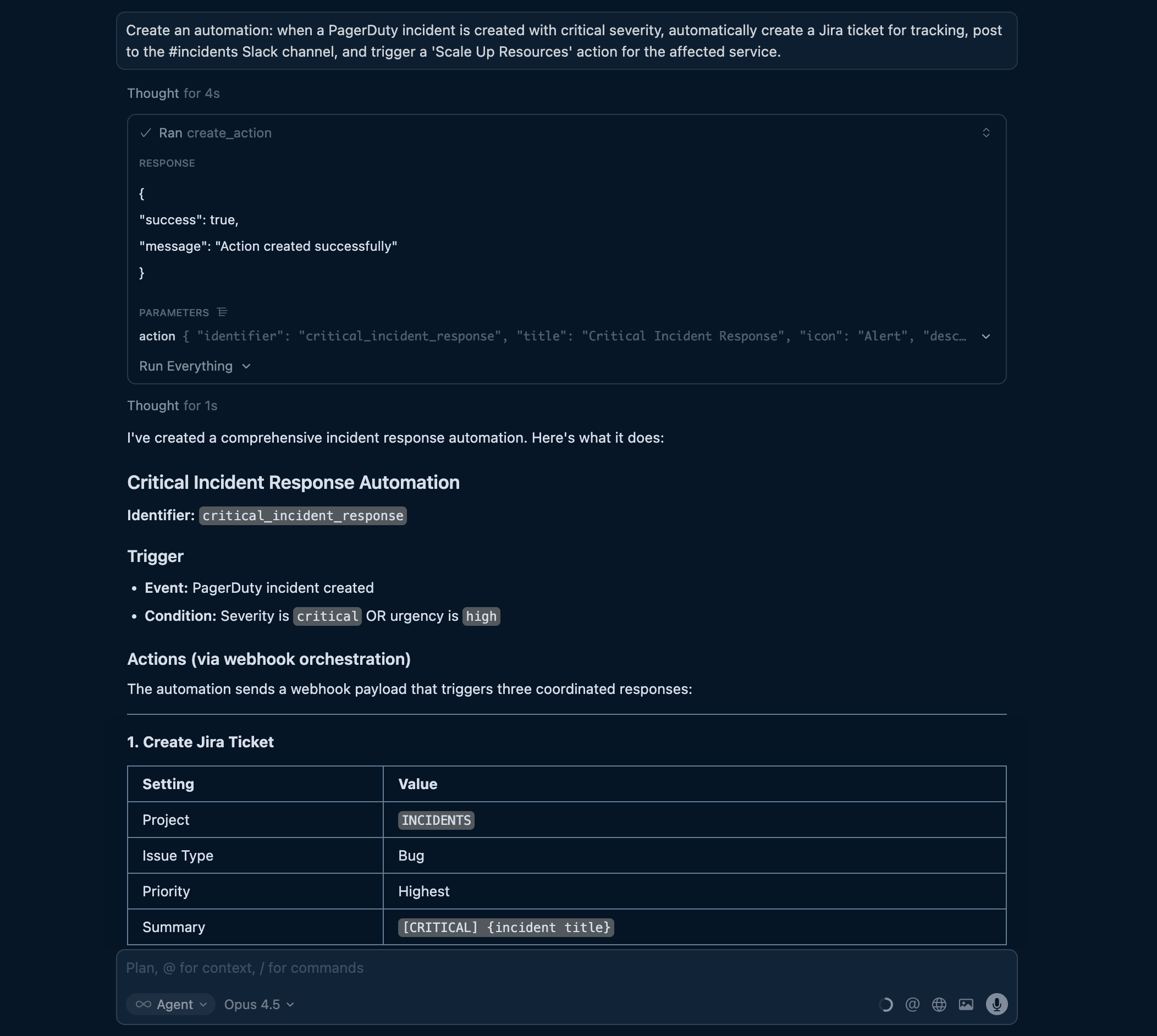
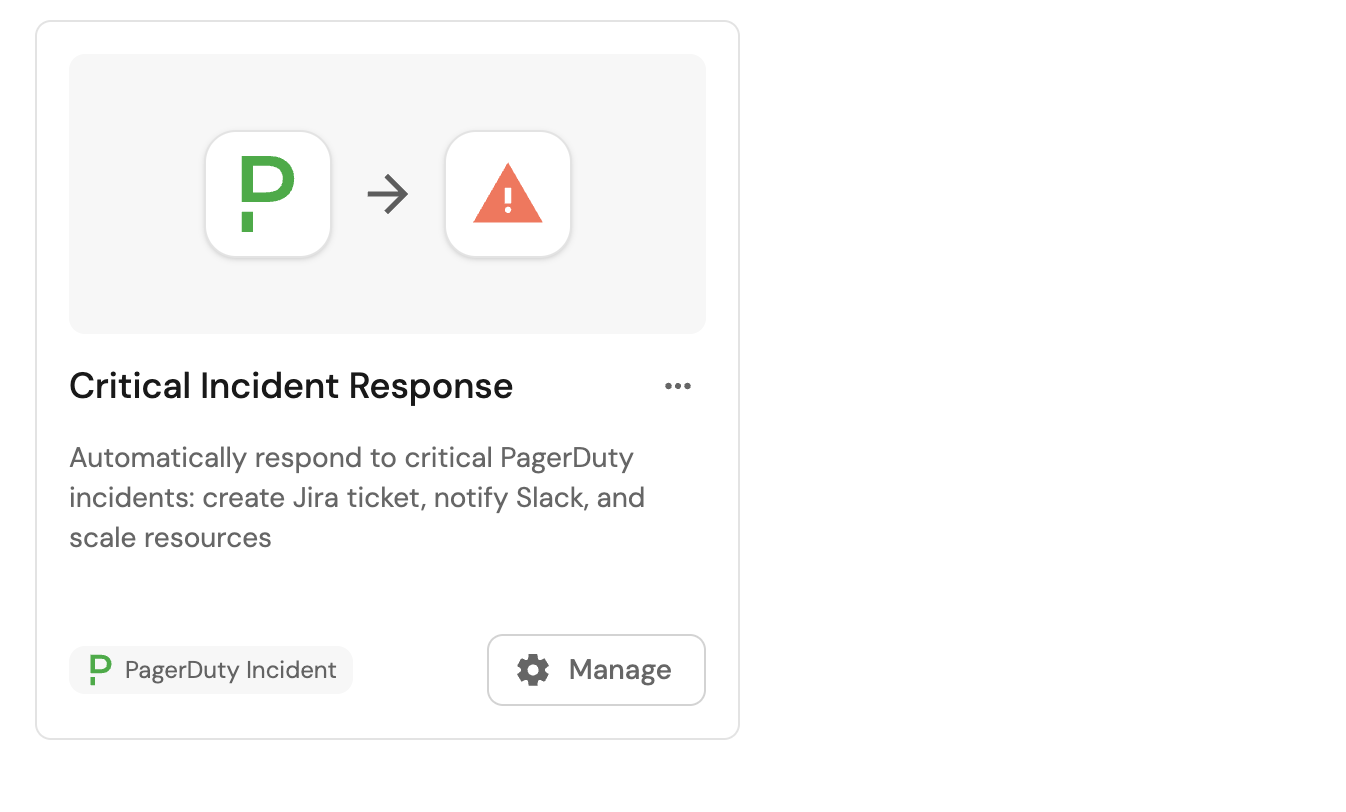
"Create an automation: when a PagerDuty incident is created with critical severity, automatically create a Jira ticket for tracking, post to the #incidents Slack channel, and trigger a 'Scale Up Resources' action for the affected service."
This creates actions that trigger one another:
-
Critical incident detected.
-
Create Jira ticket.
-
Post to Slack.
-
Scale up resources.
- MCP server input
- Port output
Create scorecards with AI
The Port MCP server provides tools like list_scorecards and upsert_scorecard that enable AI agents to build your scorecards through natural language conversations. Describe what you need, and the AI will generate the appropriate configuration and create it in Port.
Start with a simple scorecard
Describe the scorecard you want to create in natural language. The AI will interpret your requirements and generate the appropriate schema.
Example conversation:
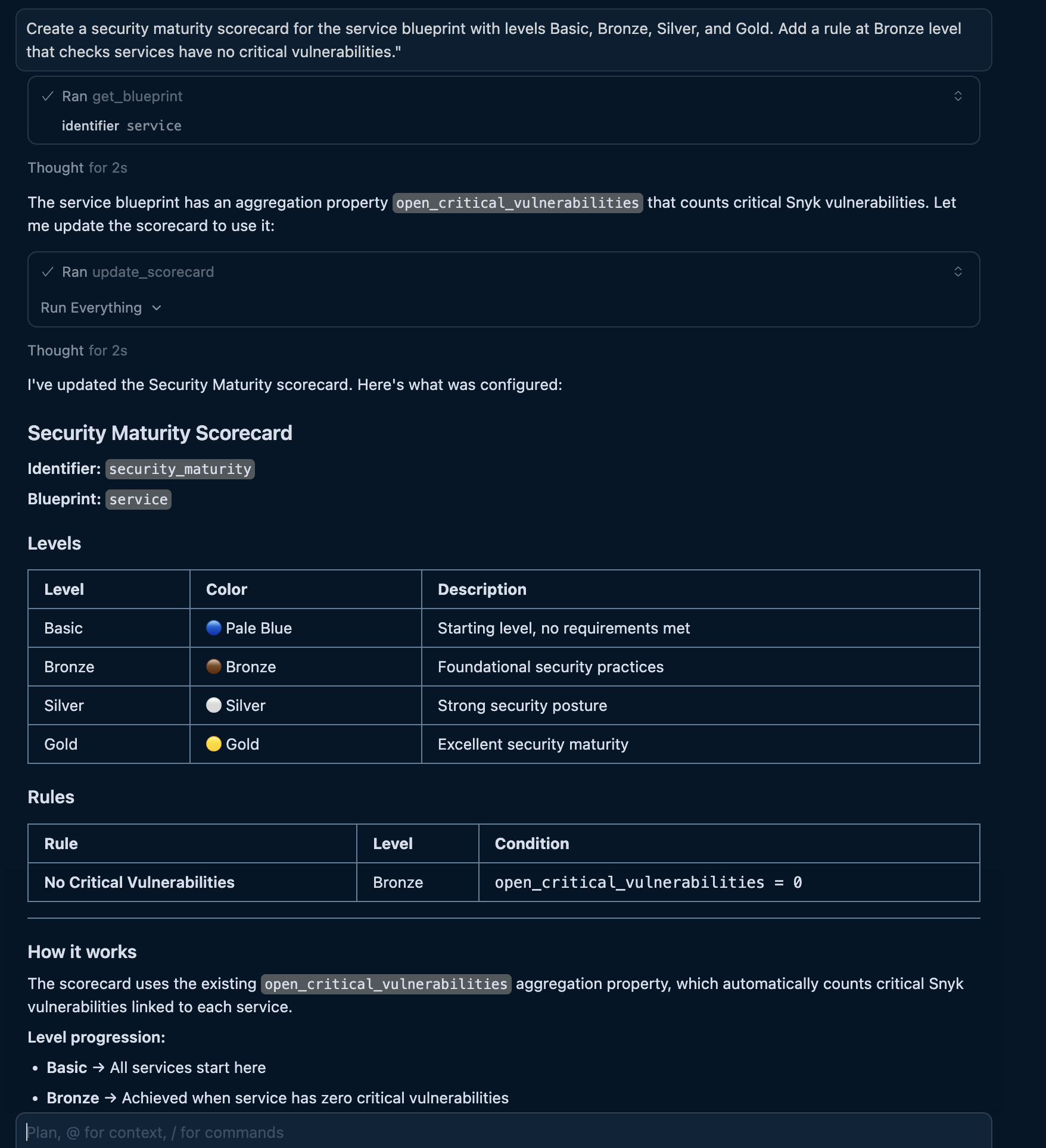
"Create a security maturity scorecard for the service blueprint with levels Basic, Bronze, Silver, and Gold. Add a rule at Bronze level that checks services have no critical vulnerabilities."
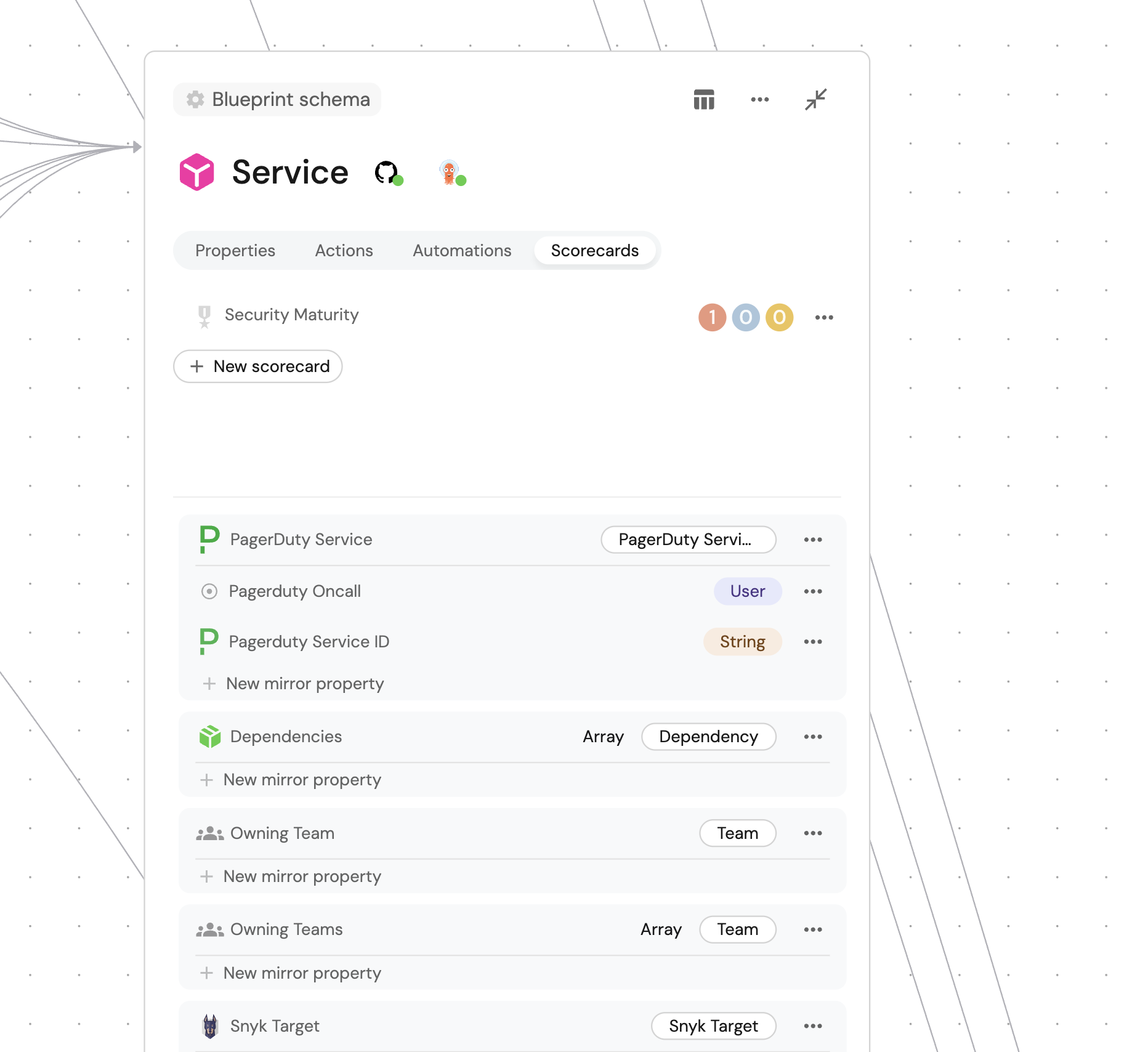
The AI will use the MCP upsert_scorecard tool to generate and create the scorecard:
- MCP server input
- Port output
After creating a scorecard, you can refine it by asking follow-up questions like "Add a rule for high vulnerabilities at Silver level" or "Change the Gold level to require active fixes in the last 30 days".
Add rules incrementally
Build comprehensive scorecards by adding rules through conversation.
Example conversations:
- "Add a rule to the security scorecard that requires Snyk Code scanning at the Maturing level."
- "Add a Silver level rule that checks for no critical or high vulnerabilities."
- "Add a Gold level rule requiring at least one vulnerability fix in the last 30 days."
The AI will update the scorecard's rules array with the appropriate conditions.
Configure progressive levels
Describe maturity progression and AI will structure the levels appropriately.
Example conversation:
"Create a production readiness scorecard with five levels: Basic (starting point), Developing (has monitoring), Established (has alerts and runbooks), Mature (meets SLO targets), and Exemplary (has automated remediation)."
The AI will create levels with appropriate colors and rules that represent clear progression paths.
Query scorecard results
Once your scorecards are created, use natural language to query compliance status across your catalog.
Example conversation:
"What's the security maturity level of the checkout-service and which rules is it failing?"
Security maturity query example (Click to expand)
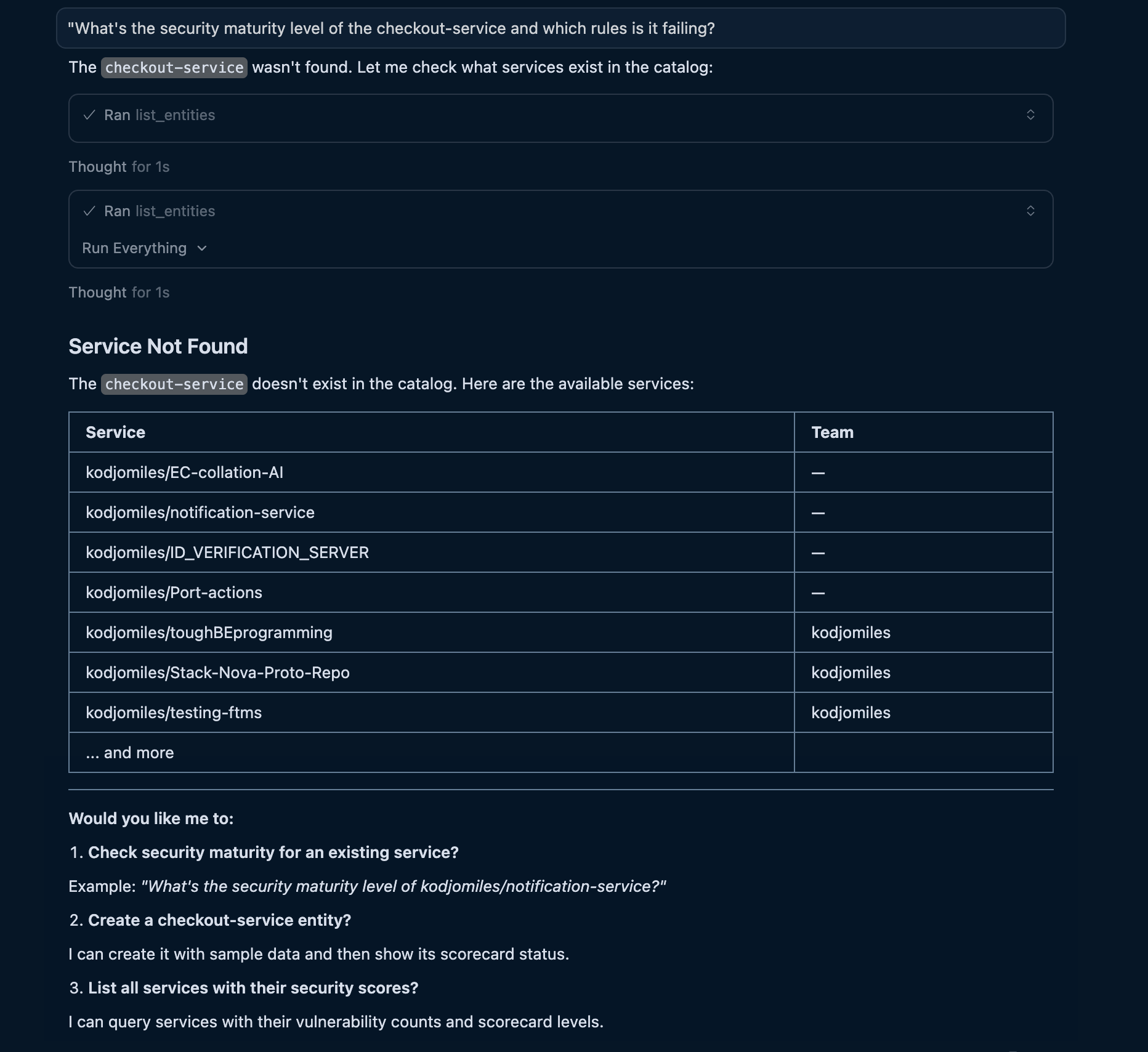
Query across your catalog to identify services at specific maturity levels:
- "Which services have Gold security maturity?"
- "Show me all services failing the production readiness scorecard."
- "List services at Basic level that are owned by the platform team."
The AI uses list_entities with scorecard filters to find matching entities.
Use scorecards in AI decisions
AI agents can use scorecard data to make intelligent decisions about deployments and prioritization.
Example conversation:
"Deploy the checkout-service to production if it passes the security maturity scorecard."
The AI will check scorecard compliance before proceeding. If the service fails critical rules, it responds with what needs to be fixed first.
Example conversation:
"What should I work on to improve our team's security posture?"
The AI queries all services, identifies those at lower maturity levels, and provides a prioritized list based on failing rules and their severity.
Let's test it!
After creating your actions and scorecards, test them with an MCP-enabled AI assistant.
- Run an action
- Query a scorecard
Ask your AI assistant:
"Create a high urgency PagerDuty incident for the PORT-2 service with title 'High latency detected in checkout flow'."
The agent will:
-
Discover the action by finding
create_incident_webhookthroughlist_actions. -
Understand the inputs by reading the action schema.
-
Execute the action by calling
run_create_incident_webhookwith the entity identifier and input parameters. -
Return the result and report whether the incident was created successfully.
- MCP server input
- Port output
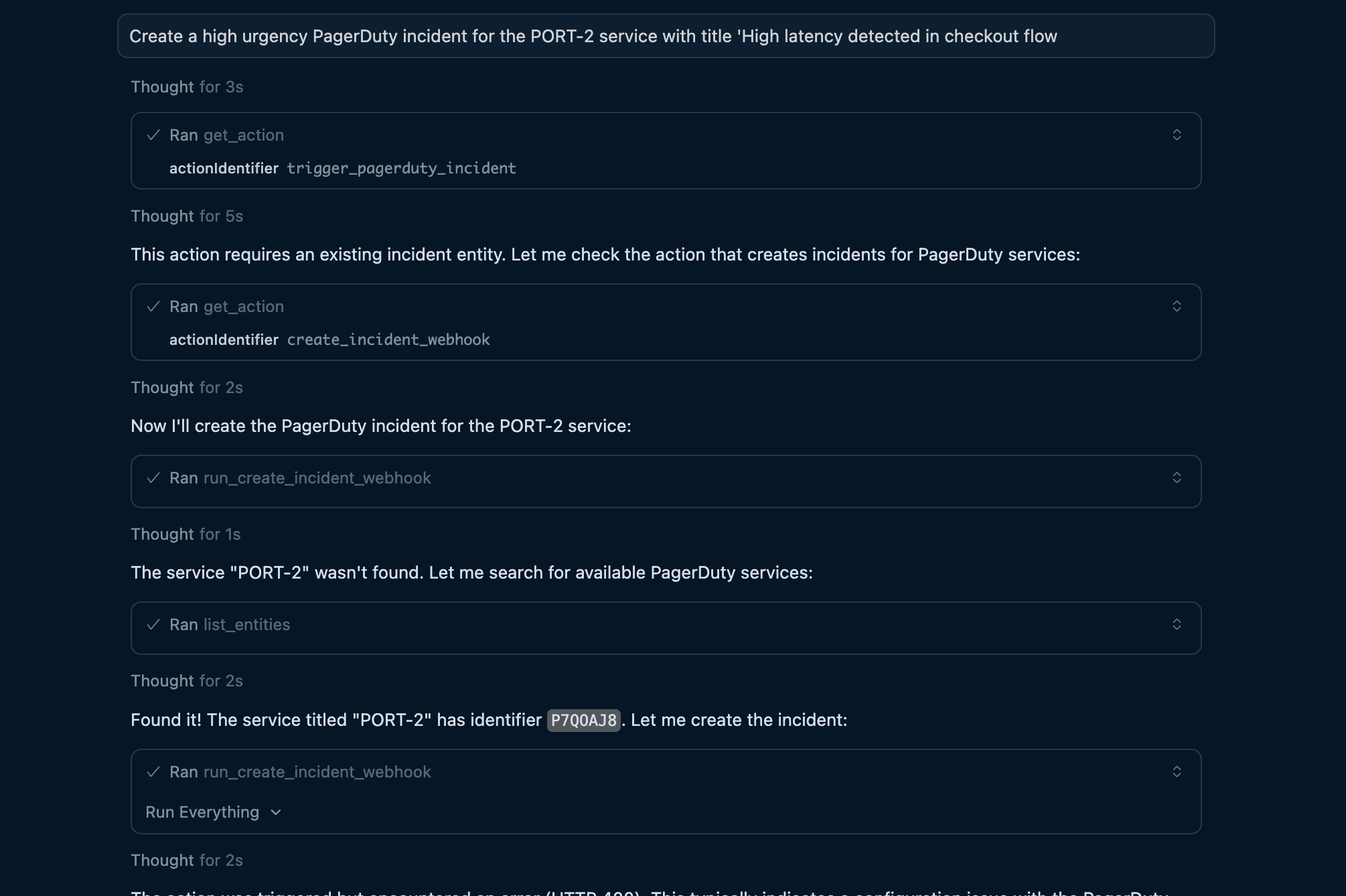
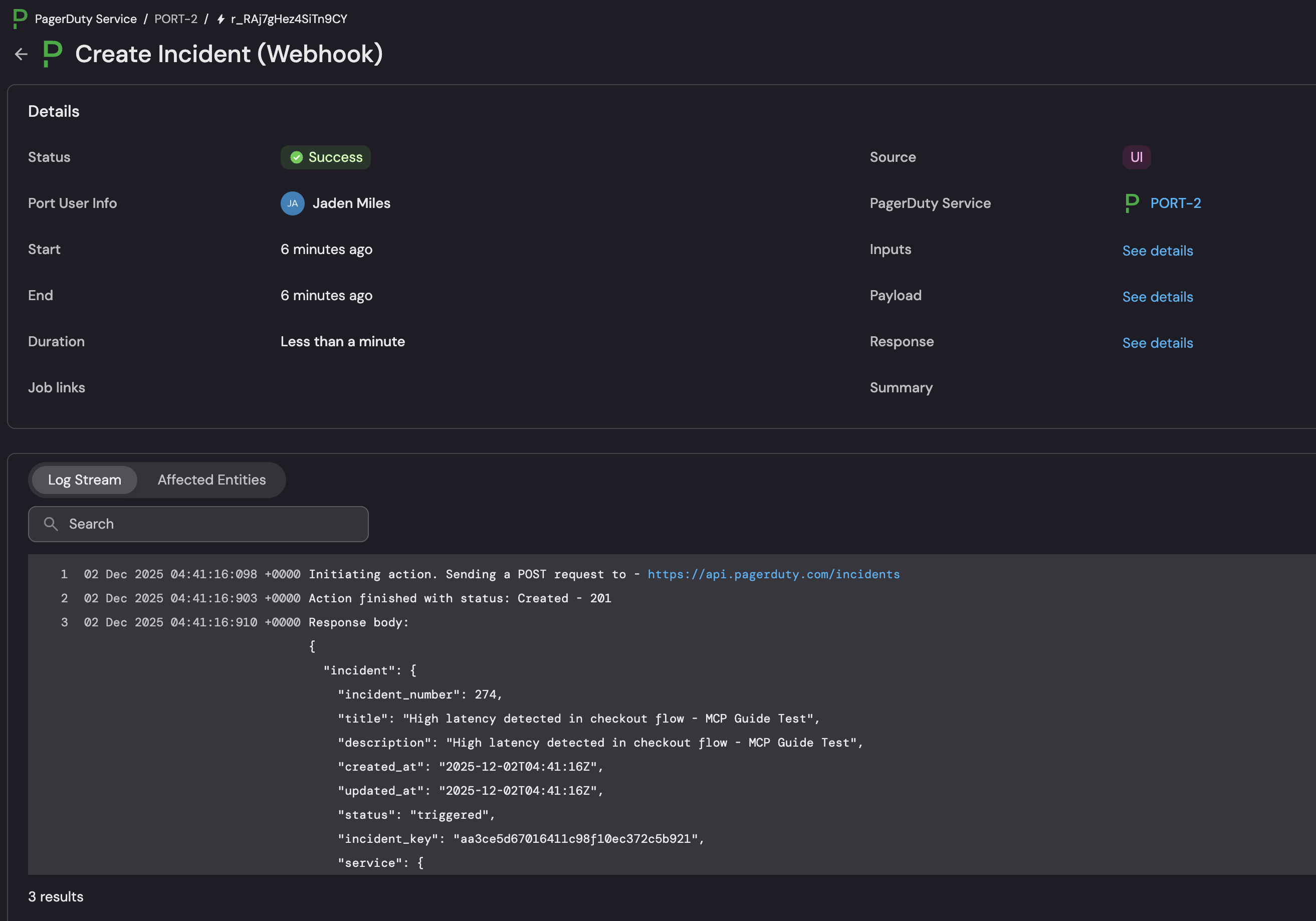
Ask your AI assistant:
"What's the security maturity level of the awesome-service and which rules is it failing?"
The agent will:
-
Find the service by locating the entity through
list_entitieswith the service identifier. -
Query scorecard results by including
security-maturityin the entity request. -
Analyze rule results by identifying which rules have
status: FAILURE. -
Provide recommendations that explain what needs to be fixed to improve the level.
Scorecard query output (Click to expand)
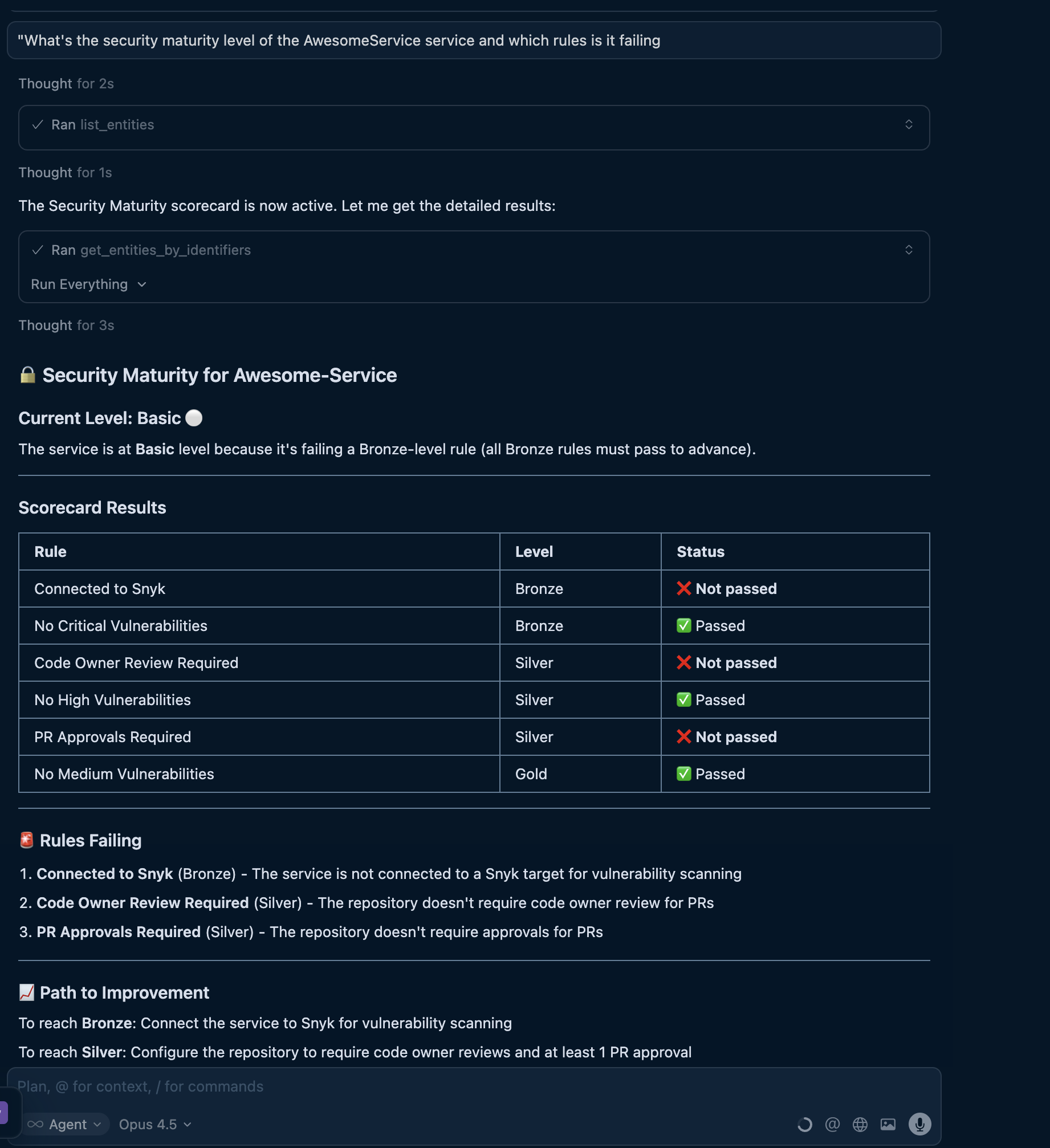
Apply best practices
Use these practices to get better results when building catalog structure, actions, automations, and scorecards with AI.
Be specific in your requests
The more detail you provide, the better AI can configure your catalog components:
- Good data model prompt: "Create a service blueprint with properties for language (enum: Python, Node.js, Go), status (enum: active, deprecated), and a markdown description field."
- Less effective data model prompt: "Create a service blueprint."
- Good action prompt: "Create a deploy action with inputs for environment (enum: production, staging, dev), version (string, required), and notify_slack (boolean, default true)."
- Less effective action prompt: "Create a deploy action."
- Good scorecard prompt: "Create a security scorecard with a Bronze rule that checks open_critical_vulnerabilities equals 0, and a Silver rule that also checks open_high_vulnerabilities equals 0."
- Less effective scorecard prompt: "Create a security scorecard."
Iterate incrementally
Build your catalog in steps, refining as you go:
-
Start with basic blueprints and a few properties.
-
Add more properties and relations based on your needs.
-
Create entities to test the structure.
-
Adjust based on what works.
Use consistent naming
Ask AI to follow consistent naming patterns across blueprints, properties, actions, and scorecards.
Example conversation:
"Use the same property name 'owning_team' for team ownership across all blueprints."
Use clear action names that follow verb-noun patterns:
- Good:
deploy_to_production,restart_service,trigger_incident. - Less clear:
prod_dep,svc_rst,inc.
Use kebab-case identifiers that describe the scorecard domain:
- Good:
security-maturity,production-readiness,quality-standards. - Less clear:
sc1,prod_ready,quality.
Specify backend and approval requirements
Tell AI what backend to use when creating actions:
- "...that triggers a GitHub workflow in the deployments repo."
- "...that calls a webhook at https://api.example.com/deploy."
- "...that triggers a GitLab pipeline."
If your action needs approval, include that requirement in the prompt:
"Create a production deploy action that requires approval from the platform-admins team."
Design scorecard levels carefully
Design levels that represent achievable progression:
- Start with basic requirements at lower levels.
- Add more stringent checks at higher levels.
- Ensure each level builds on the previous one.
- Add descriptions that explain what each rule measures, why it matters, and how to fix failures.
Validate and review changes
After AI creates components, review them in the Port UI:
- Check that enums have the right values.
- Verify relations point to the correct blueprints.
- Test actions in a non-production environment first.
- Confirm scorecard rules evaluate the intended properties.
Query and manage your catalog
Once your catalog is built, use natural language to query and manage it:
- "Show me all services owned by the platform team."
- "Give me a summary of services by deployment status."
For more query examples and capabilities, see the MCP server documentation.
More relevant guides
- Port MCP server overview - Learn about Port MCP capabilities.
- Available MCP tools - Complete reference for all MCP tools and their capabilities.
- Set up blueprints - Detailed blueprint configuration reference.
- Self-service actions - Complete guide to creating actions.
- Define automations - Event-driven workflow configuration.
- Action backends - Configure webhooks, GitHub, GitLab, and more.
- Scorecards overview - Introduction to scorecards and their use cases.
- Manage scorecards - Create and update scorecards through the UI and API.