Build your software catalog with MCP
Send this guide to your coding agent.
Prerequisite: Install Port MCP
Open plan mode. Implement this Port guide in my org via MCP:

https://docs.port.io/guides/all/build-port-data-model-with-mcp

Goal: get the guide's core flow working end-to-end in my org; adapting it to fit my existing setup takes priority over matching the guide 1:1.

Plan:
1. Confirm MCP is connected, in the right org, with sufficient permissions.
2. Diff the guide's data model (blueprints, properties, relations, actions, agents, automations, integrations, secrets) against mine.
3. Propose adaptations for gaps, reusing existing blueprints/relations over guide-named duplicates.
4. Flag what needs a UI click, credential, or secret from me, testing MCP capability empirically before ruling anything out.
5. Stop on any blocker and give me options. Approving this plan authorizes the writes it lists; pause only for writes beyond what's listed.

Build:
- Extend blueprint schema additively when upserting; don't remove or overwrite existing properties, and treat type conflicts as a blocker, not an auto-fix.
- List any mock data in the plan, minimal and labeled mock; once approved, seed it without re-asking, and tell me what you seeded.
- For anything the guide writes downstream (e.g. a webhook target), use a real entity, not a mock.
- For pages/widgets, use the real page identifier from the app URL, not a guessed slug.
- When you hit a UI step confirmed (not assumed) unsupported via MCP, pause, give exact clicks, then resume via MCP.
- Validate and give links after each meaningful step (only a tool-returned URL, no guessed paths); don't proceed if the last run wasn't a success.

Done:
- Confirm the guide's expected output exists and runs in Port.
- Summarize adaptations, seeded data, what was mocked or skipped, remaining UI steps, and how to verify.
Use Port's MCP (Model Context Protocol) server to build and manage your software catalog through natural language conversations with AI. This guide shows you how to create blueprints, populate entities and define relations by describing what you need in plain English.
Instead of manually configuring JSON schemas or clicking through UI forms, you can have conversations with your AI assistant to build your catalog iteratively, getting instant feedback and making adjustments on the fly.
Common use cases
- Bootstrap new catalogs: Describe your architecture and let AI create the initial blueprint structure.
- Populate entities: Ask AI to create services, teams, or environments based on your requirements.
- Define relations: Explain how components connect and let AI configure the relationships.
- Set up actions: Describe workflows you want to enable and have AI create self-service actions.
- Create scorecards: Explain quality standards and let AI build evaluation rules.
Prerequisites
This guide assumes you have:
- A basic understanding of blueprints and relations.
- Port's MCP server configured in your IDE.
MCP operations use the permissions of the authenticated user. Only users with appropriate access (typically admins) can create or modify blueprints, entities, and other catalog components.
Create blueprints with AI
Port's MCP server provides tools like list_blueprints and upsert_blueprint that enable AI agents to build your catalog through natural language conversations. You can describe what you need, and the AI will generate the appropriate JSON schema and create it in Port.
Start with a simple description
Describe the blueprint you want to create in natural language. The AI will interpret your requirements and generate the appropriate schema.
Example conversation:
"Create a microservice blueprint with properties for programming language, repository URL, and deployment status"
The AI will use the MCP upsert_blueprint tool to generate and create the blueprint:
Screenshot example (click to expand)
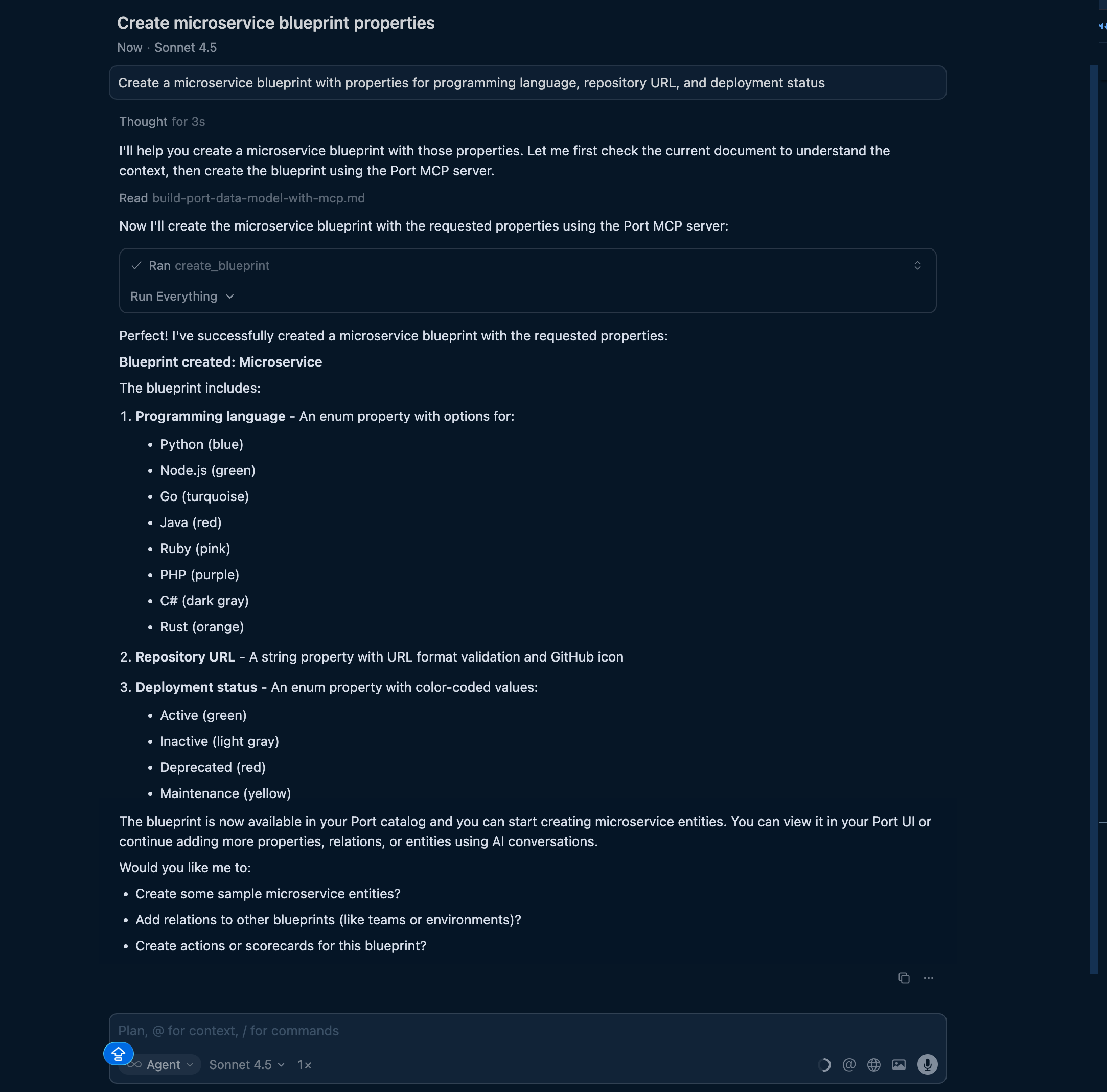
After creating a blueprint, you can refine it by asking follow-up questions like "Add a team property" or "Change the status enum to include 'maintenance'".
Create multiple related blueprints
You can describe an entire architecture and let AI create multiple blueprints at once:
Example conversation:
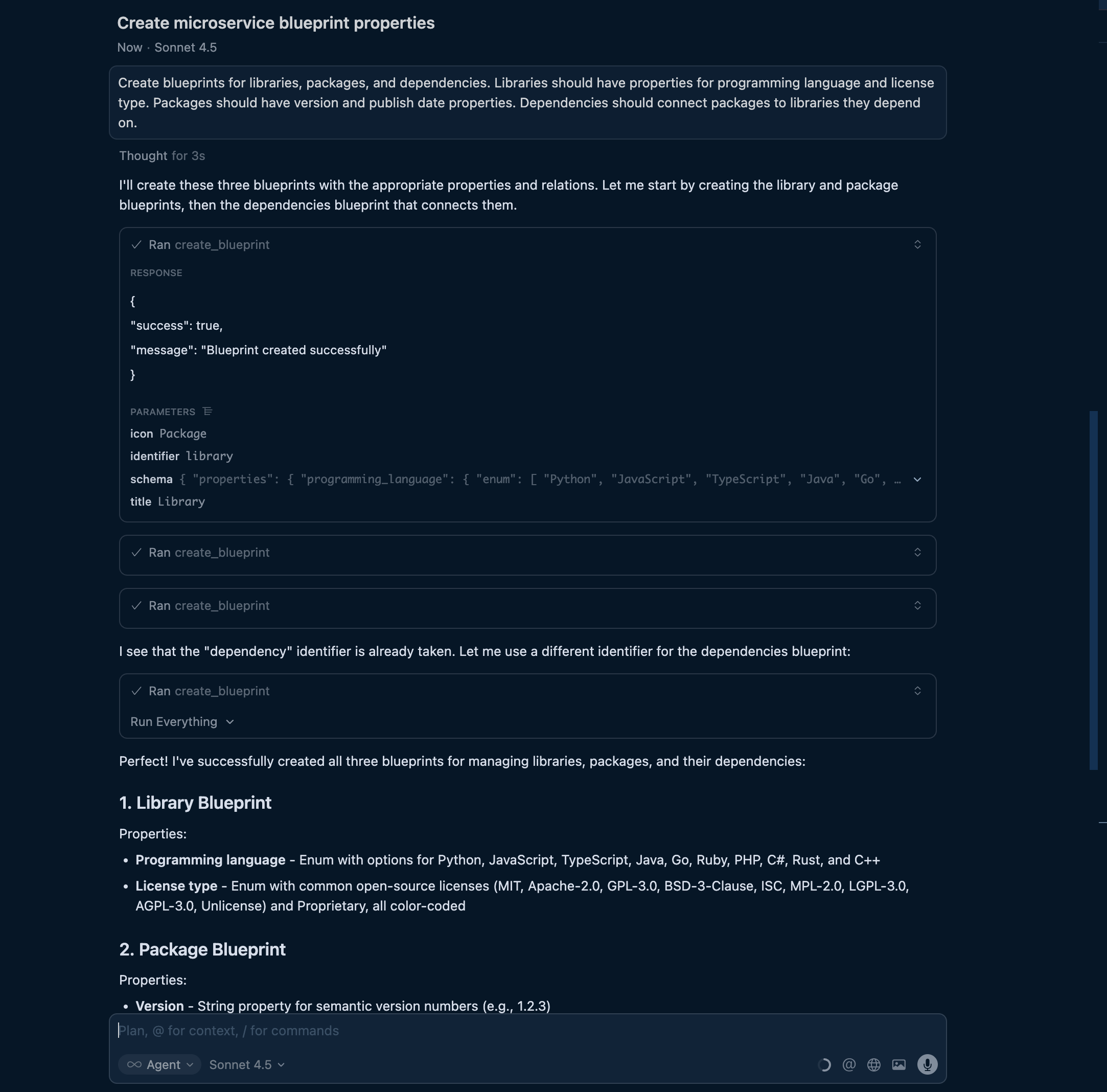
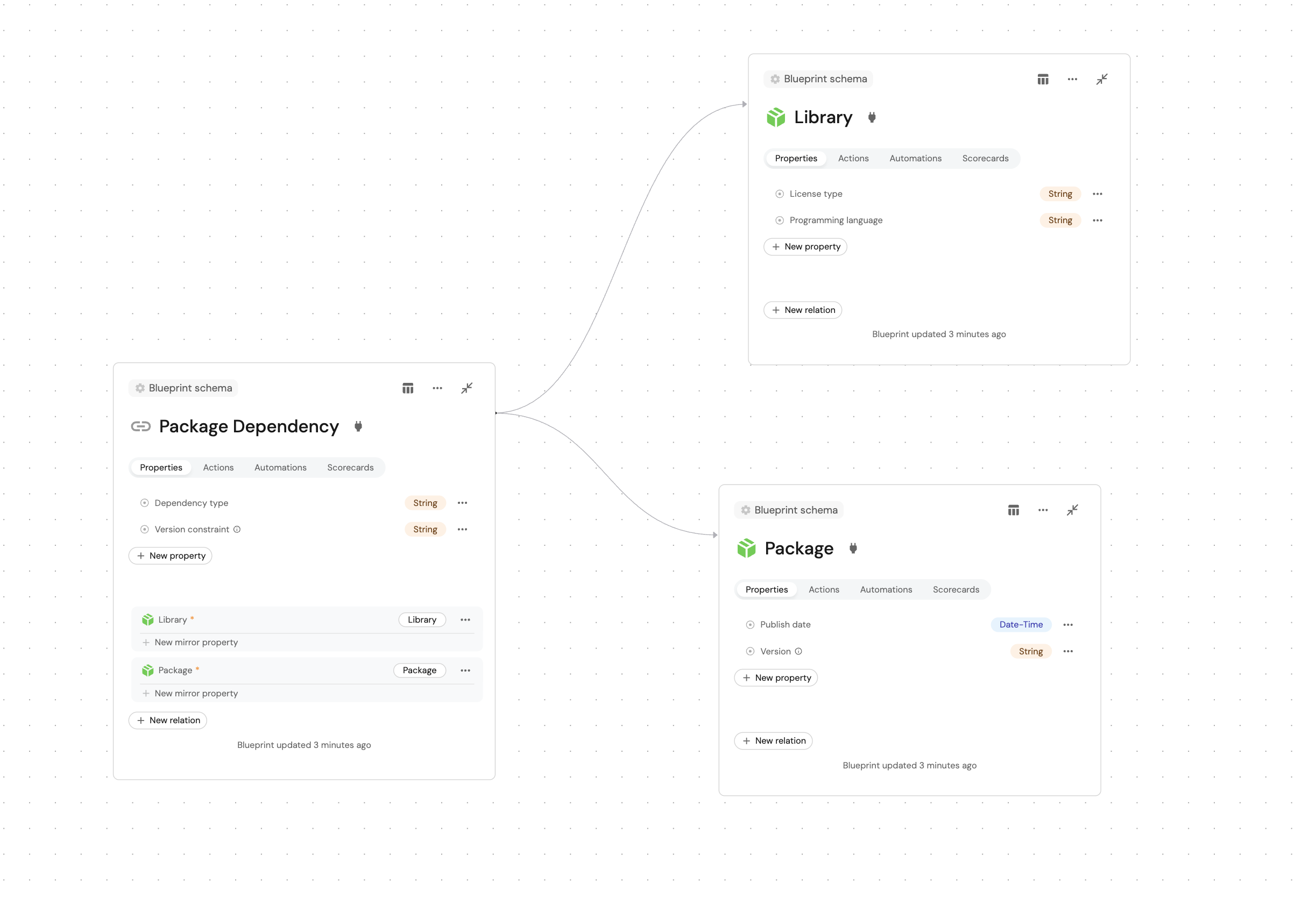
"Create blueprints for libraries, packages, and dependencies. Libraries should have properties for programming language and license type. Packages should have version and publish date properties. Dependencies should connect packages to libraries they depend on."
The AI will:
- Create the library blueprint with appropriate properties.
- Create the package blueprint.
- Create the dependency blueprint with relations to both package and library.
- Configure the relationships between them.
- MCP server input
- Port output
Add computed properties
Describe aggregations and calculations you need, and AI will configure them:
Example conversations:
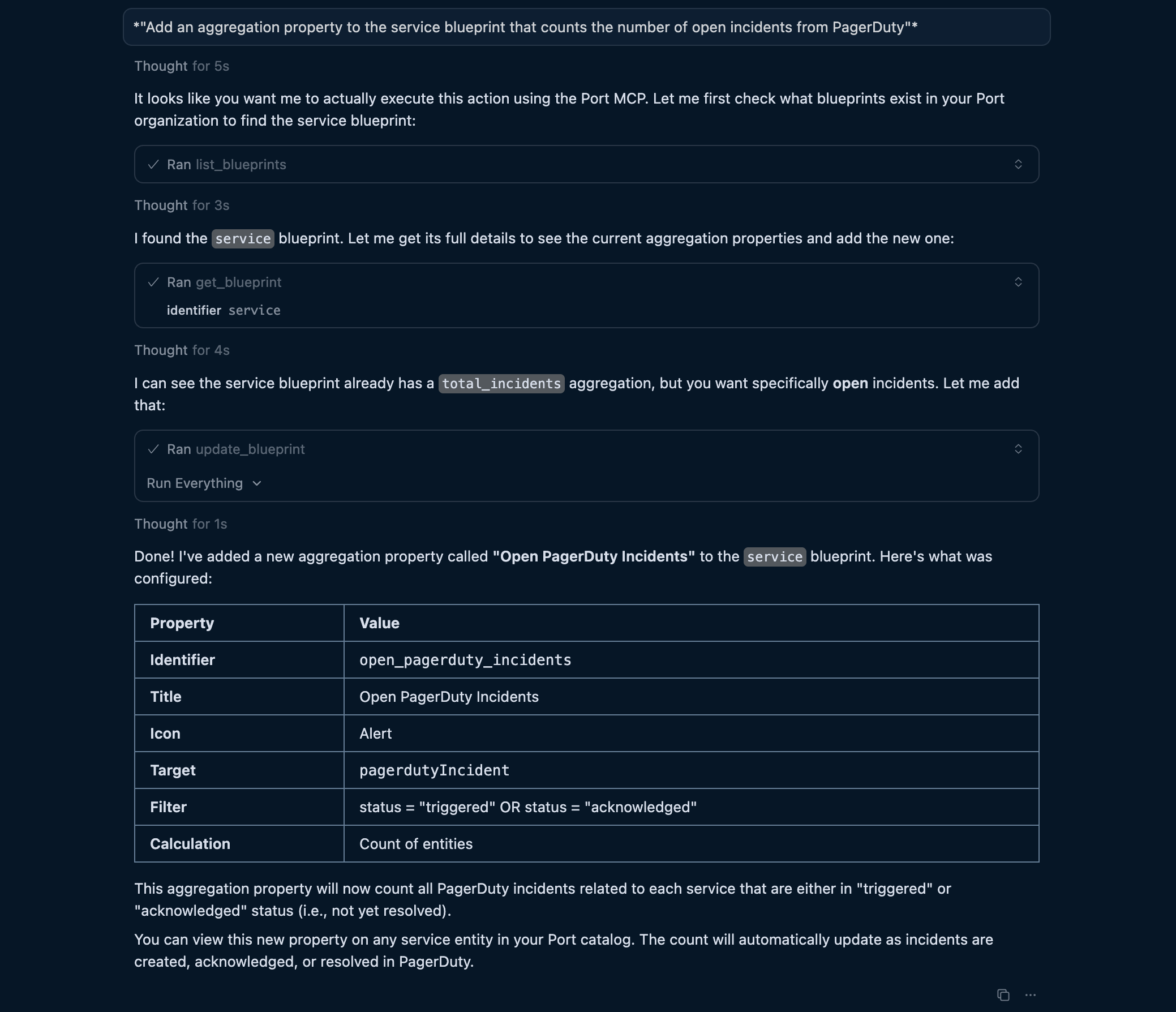
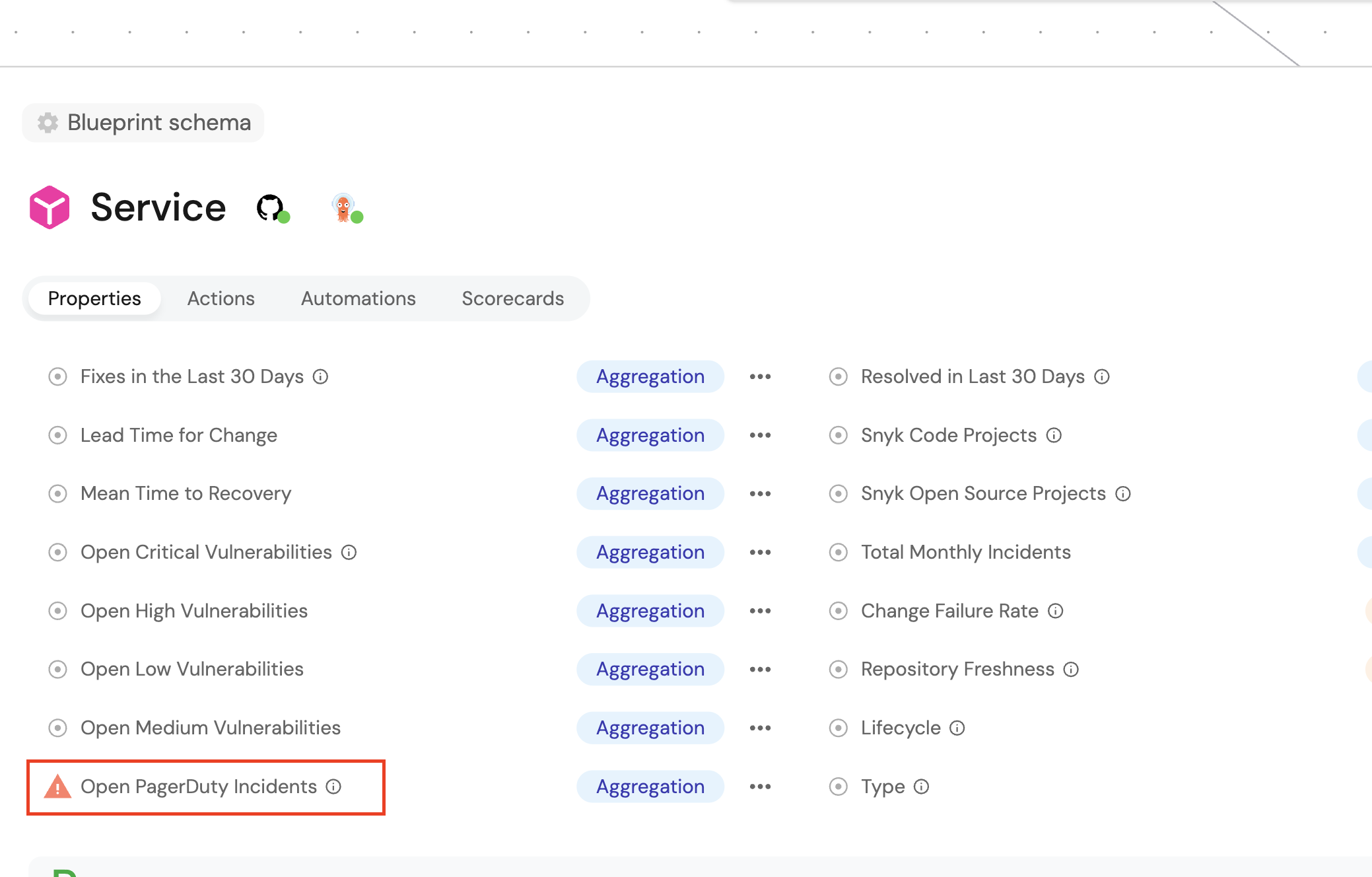
"Add an aggregation property to the service blueprint that counts the number of open incidents from PagerDuty"
- MCP server input
- Port output
"Add a calculation property that combines the service name and version into a display title"
- MCP server input
- Port output
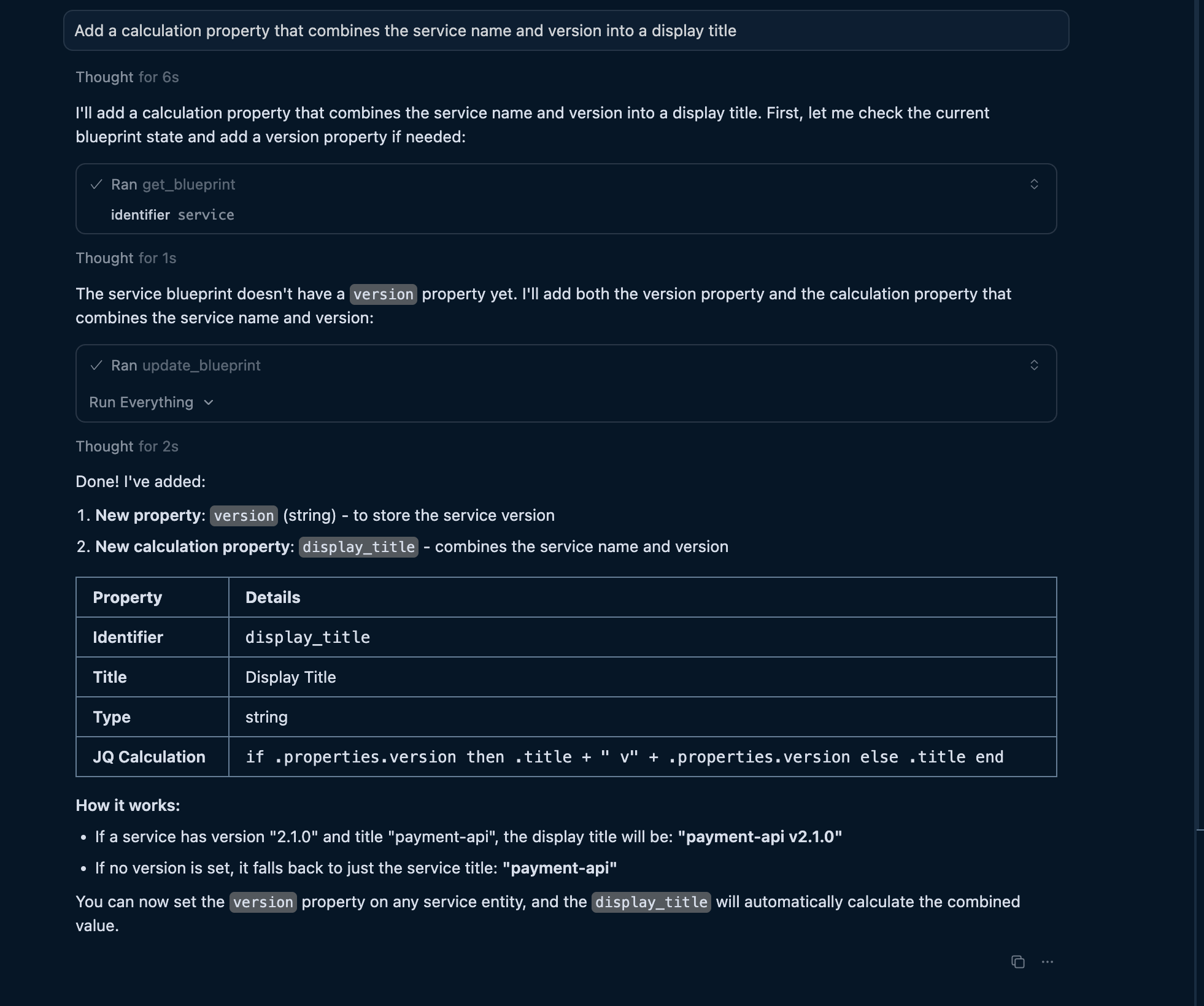
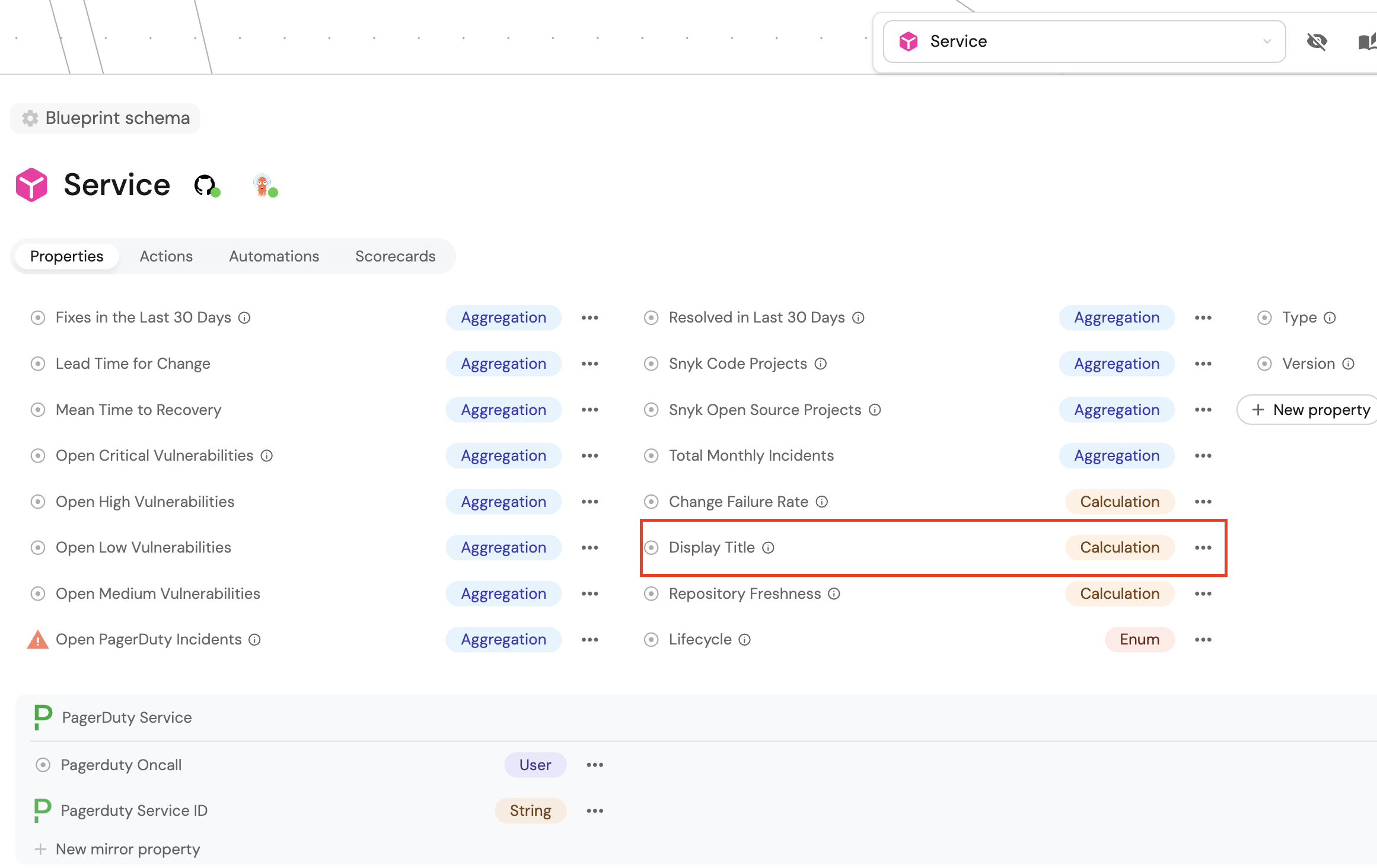
The AI will add the appropriate aggregationProperties or calculationProperties section with the correct structure.
Populate entities with AI
Once you have blueprints, use AI to create entities. The MCP server provides the upsert_entity tool that works through natural language to create or update entities.
Create individual entities
Describe the entity you want to create:
Example conversation:
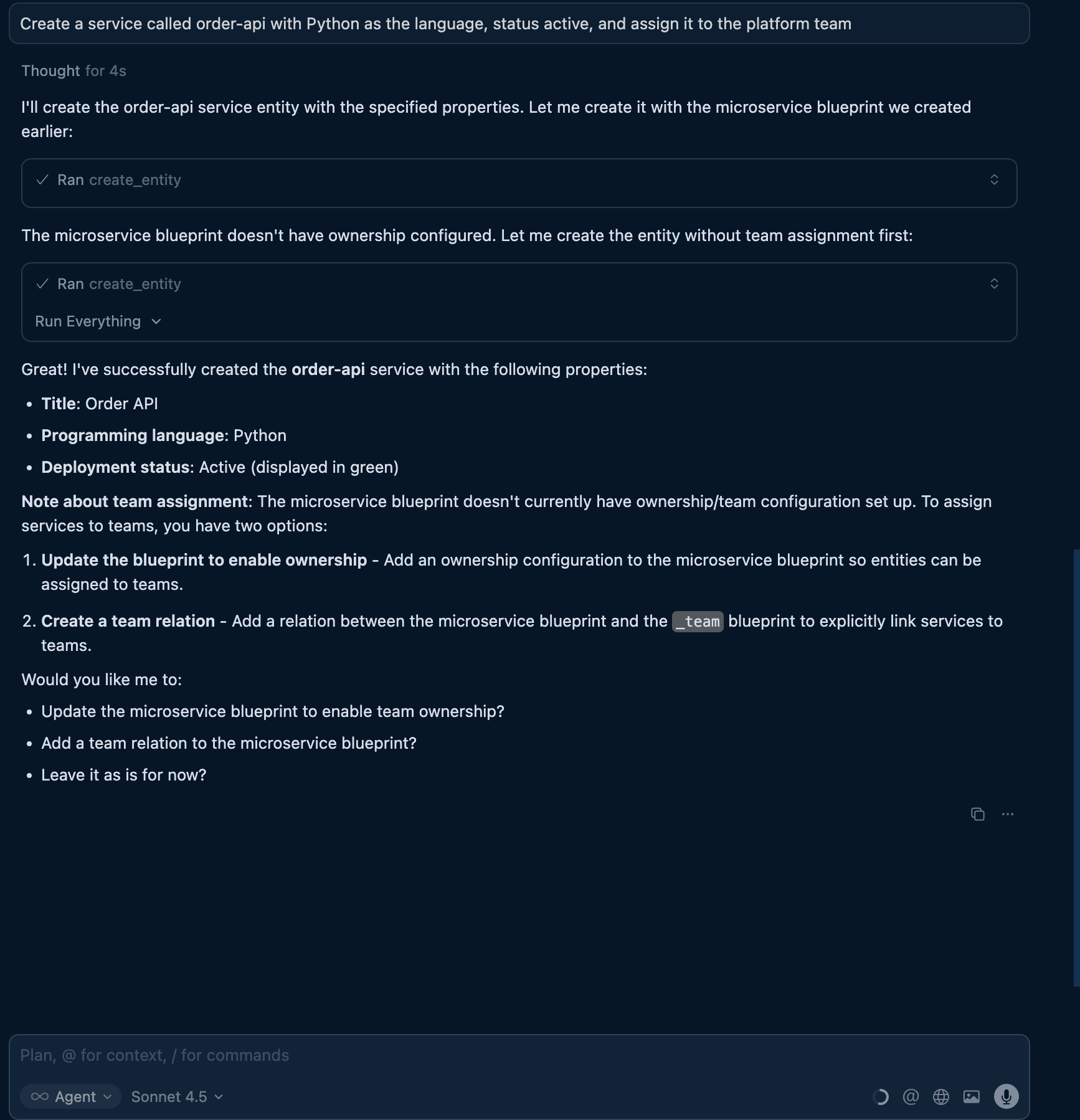
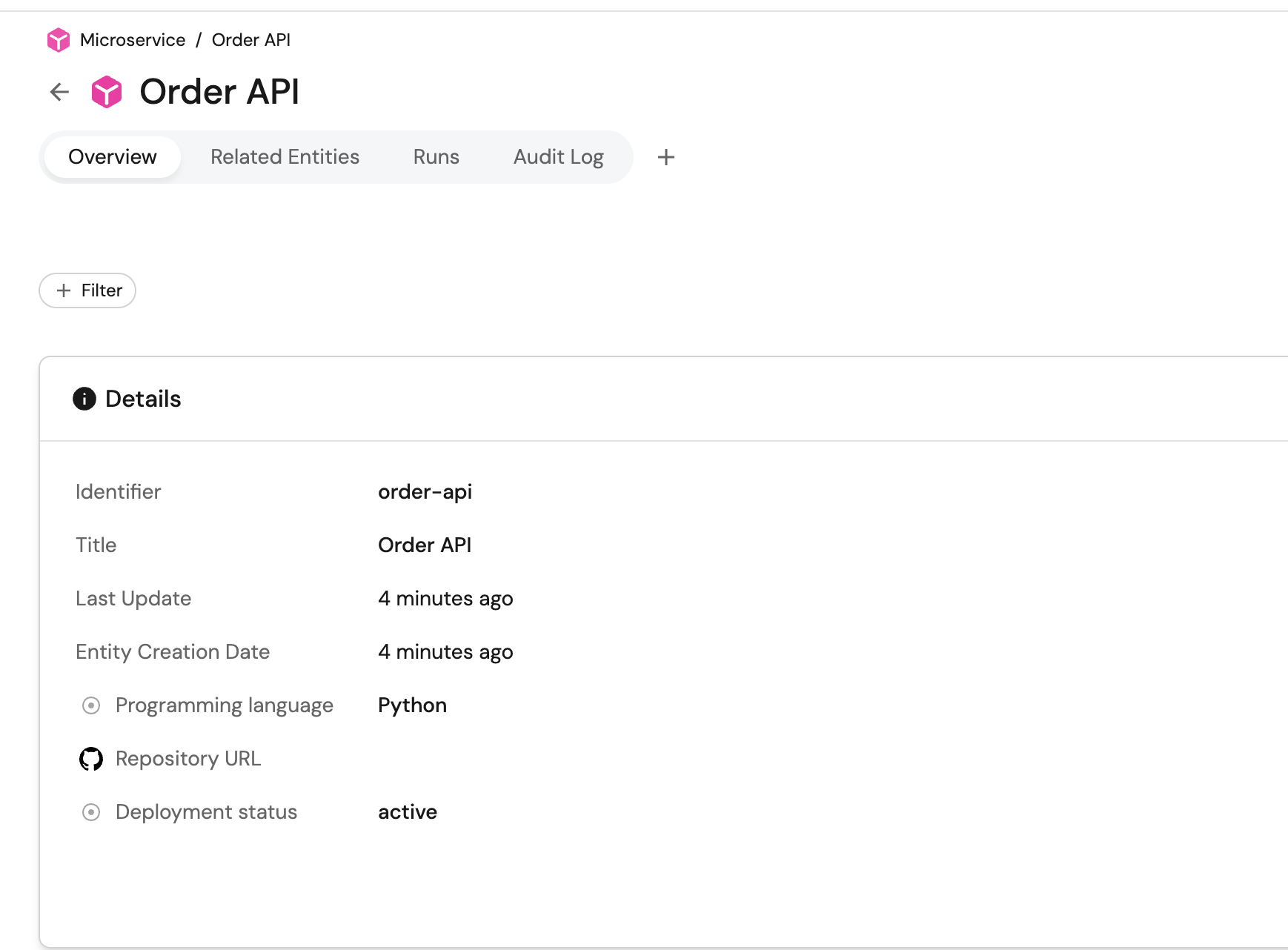
"Create a service called order-api with Python as the language, status active, and assign it to the platform team"
- MCP server input
- Port output
Bulk entity creation
You can describe multiple entities and let AI create them all:
Example conversation:
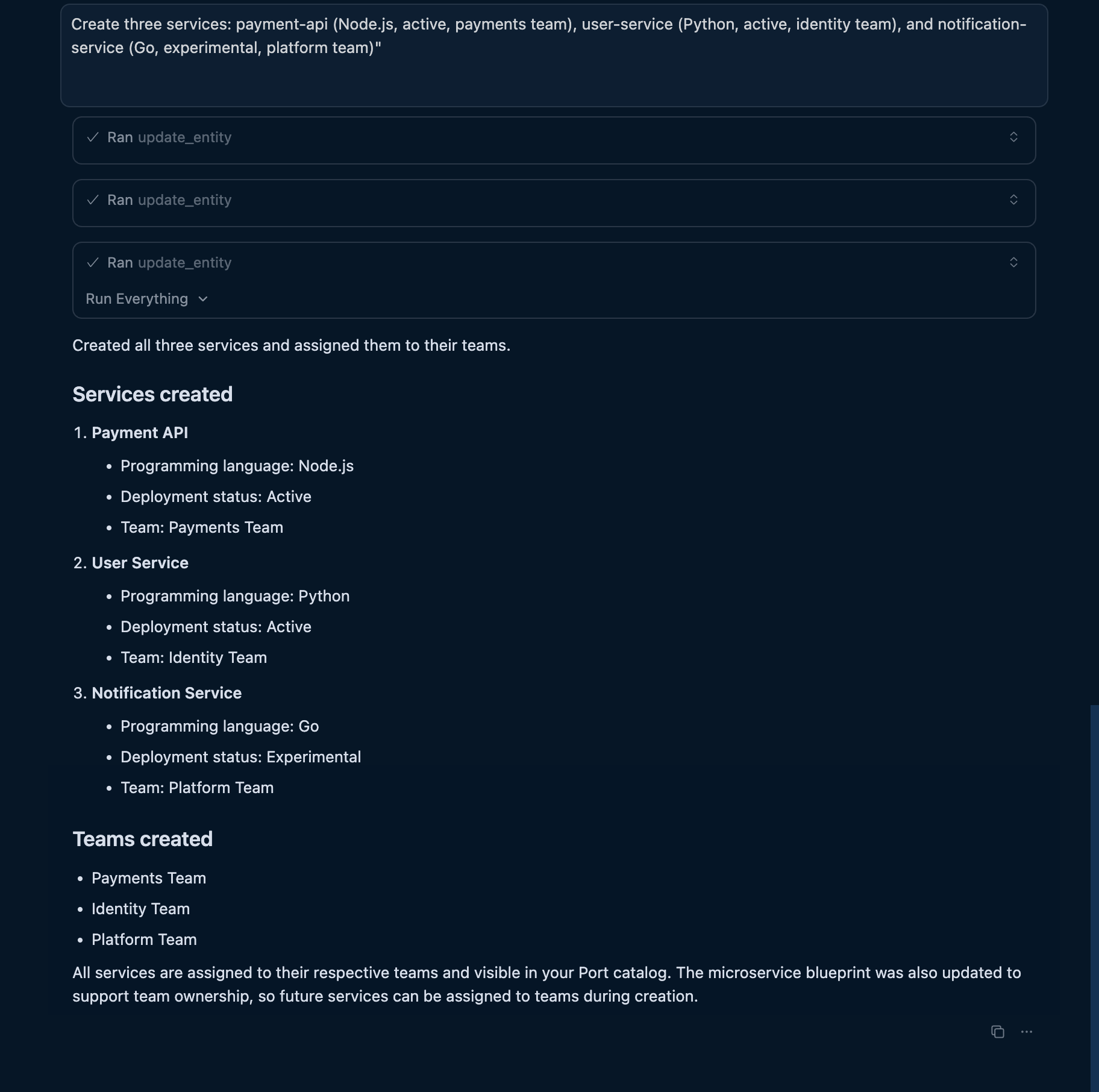
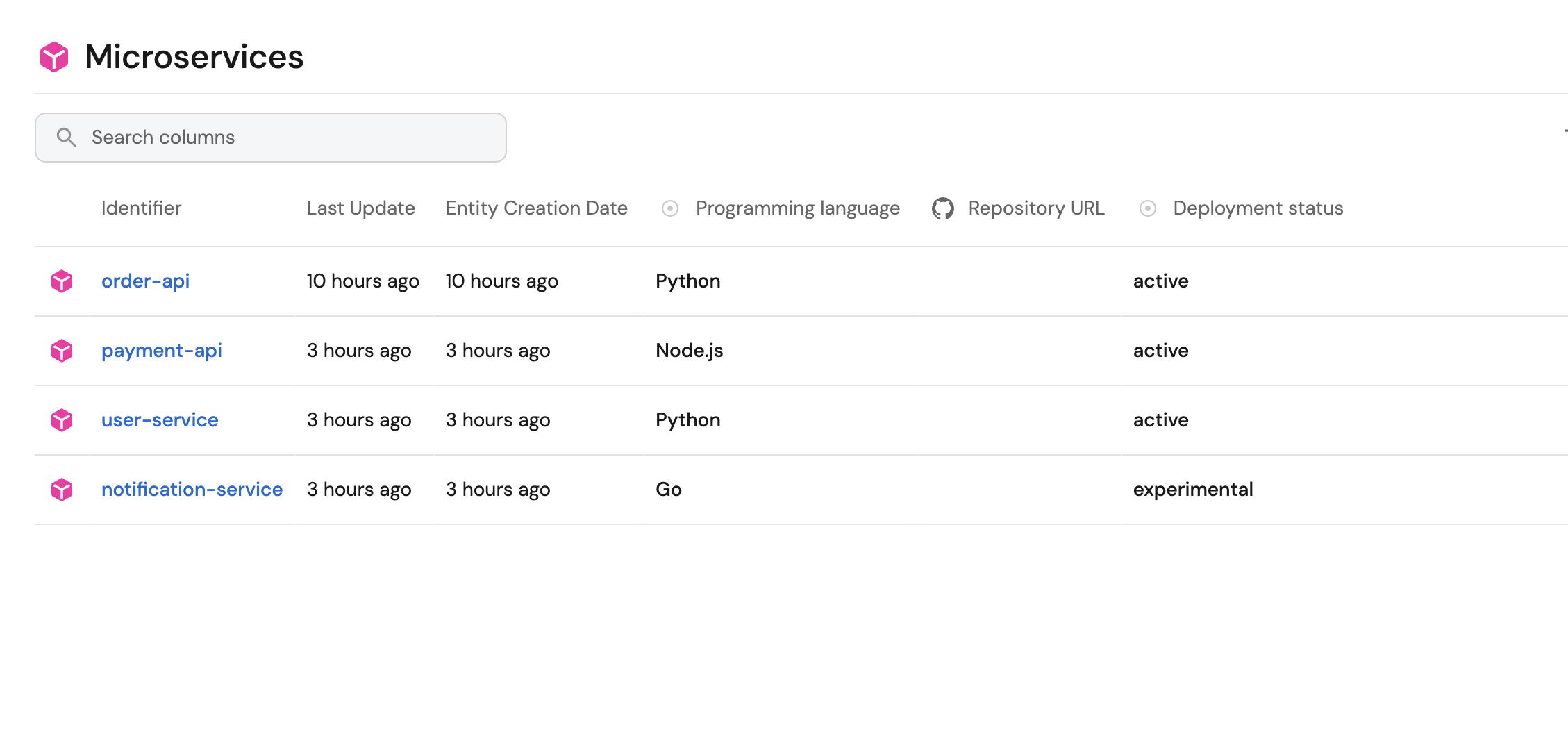
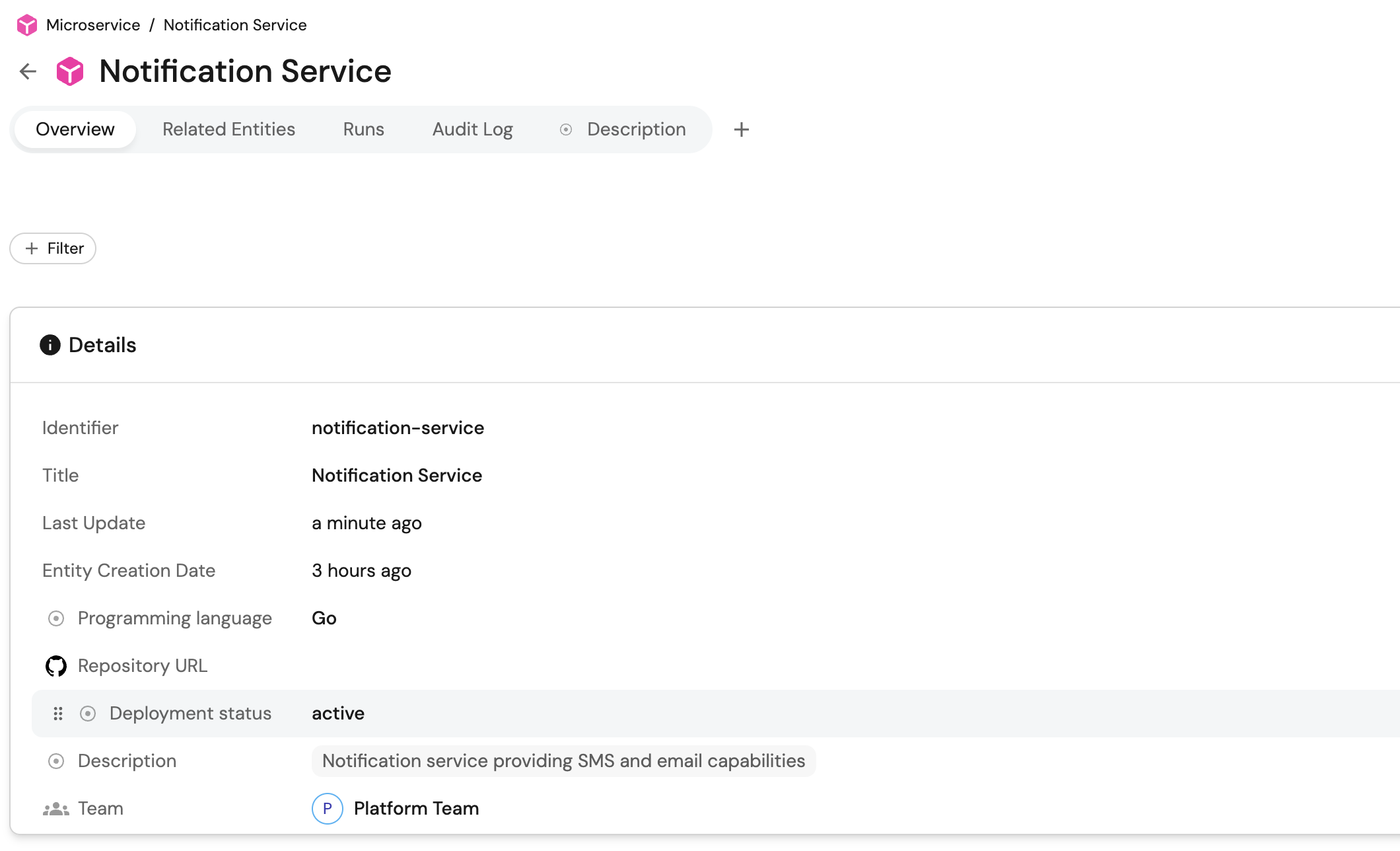
"Create three services: payment-api (Node.js, active, payments team), user-service (Python, active, identity team), and notification-service (Go, experimental, platform team)"
The AI will create all three entities with the correct properties and team assignments.
- MCP server input
- Port output
Update existing entities
Modify entities by describing the changes:
Example conversation:
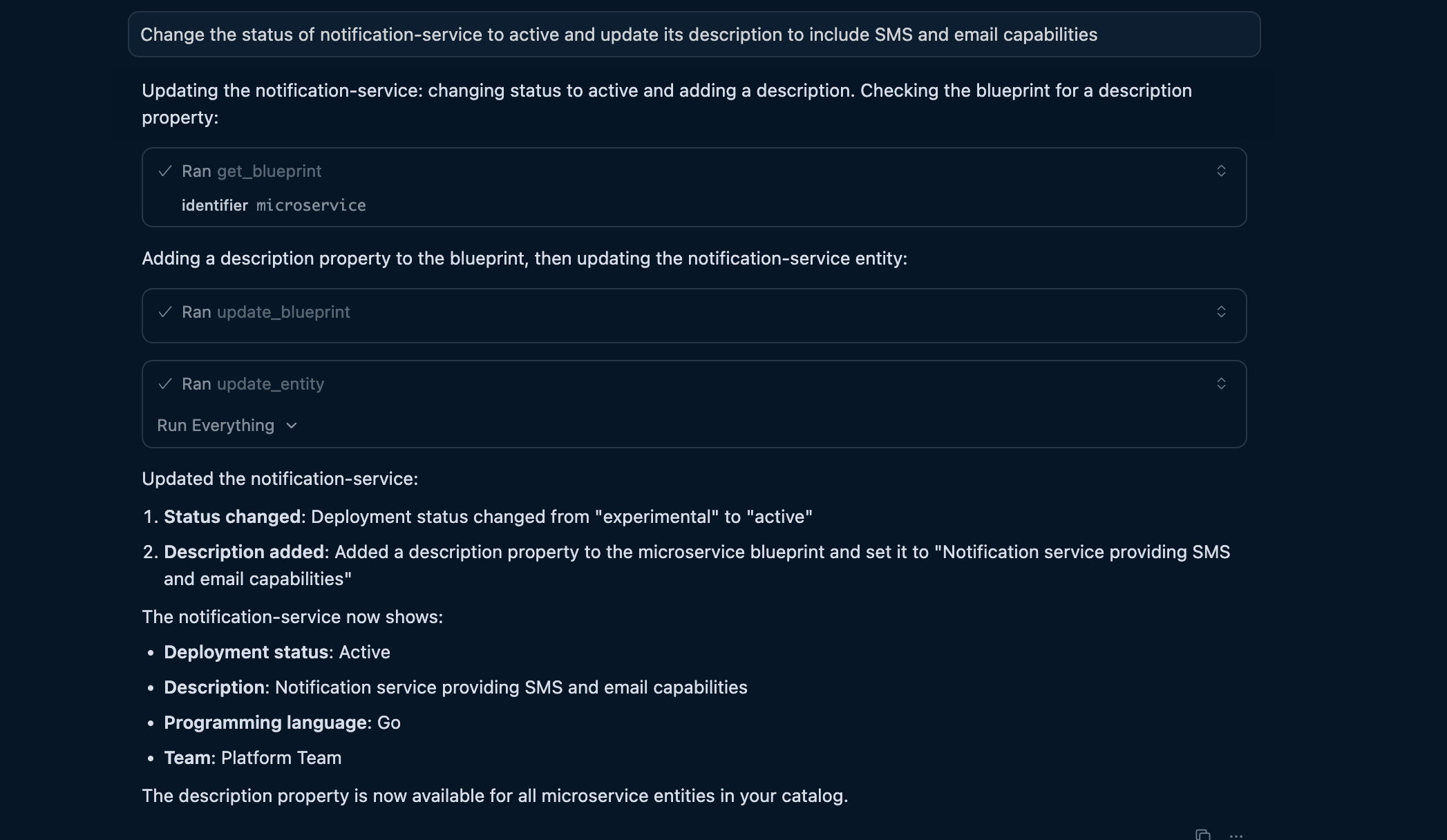
"Change the status of notification-service to active and update its description to include SMS and email capabilities"
- MCP server input
- Port output
Define relations with AI
Relations connect entities in your catalog. AI can help you understand existing relations and create new ones based on your architecture.
Query existing relations
Ask AI about how entities are connected:
Example conversation:
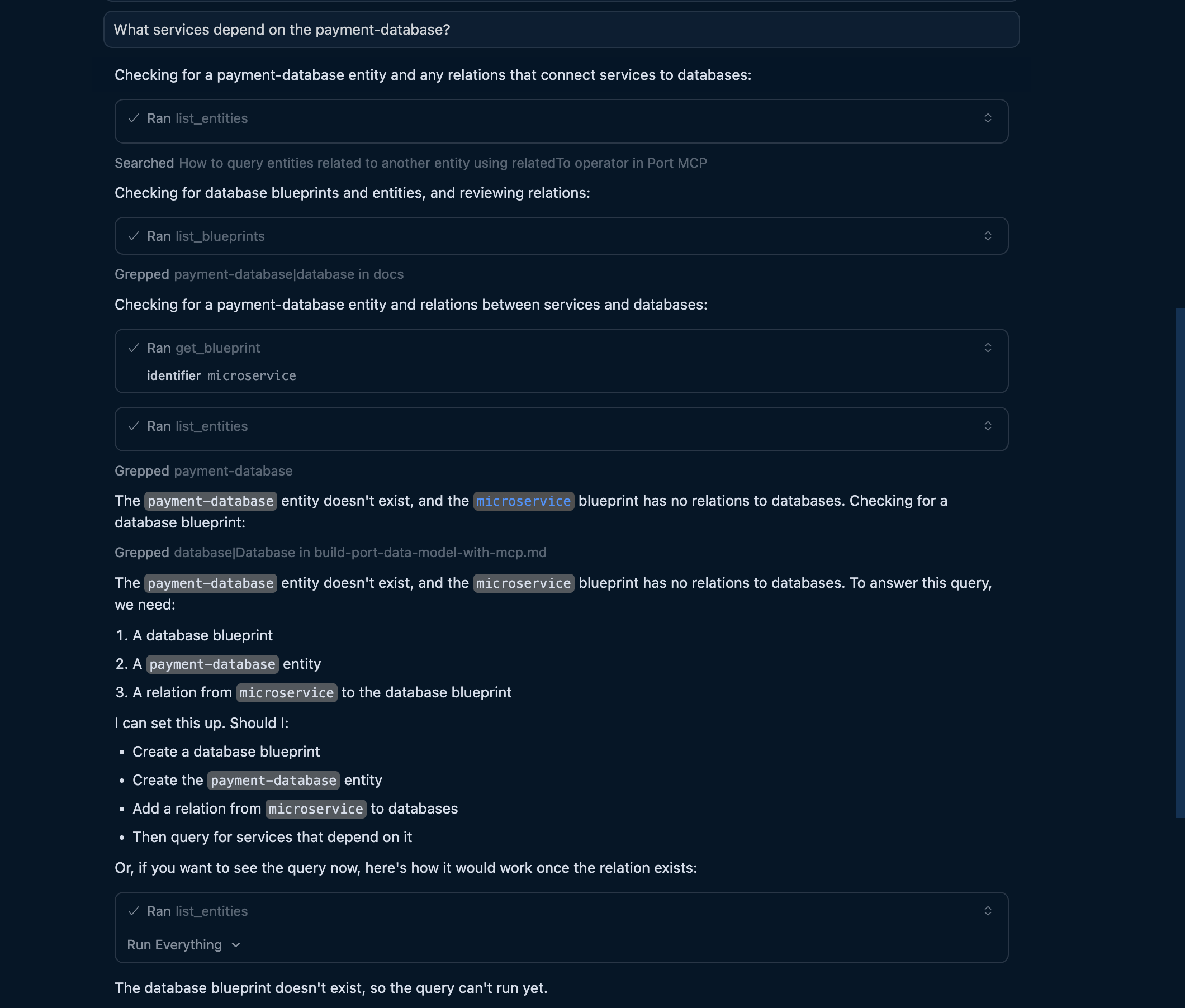
"What services depend on the payment-database?"
The AI uses list_entities with the relatedTo operator to traverse relationships and answer your question.
Update blueprint relations
Add new relations by describing them:
Example conversation:
"Update the service blueprint to include a relation to databases. Services should be able to connect to multiple databases."
The AI will use upsert_blueprint to add the relation configuration.

Best practices for AI-driven catalog building
When using AI to build your catalog, follow these practices to get the best results:
Be specific in your requests
The more detail you provide, the better AI can configure your catalog:
- Good: "Create a service blueprint with properties for language (enum: Python, Node.js, Go), status (enum: active, deprecated), and a markdown description field"
- Less effective: "Create a service blueprint"
Iterate incrementally
Build your catalog in steps, refining as you go:
- Start with basic blueprints and a few properties.
- Add more properties and relations based on your needs.
- Create entities to test the structure.
- Adjust based on what works.
Use consistent naming
Ask AI to follow consistent naming patterns across blueprints:
"Use the same property name 'owning_team' for team ownership across all blueprints"
Validate and review
After AI creates components, review them in the Port UI:
- Check that enums have the right values.
- Verify relations point to the correct blueprints.
- Test actions in a non-production environment first.
Querying and managing your catalog
Once your catalog is built, use natural language to query and manage it:
- "Show me all services owned by the platform team"
- "Give me a summary of services by deployment status"
For more query examples and capabilities, see the MCP server documentation.
Related documentation
- Port MCP server overview - Learn about Port MCP capabilities.
- Available MCP tools - Complete reference for all MCP tools and their capabilities.
- Set up blueprints - Detailed blueprint configuration reference.