Create a custom integration
Port allows you to create custom integrations to ingest data from any tool or platform. You can model the data in Port any way you like, and ingest data using one of the supported methods described in this page.
Why create a custom integration?
- The tool you want to integrate with is not yet available in our integrations library.
- You wish to create your own data model and/or ingest data using a different method than the one provided in our integrations.
- You wish to integrate Port with an internal tool in your organization.
How to create a custom integration
Generally, integrating a platform/tool with Port consists of 3 steps:
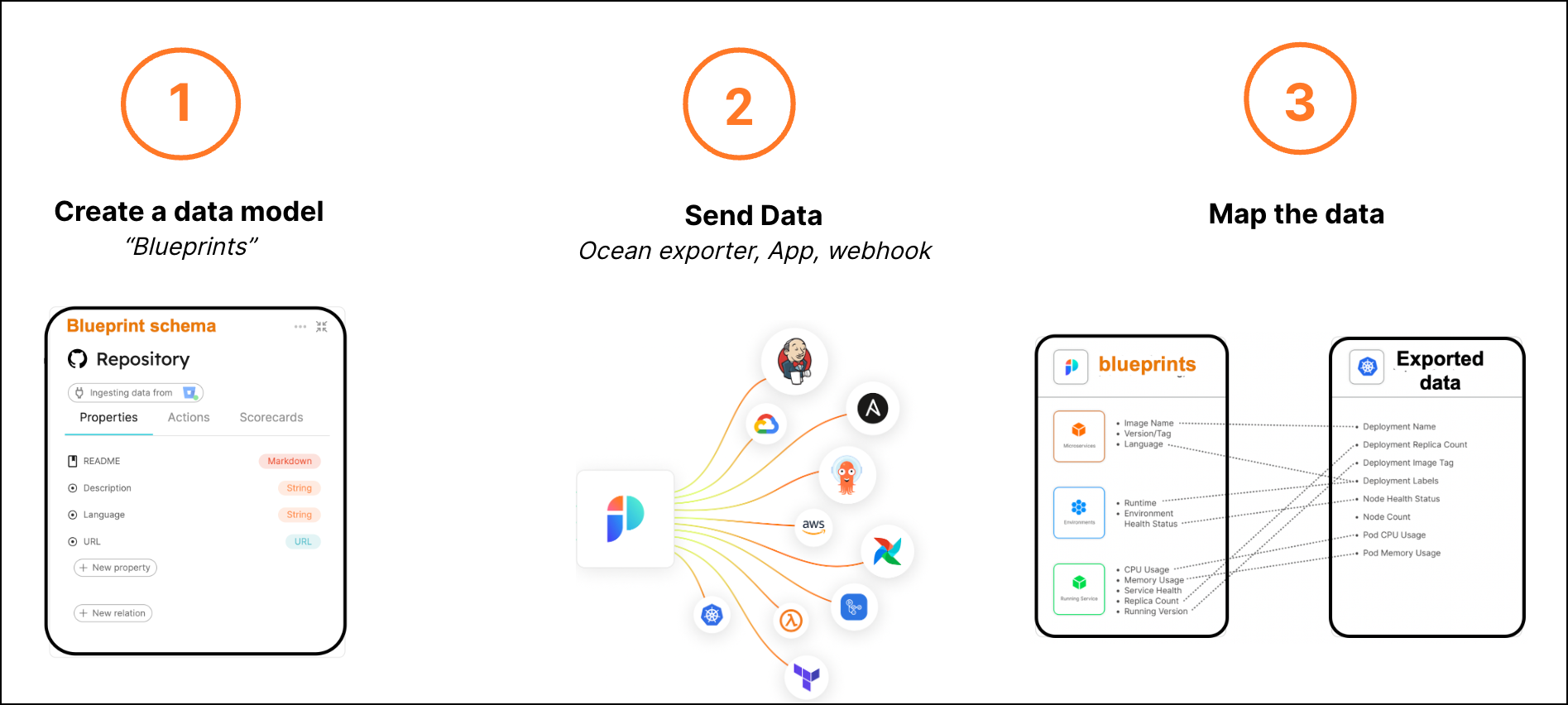
1. Define your data model
- Define how your data will be represented in Port, by creating one or more blueprints and their properties.
- Determine the relationships between your new blueprints and other data models in your catalog, using relations.
2. Ingest data to catalog
Use one of the supported methods to ingest data from your tool into Port:
- No-code Ocean custom integration (recommended!) - connect a REST API with configuration only.
- Custom-coded Ocean integration - write Python with the Ocean framework when the no-code option is not enough.
- Webhooks.
- Port API.
- IaC.
3. Configure the integration
- When using a webhook, the last step is to configure the integration's mapping, in order to tell your integration where to find the data in your tool, and how to map it to your blueprint/s.
- When using Port's API, there is no need to configure mapping. Since you are directly interacting with the software catalog, the mapping is done as part of the ingestion process.
Choose an Ocean approach
Most of Port's integrations were developed using the Ocean framework.
Ocean is an open-source framework that simplifies connecting external tools to Port.
Use the no-code Ocean custom integration when you can describe the API with endpoints, auth, and JQ mapping. Use a custom-coded Ocean integration when you need custom Python logic for auth, pagination, live events, or actions.
To contribute a public integration to the community, see the Ocean repository contributing guide.