Codefresh Workflow Template
Our Codefresh workflow template allows you to create/update and query entities in Port directly from your Codefresh workflow templates.
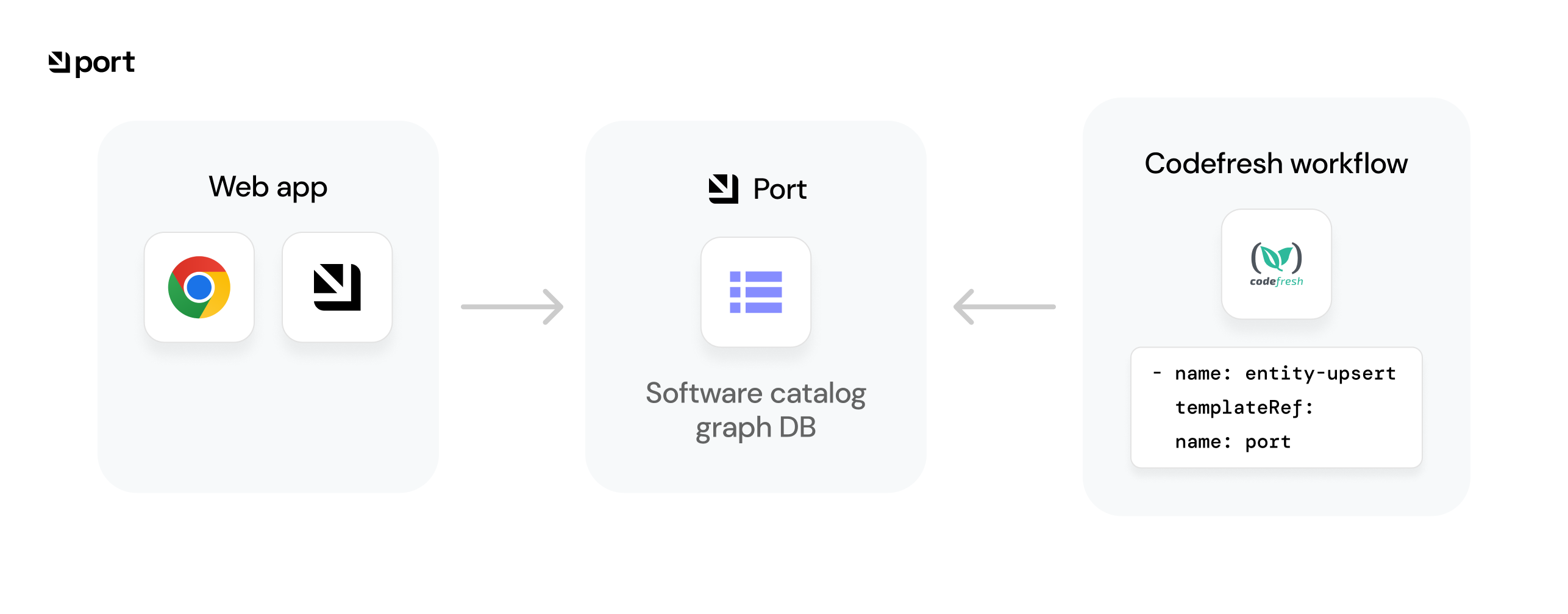
💡 Codefresh integration usage
Port's Codefresh workflow template provides a native way to integrate Port with your Codefresh CI workflows, for example:
- Report the status of a running CI job.
- Update the software catalog about a new build version for a microservice.
- Get existing entities.
Installation
To use Port's Codefresh workflow template you need to perform the following steps:
- Go to the workflow template repository in GitHub.
- Copy the file
portWorkflowTemplate.ymlto one of your codefreshgit sourcesand commit it to your git source. - Add the required service account, cluster role and role binding to your codefresh runtime namespace by applying the contents of the
rbac.ymlfile by using the command:kubectl apply -f rbac.yml -n YOUR_NAMESPACE. - Add the required secret containing your
PORT_CLIENT_IDandPORT_CLIENT_SECRETafter encoding them using base64. You can useportCredentials.ymlas an example.
If you save the CLIENT_ID and SECRET using the exact format shown in portCredentials.yml, you do not need to provide the parameters PORT_CREDENTIALS_SECRET, PORT_CLIENT_ID_KEY and PORT_CLIENT_SECRET_KEY when calling templates from the workflow template.
Verify
To verify the installation of the workflow template, follow these steps:
- Go to the Codefresh interface.
- Under the CI OPS category, click on Workflow Templates.
- In the search bar, type
portthe workflow template should appear.
Usage
Port's Codefresh workflow template supports the following methods:
- Create/Update catalog entities - invoked with the
upsert-entitytemplate, receives the identifier and other properties of a new entity or an entity that needs to be updated. - Get catalog entities - invoked with the
get-entitytemplate, receives the identifier of an existing entity and retrieves it for use in your CI.
- Create/Update
- Get
- name: entity-upsert
  templateRef:
    name: port
    template: entity-upsert
  arguments:
    parameters:
    # Note: if you save the CLIENT_ID and CLIENT_SECRET in the same format shown
    # in the portCredentials.yml file, there is no need to provide
    # PORT_CREDENTIALS_SECRET, PORT_CLIENT_ID_KEY, PORT_CLIENT_SECRET_KEY
    - name: PORT_CREDENTIALS_SECRET
       value: "port-credentials"
    - name: PORT_CLIENT_ID_KEY
      value: "PORT_CLIENT_ID"
    - name: PORT_CLIENT_SECRET_KEY
      value: "PORT_CLIENT_SECRET"
    - name: BLUEPRINT_IDENTIFIER
      value: "myBlueprint"
    - name: ENTITY_IDENTIFIER
      value: "myEntity"
    - name: ENTITY_TITLE
      value: "myTitle"
    - name: ENTITY_PROPERTIES
      value: |
      {
        "myStringProp": "My value",
        "myNumberProp": 1,
        "myBooleanProp": true,
        "myArrayProp": ["myVal1", "myVal2"],
        "myObjectProp": {"myKey": "myVal", "myExtraKey": "myExtraVal"}
      }
Inputs
| Input | Description | Notes |
|---|---|---|
PORT_CREDENTIALS_SECRET | Name of the secret to get the CLIENT_ID and CLIENT_SECRET from | Default value: port-credentials |
PORT_CLIENT_ID_KEY | Key in the secret where the base64 encoded PORT_CLIENT_ID is stored | Default value: PORT_CLIENT_ID |
PORT_CLIENT_SECRET_KEY | key in the secret where the base64 encoded PORT_CLIENT_SECRET is stored | Default value: PORT_CLIENT_SECRET |
BLUEPRINT_IDENTIFIER | Identifier of the blueprint to create an entity of | Required |
ENTITY_IDENTIFIER | Identifier of the new (or existing) entity | Leave empty to get an auto-generated identifier |
ENTITY_TITLE | Title of the new (or existing) entity | |
ENTITY_TEAM | Teams array of the new (or existing) entity | |
ENTITY_ICON | Icon of the new (or existing) entity | |
ENTITY_PROPERTIES | Properties of the new (or existing) entity | |
ENTITY_RELATIONS | Relations of the new (or existing) entity. |
Outputs
| Output | Description | Notes |
|---|---|---|
ENTITY_IDENTIFIER | identifier of the new (or existing) entity |
- name: entity-get
  templateRef:
    name: port
    template: entity-get
  arguments:
    parameters:
    # Note: if you save the CLIENT_ID and CLIENT_SECRET in the same format shown
    # in the portCredentials.yml file, there is no need to provide
    # PORT_CREDENTIALS_SECRET, PORT_CLIENT_ID_KEY, PORT_CLIENT_SECRET_KEY
    - name: PORT_CREDENTIALS_SECRET
       value: "port-credentials"
    - name: PORT_CLIENT_ID_KEY
      value: "PORT_CLIENT_ID"
    - name: PORT_CLIENT_SECRET_KEY
      value: "PORT_CLIENT_SECRET"
    - name: BLUEPRINT_IDENTIFIER
      value: "microservice"
    - name: ENTITY_IDENTIFIER
      value: "morp"
Inputs
| Input | Description | Notes |
|---|---|---|
PORT_CREDENTIALS_SECRET | Name of the secret to get the CLIENT_ID and CLIENT_SECRET from | Default value: port-credentials |
PORT_CLIENT_ID_KEY | Key in the secret where the base64 encoded PORT_CLIENT_ID is stored | Default value: PORT_CLIENT_ID |
PORT_CLIENT_SECRET_KEY | Key in the secret where the base64 encoded PORT_CLIENT_SECRET is stored | Default value: PORT_CLIENT_SECRET |
BLUEPRINT_IDENTIFIER | Identifier of the blueprint the target entity is from | Required |
ENTITY_IDENTIFIER | Identifier of the target entity |
Outputs
| Output | Description | Notes |
|---|---|---|
PORT_COMPLETE_ENTITY | Complete entity JSON | |
PORT_BLUEPRINT_IDENTIFIER | Identifier of the blueprint the target entity is from | |
PORT_ENTITY_IDENTIFIER | Identifier of the target entity | |
PORT_ENTITY_TITLE | Title of the entity | |
PORT_ENTITY_PROPERTIES | All properties of the entity in JSON format | |
PORT_ENTITY_RELATIONS | All relations of the entity in JSON format |
Examples
Refer to the examples page for practical examples of Port's Codefresh workflow template.