Relate Blueprints
Relations define connections between blueprints, consequently connecting the entities based on these blueprints.
This provides logical context to the software catalog.
Common relations
Relations can be used to represent the logical connections between assets in your software catalog, for example:
- The packages that a microservice uses.
- The run history of a CI job.
- The Kubernetes clusters that exist in a cloud account.
In this live demo example, we can see the Data model page with all of the blueprints and their relations. 🎬
Relation schema structure
The basic structure of a relation object:
{
  "myRelation": {
    "title": "My title",
    "target": "My target blueprint",
    "required": true,
    "many": false
  }
}
A relation exists under the relations key in the Blueprint JSON schema.
Structure table
| Field | Description | Notes |
|---|---|---|
identifier | Unique identifier (Maximum 100 characters) | The identifier is used for API calls, programmatic access and distinguishing between different relations. The identifier is the key of the relation schema object, in the schema structure above, the identifier is myRelation |
title | Relation name that will be shown in the UI | Human-readable name for the relation |
target | Target blueprint identifier | The target blueprint has to exist when defining the relation |
required | Boolean flag to define whether the target must be provided when creating a new entity of the blueprint | |
many | Boolean flag to define whether multiple target entities can be mapped to the Relation | For more information refer to many relation |
Types of relations
👤 Single
A single type relation is used to map a single target entity to the source.
💡 Common Single Relations
- Map a Deployment to the Running Service that it deployed.
- Map a package version to the package.
- Map a K8s cluster to the cloud account it is provisioned in.
In this live demo example, we can see a specific Deployment Workflow and its related Service. 🎬
Single Relation Structure
A single type relation is distinguished by the many: false configuration:
- API
- Terraform
{
  "myRelation": {
    "title": "My title",
    "target": "myTargetBlueprint",
    "required": false,
    "many": false
  }
}
Check out Port's API reference to learn more.
resource "port_blueprint" "myBlueprint" {
  # ...blueprint properties
  # ...user-defined properties
  relations {
    identifier = "myRelation"
    title      = "My relation"
    target     = "myTargetBlueprint"
    required   = false
    many       = false
  }
}
👥 Many
A many type relation is used to map multiple target entities to the source.
💡 Common Many Relations
- Map dependencies between services.
- Map the packages used by a service.
- Map the cloud resources used by a service.
- Map the services deployed in a developer environment.
In this live demo example, we can see a specific Jira issue and its related Services. 🎬
Many Relation Structure
A many type relation is distinguished by the many: true configuration:
- API
- Terraform
{
  "myRelation": {
    "title": "My title",
    "target": "myTargetBlueprint",
    "required": false,
    "many": true
  }
}
Check out Port's API reference to learn more.
resource "port_blueprint" "myBlueprint" {
  # ...blueprint properties
  # ...user-defined properties
  relations {
    identifier = "myRelation"
    title      = "My relation"
    target     = "myTargetBlueprint"
    required   = false
    many       = true
  }
}
A Relation can't be configured with both many and required set to true.
Multi source ingestion
By default, relations use last-writer-wins behavior: each update replaces the full list of targets.
Enable Multi source ingestion to let multiple data sources or API callers contribute targets to the same relation without overwriting each other. This is only available on many relations.
In the Data model or software catalog, turn on Multi source ingestion when creating the relation. In the API, set "union": true.
This setting cannot be changed after the relation is created.
Example
The service blueprint has multi source ingestion enabled on its dependencies relation. For an entity of that blueprint:
- Monday - the Snyk integration writes
{ "snyk": ["lodash", "axios"] }. - Tuesday - Dependabot writes
{ "dependabot": ["axios", "express"] }without removing Snyk's targets. - Wednesday - Alice edits the entity in the UI and adds
winston. Port saves her changes underuser:alice.
A GET returns the merged, deduplicated list of targets:
{ "dependencies": ["lodash", "axios", "express", "winston"] }
Each writer only updates its own source key. axios appears once even though both scanners reported it.
Write and read values
Write (POST, PATCH, PUT) - send one source key per update, mapped to an array of target identifiers:
{
  "relations": {
    "dependencies": {
      "snyk": ["lodash", "axios"]
    }
  }
}
Use null instead of an array to clear a source's slice.
Source keys must match ^[A-Za-z0-9._:@/-]{1,128}$.
A source's slice can also be defined using a search query instead of a static list of identifiers:
{
  "relations": {
    "dependencies": {
      "snyk": {
        "combinator": "and",
        "rules": [{ "property": "$blueprint", "operator": "=", "value": "package" }]
      }
    }
  }
}
Read (GET, search) - Port returns the merged, deduplicated list of target identifiers:
{ "dependencies": ["lodash", "axios", "express", "winston"] }
In the UI, you edit the assembled list directly. Port stores UI edits under user:{userId} automatically.
Multi source ingestion works the same way for array properties and owning teams: each writer owns a source key, and reads return the deduplicated combination of all sources.
Constraints
- Only available on
manyrelations. - Cannot be changed after the relation is created. Create a new relation and migrate the values instead.
- Sending a plain array, multiple source keys, or an invalid source key returns
422.
Configure relations in Port
Relations are part of the structure of a blueprint.
- UI
- API
- Terraform
-
Go to the Data model page in Port.
-
Expand the blueprint from which you would like to create a relation.
-
Click on the
+ New relationbutton: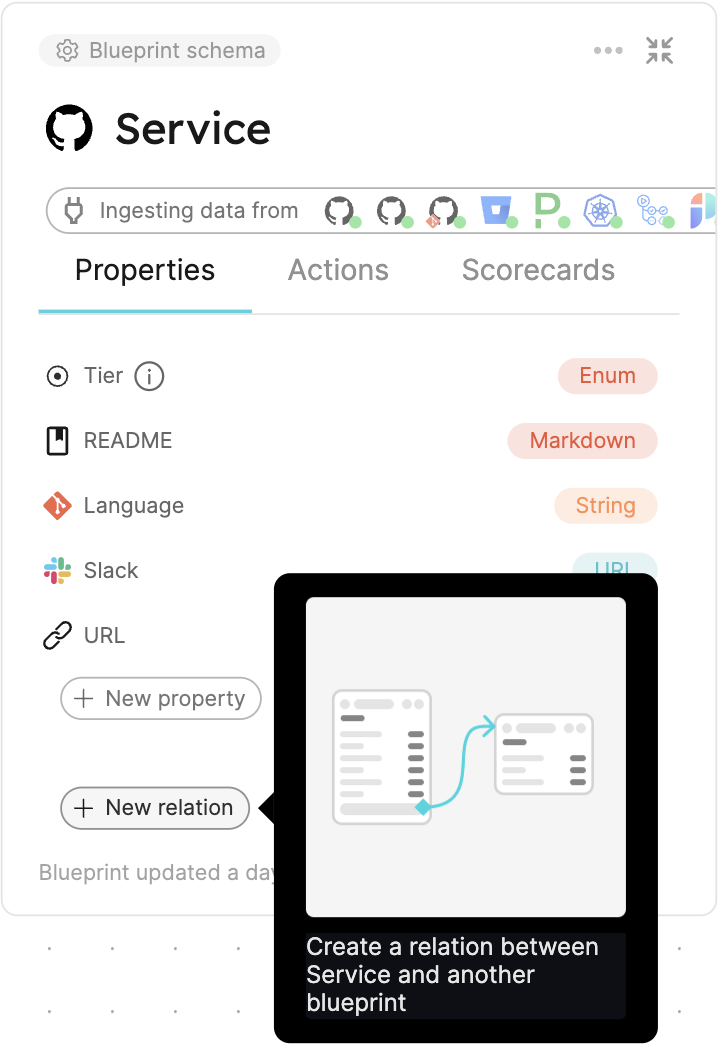
-
Fill in the form with your desired values, then click
Create.
{
  "identifier": "myIdentifier",
  "title": "My title",
  "description": "My description",
  "icon": "My icon",
  "calculationProperties": {},
  "schema": {
    "properties": {},
    "required": []
  },
  "relations": {
    "myRelation": {
      "title": "My title",
      "target": "My target blueprint",
      "required": true,
      "many": false
    }
  }
}
Check out Port's API reference to learn more.
resource "port_blueprint" "myBlueprint" {
  # ...blueprint properties
  # ...user-defined properties
  relations = {
    "myRelation" = {
      title    = "My title"
      target   = "My target blueprint"
      required = true
      many     = false
    }
  }
}