Swagger UI
The Swagger UI property is used to import and display OpenAPI and/or AsyncAPI specification files within an entity in Port.
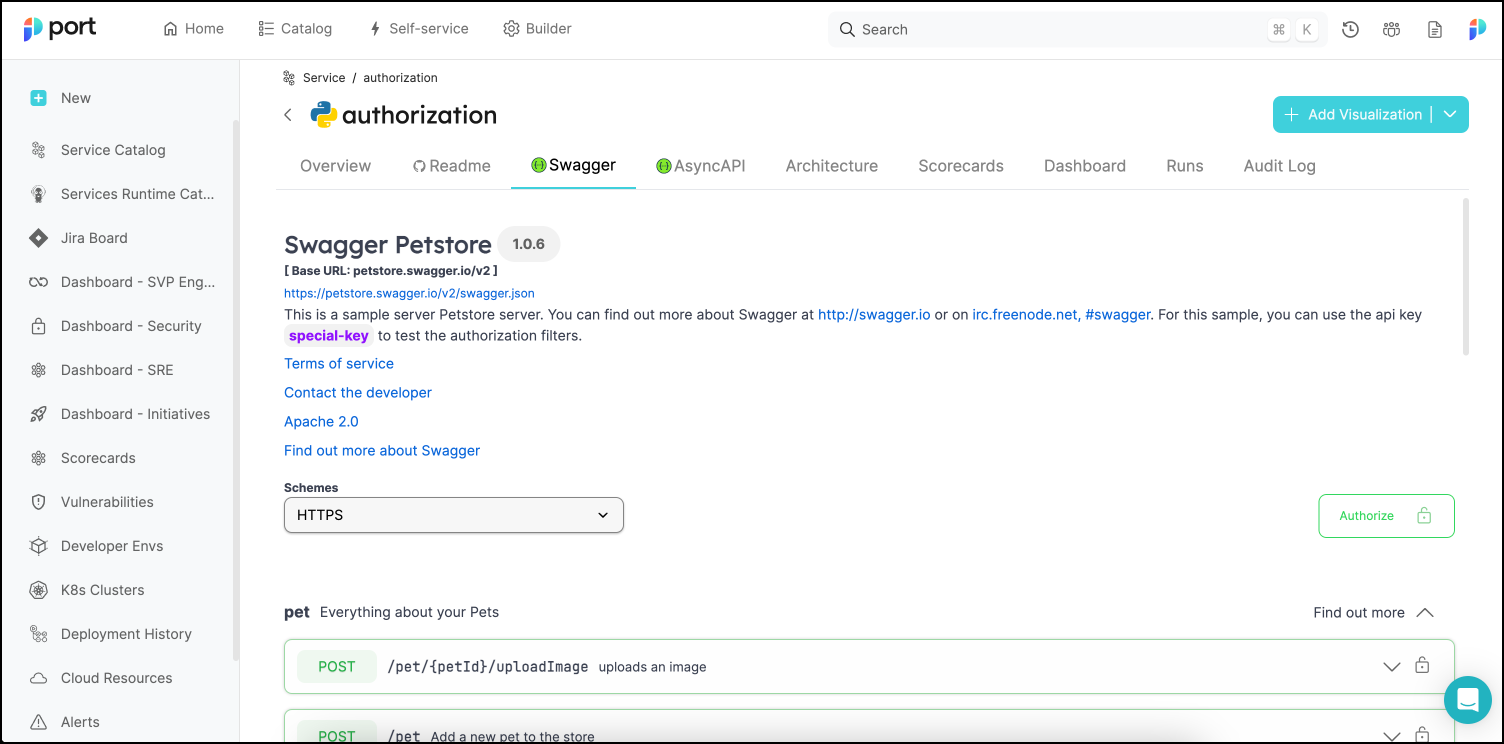
Using this property will automatically create an additional tab in each entity page, displaying the specification files in Swagger UI format. Within this tab, you will be able to perform HTTP calls to the spec target directly from Port.
The following is an example of a Swagger UI tab in an entity page:
Common usage
Use Swagger UI properties to display API contracts alongside your services, such as:
- OpenAPI specifications for HTTP APIs.
- AsyncAPI specifications for event-driven services.
- API documentation ingested from a repository or specification URL.
OpenAPI
The examples below use version 2.29.0 of the Terraform and Pulumi providers. Configure your provider first, then run one example at a time in its own project. Each example creates a blueprint; use distinct identifiers when you combine examples.
Definition
- URL
- JSON
- YAML
When using the URL format, Port will query the provided URL for the OpenAPI spec and expects a JSON OpenAPI spec
When using URL for the open-api display, make sure that your server allows cross-origin (CORS) requests from Port:
- EU region:
app.port.io - US region:
app.us.port.io
To serve the OpenAPI spec from an AWS S3 bucket, add a CORS policy to the bucket that allows requests from both app.port.io and app.us.port.io. Check out the AWS documentation for more information.
- API
- Terraform
{
  "myOpenApi": {
    "title": "My Open API",
    "type": "string",
    "format": "url",
    "spec": "open-api",
    "description": "Open-API Prop"
  }
}
resource "port_blueprint" "myBlueprint" {
  identifier = "myBlueprint"
  title      = "My blueprint"
  properties = {
    string_props = {
      myOpenApi = {
        title    = "My Open Api"
        required = false
        format   = "url"
        spec     = "open-api"
      }
    }
  }
}
When using the JSON type, you will need to provide the full JSON OpenAPI spec as an object to the entity:
- API
- Terraform
{
  "myOpenApi": {
    "title": "My Open API",
    "type": "object",
    "spec": "open-api",
    "description": "Open-API Prop"
  }
}
resource "port_blueprint" "myBlueprint" {
  identifier = "myBlueprint"
  title      = "My blueprint"
  properties = {
    object_props = {
      myOpenApi = {
        title    = "My Open Api"
        required = false
        spec     = "open-api"
      }
    }
  }
}
When using the YAML type, you will need to provide the full YAML OpenAPI spec to the entity:
- API
- Terraform
{
  "myOpenApi": {
    "title": "My Open API",
    "type": "string",
    "format": "yaml",
    "spec": "open-api",
    "description": "Open-API Prop"
  }
}
resource "port_blueprint" "myBlueprint" {
  identifier = "myBlueprint"
  title      = "My blueprint"
  properties = {
    string_props = {
      "myOpenApi" = {
        title    = "My OpenAPI"
        required = false
        format   = "yaml"
        spec     = "open-api"
      }
    }
  }
}
Example
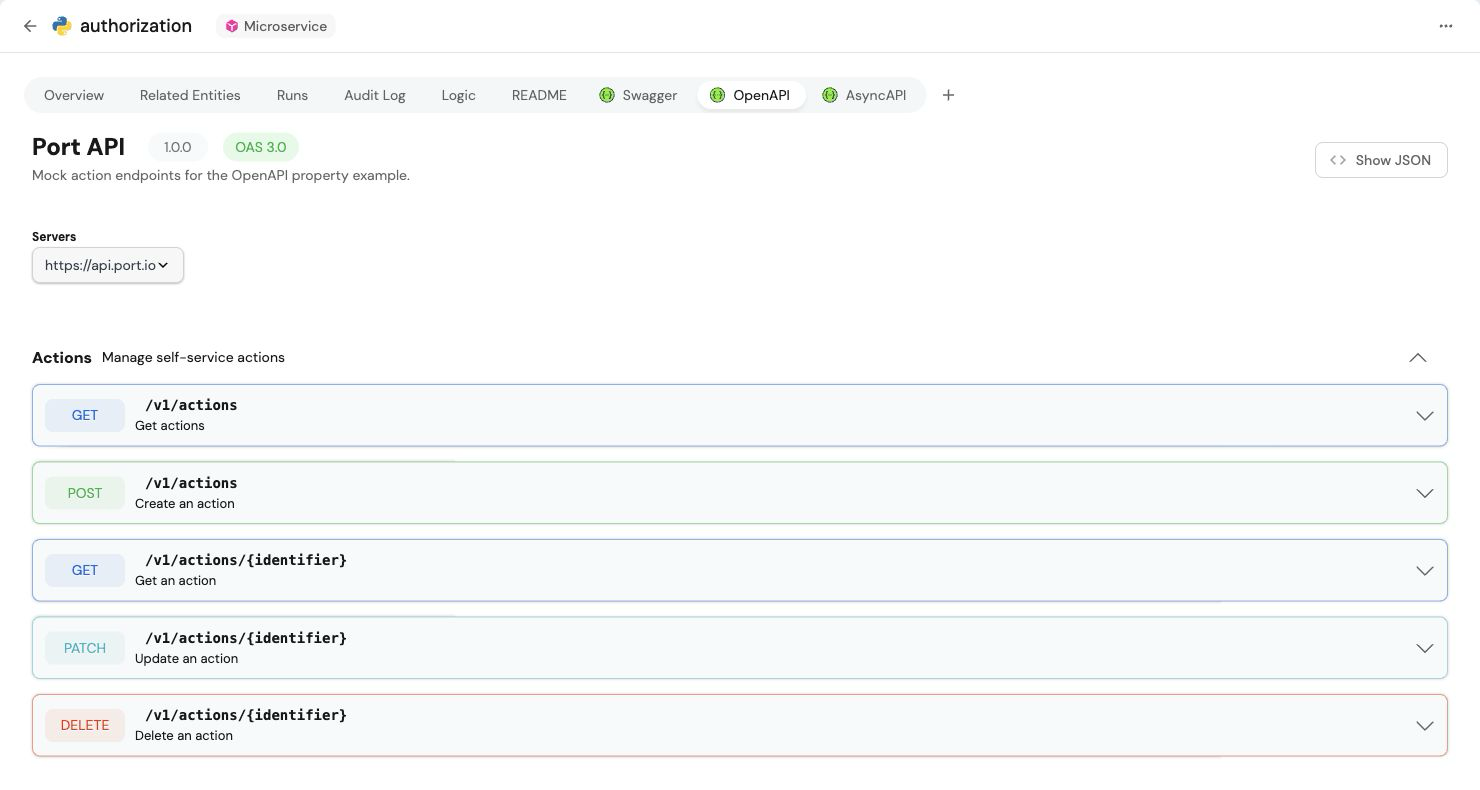
Here is how the Swagger tab in the specific entity page appears when an OpenAPI spec is provided:
AsyncAPI
Definition
- URL
- JSON
- YAML
When using the URL format, Port will query the provided URL for the AsyncAPI spec and expects a JSON AsyncAPI spec
When using URL for the async-api display, make sure that your server allows cross-origin (CORS) requests from Port:
- EU region:
app.port.io - US region:
app.us.port.io
To serve the AsyncAPI spec from an AWS S3 bucket, add a CORS policy to the bucket that allows requests from both app.port.io and app.us.port.io. Check out the AWS documentation for more information.
- API
- Terraform
{
  "myAsyncApi": {
    "title": "My Async API",
    "type": "string",
    "format": "url",
    "spec": "async-api",
    "description": "async-api Prop"
  }
}
resource "port_blueprint" "myBlueprint" {
  identifier = "myBlueprint"
  title      = "My blueprint"
  properties = {
    string_props = {
      myAsyncApi = {
        title    = "My Async API"
        required = false
        format   = "url"
        spec     = "async-api"
      }
    }
  }
}
When using the JSON type, you will need to provide the full JSON AsyncAPI spec as an object to the Entity:
- API
- Terraform
{
  "myAsyncApi": {
    "title": "My Async API",
    "type": "object",
    "spec": "async-api",
    "description": "async-api Prop"
  }
}
resource "port_blueprint" "myBlueprint" {
  identifier = "myBlueprint"
  title      = "My blueprint"
  properties = {
    object_props = {
      myAsyncApi = {
        title    = "My Async Api"
        required = false
        spec     = "async-api"
      }
    }
  }
}
When using the YAML type, you will need to provide the full YAML AsyncAPI spec to the entity:
- API
- Terraform
{
  "myOpenApi": {
    "title": "My Async API",
    "type": "string",
    "format": "yaml",
    "spec": "async-api",
    "description": "Async-API Prop"
  }
}
resource "port_blueprint" "myBlueprint" {
  identifier = "myBlueprint"
  title      = "My blueprint"
  properties = {
    string_props = {
      "myAsyncApi" = {
        title    = "My AsyncAPI"
        required = false
        format   = "yaml"
        spec     = "async-api"
      }
    }
  }
}
Example
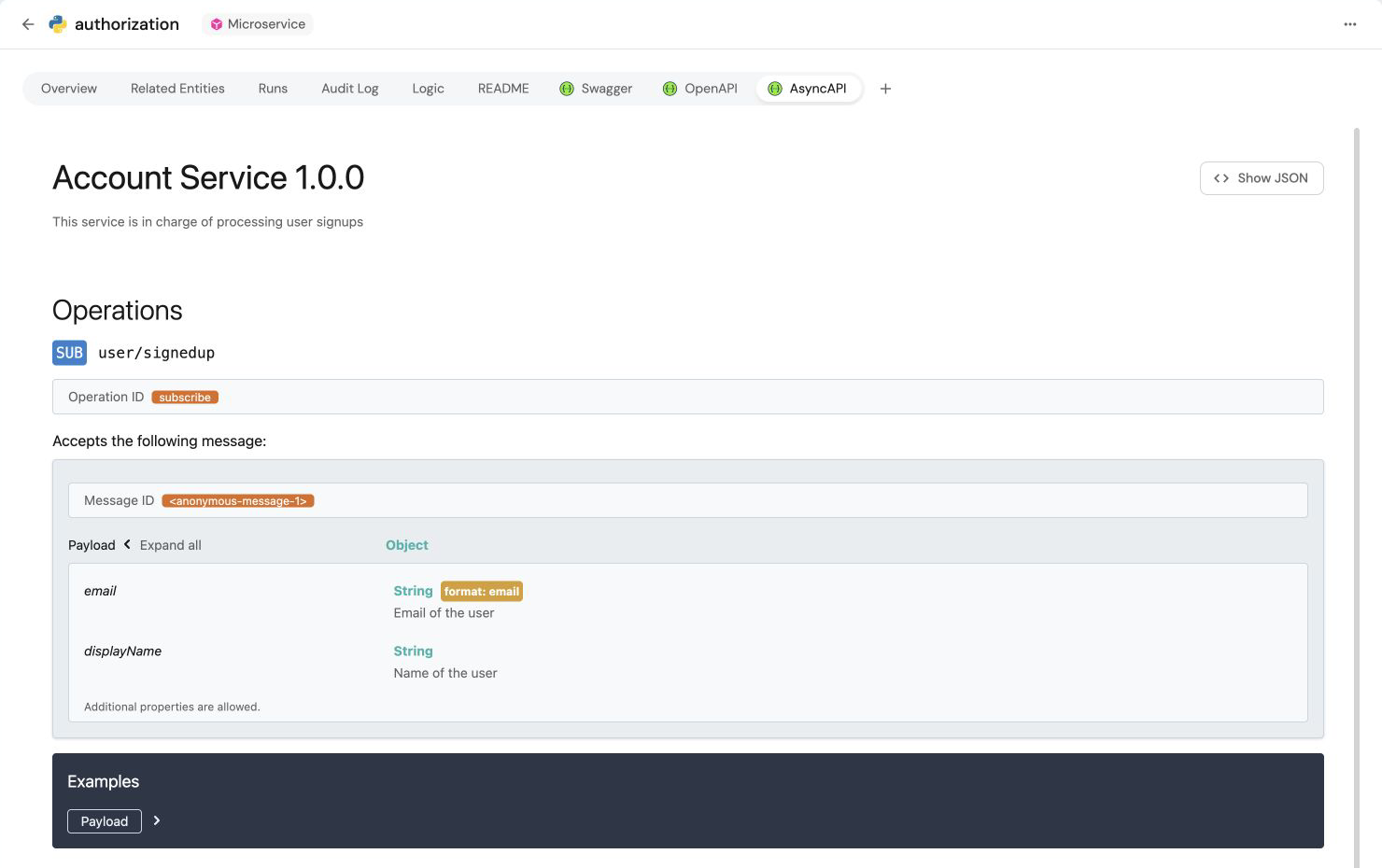
Here is how the Swagger tab in the specific entity page appears when an AsyncAPI spec is provided: