Embedded URL
The embedded URL property is used to embed and display a webpage within an entity in Port.
Using this property will automatically create an additional tab in each entity page, displaying the embedded content.
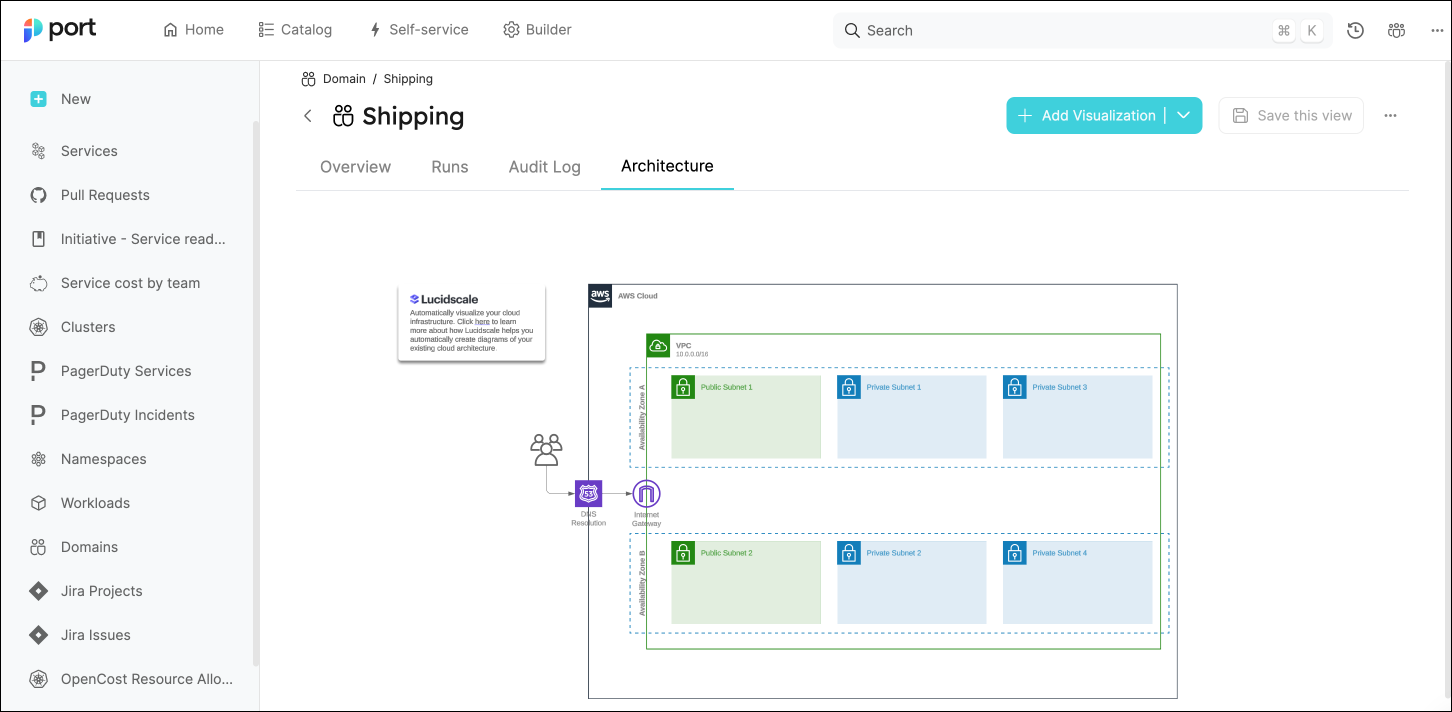
In the following example, we see the Shipping entity page, which is an instance on the Domain blueprint.
The blueprint has an embedded URL property named Architecture, which is automatically displayed in a dedicated tab:
URL type
Port supports the following URL types:
- Public link - A link to a public webpage, which does not require authentication.
- Private link - A link to a webpage that is protected by SSO authentication. To use this type, you'll need to provide the required parameters, see the authentication section for more information and examples.
Common usage
Use embedded URL properties to display external content on entity pages, such as:
- Monitoring dashboards for a service.
- Architecture diagrams.
- Charts from observability tools.
The source website must allow embedding. Configure authentication for supported pages that require sign-in.
Schema definition
The examples below use version 2.29.0 of the Terraform and Pulumi providers. Configure your provider first, then run one example at a time in its own project. Each example creates a blueprint; use distinct identifiers when you combine examples.
- API
- Terraform
{
  "myEmbeddedUrl": {
    "title": "My Embedded URL",
    "type": "string",
    "format": "url",
    "spec": "embedded-url",
    "description": "embedded-url Prop",
    // specAuthentication is needed only when using a protected/private URL
    "specAuthentication": {
        "authorizationUrl": "https://app.com",
        "tokenUrl": "https://app.com",
        "clientId": "1234",
        "authorizationScope": [
          "api://xxxx-xxxx-xxxx-xxxx-xxxx/user.read"
        ]
      }

  }
}
resource "port_blueprint" "myBlueprint" {
  identifier = "myBlueprint"
  title      = "My blueprint"
  properties = {
    string_props = {
      myEmbeddedUrl = {
        title    = "My Embedded URL"
        required = false
        format   = "url"
        spec     = "embedded-url"
      }
    }
  }
}
Examples
Datadog dashboard
In this example we are embedding a Datadog dashboard in order to get application metrics directly inside Port.
Add the embedded-URL property to a Blueprint:
Blueprint property definition (click to expand)
{
  "datadog": {
    "title": "Datadog",
    "type": "string",
    "format": "url",
    "spec": "embedded-url"
  }
}
Create or edit an Entity of the Blueprint you added the Datadog property to, and specify the URL to the Datadog dashboard:

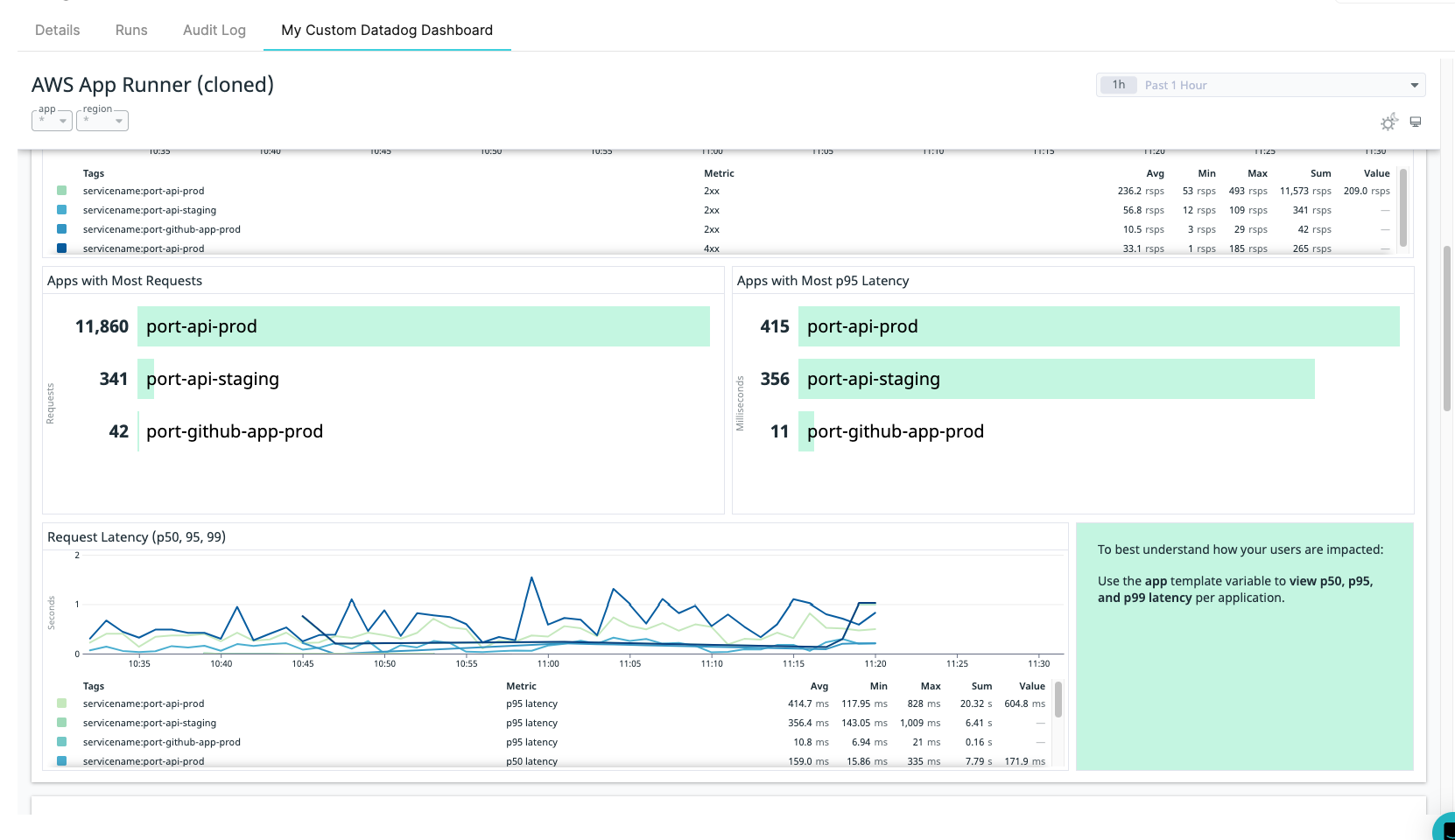
Now go to the specific entity page of your Entity and the Datadog dashboard will be visible in a dedicated tab:
New Relic chart
In this example we are embedding a CPU usage New Relic Chart to get infrastructure metrics directly inside Port.
Add the embedded-URL property to a Blueprint:
Blueprint property definition (click to expand)
{
  "cpuUsage": {
    "type": "string",
    "title": "CPU usage",
    "spec": "embedded-url",
    "format": "url"
  }
}
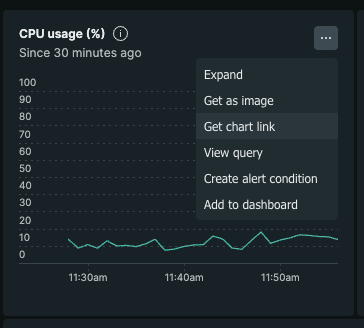
Go to new relic and extract the chart URL of a specific chart
Create or edit an Entity of the Blueprint you added the cpuUsage property to, and specify the URL to the CPU Usage chart:

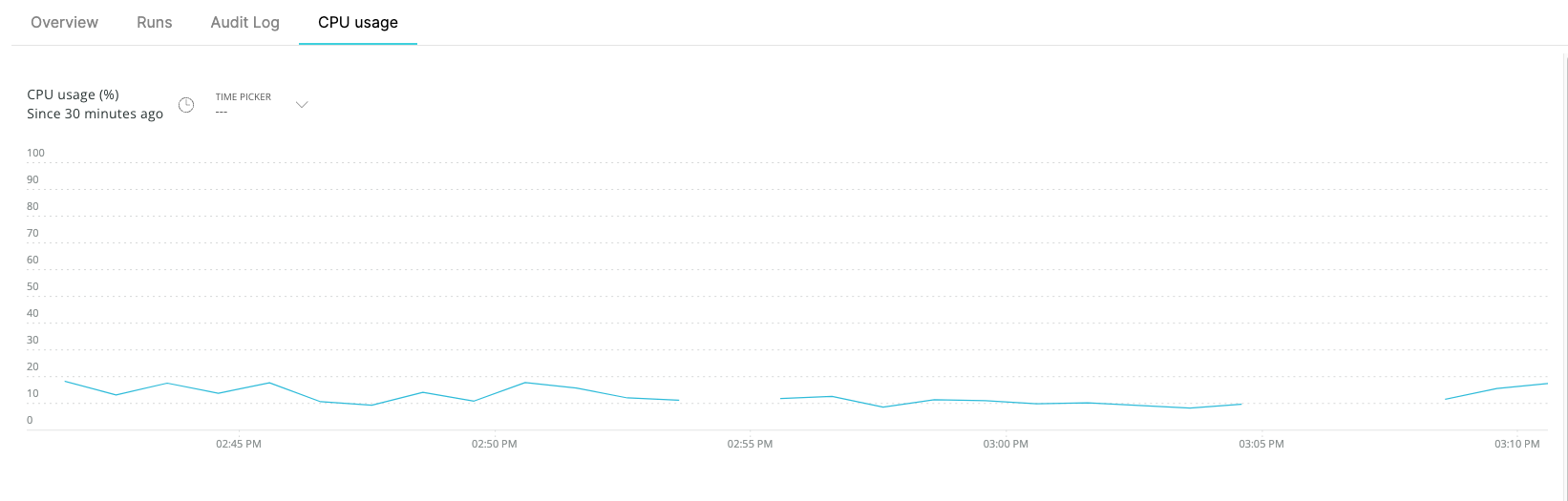
Now go to the specific entity page of your Entity and the CPU Usage chart will be visible in a dedicated tab: