Kafka topic
Port manages a Kafka topic per customer that publishes the execution run requests.
You can listen to this Kafka topic with any code platform you wish to use, and also use it as a trigger for a server-less function (e.g. AWS Lambda).
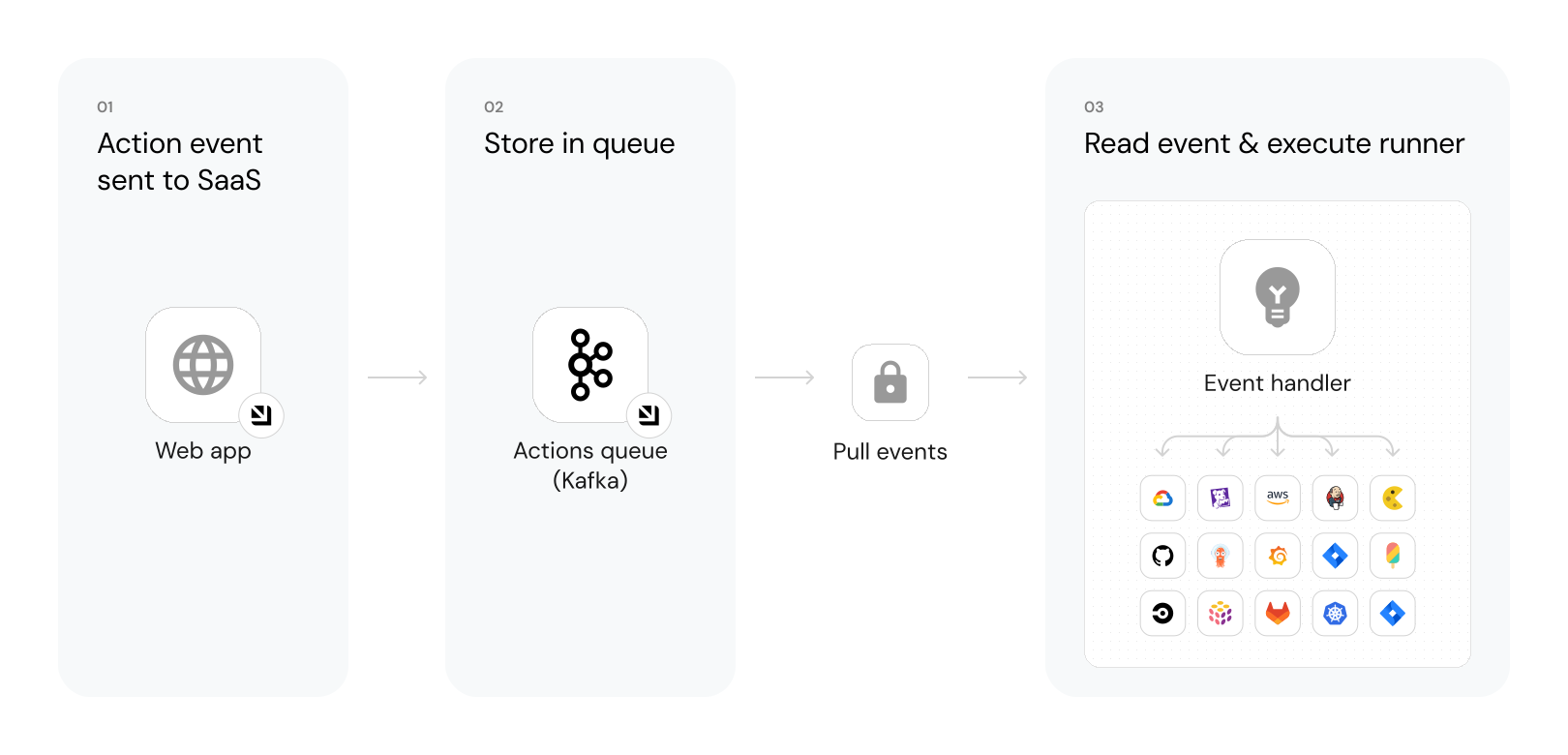
The steps shown in the image above are as follows:
-
Port publishes an invoked
ActionorChangemessage to Kafka.
Note that theactionsandchangestopics are separated, their formats are:- Action topic -
ORG_ID.runs - Changes topic -
ORG_ID.change.log
- Action topic -
-
A secure Kafka topic holds all of the action invocations and changes.
As part of the setup, you need to create a consumer group that listens to the topics.
The consumer group ID can have one of these formats:- Any group name with a prefix of your org id, for example
ORG_ID.my-group-name. - A group name that matches your username provided by Port.
- Any group name with a prefix of your org id, for example
-
A listener implemented on the client side receives the new topic message and runs code defined by the DevOps team.
The listener can be any service that can read from a Kafka topic and run code based on the received message, for example:
- AWS Lambda.
- Python code that reads from the topic.
- Docker container running code.
You control how you interact with these topics, in the way that best suits your organization and infrastructure.
An example flow would be:
- A developer asks to deploy a new version of an existing
Microservice. - The
createaction is sent to therunsKafka topic. - An AWS Lambda function is triggered by this new action message.
- The Lambda function deploys a new version of the service.
- When the Lambda is done, it reports back to Port about the new microservice
Deployment.
Prerequisites
To use Kafka as your backend, you need a dedicated Kafka topic.
Contact Port's support team to receive one.
When Port's support team provisions your Kafka topic, you will receive connection credentials including:
-
Kafka brokers (EU region):
b-1-public.publicclusterprod.t9rw6w.c1.kafka.eu-west-1.amazonaws.com:9196
b-2-public.publicclusterprod.t9rw6w.c1.kafka.eu-west-1.amazonaws.com:9196
b-3-public.publicclusterprod.t9rw6w.c1.kafka.eu-west-1.amazonaws.com:9196
Kafka brokers - US regionIf you are using Port in the US region, use the following Kafka consumer brokers instead:
"b-1-public.production.5v06xt.c21.kafka.us-east-1.amazonaws.com:9196,b-2-public.production.5v06xt.c21.kafka.us-east-1.amazonaws.com:9196,b-3-public.production.5v06xt.c21.kafka.us-east-1.amazonaws.com:9196" -
Username and password: Unique credentials for your organization.
-
Consumer group name: Your designated consumer group identifier.
Ensure that port 9196 is open in your environment.
Configuration
To use Kafka as your backend, you need to define the invocation type and the payload that will be sent to the topic.
Invocation type
When configuring the self-service action or automation, go to the Backend tab and select Write to Port's dedicated Kafka topic as the invocation type.
When using the JSON format, set "type": "KAFKA" in the invocationMethod object.
Configure the invocation payload
The invocation payload is the data sent to your Kafka topic when the action is triggered. You can customize this payload to include any data your backend logic needs.
The payload is defined using JSON, and you access trigger data using JQ expressions wrapped in double curly brackets {{ }}.
For example:
- Reference user inputs:
{{ .inputs.service_name }}. - Reference the executing user's email:
{{ .trigger.by.user.email }}. - Reference the action run ID:
{{ .run.id }}. - Reference secrets:
{{ .secrets["my-secret-name"] }}.
To learn more about how to construct the payload and the available trigger data, see define the payload.
Examples
For guides and examples of self-service actions using Kafka as the backend, check out the guides section.